

Creating professional lingerie product photos involves more than simply showing what a product looks like. Brands need clear product images, attractive model shots, detailed fabric photos, and lifestyle visuals that help customers understand the design and feel of each piece.
Traditional lingerie photography often requires professional models, photographers, studio setups, and extensive post-production. For brands with multiple styles and color variations, producing enough images can quickly become expensive.
AI offers another way to approach lingerie product photography. You can start with a simple text prompt to generate a complete model photo, create standalone product images, and expand your visuals for e-commerce and marketing.
In this guide, we’ll walk through how to create lingerie product photos with AI, from generating your first image to building a more complete product image collection.
What Types of Lingerie Product Photos Do You Need
A complete lingerie product collection often includes different types of photos, each serving a specific purpose:
- On-Model Photos: Show how lingerie fits and looks when worn, highlighting its silhouette and overall design.
- Flat Lay Photos: Display lingerie sets against clean backgrounds, making product shapes, colors, and designs easy to see.
- Detail Close-Ups: Highlight lace patterns, embroidery, fabric textures, stitching, and other design details.
- Ghost Mannequin Photos: Present lingerie in a structured, three-dimensional shape without a visible model.
- Lifestyle and Editorial Photos: Use styled settings, creative lighting, and fashion-inspired compositions to build brand identity and create marketing content.
Traditionally, creating all these images requires different photography setups and resources. AI tools offer a more flexible way to produce and expand product visuals. With Fashion Diffusion, you can generate lingerie photos from text prompts and create different types of product images for e-commerce and marketing.
Let’s explore how to create these lingerie product photos with AI.
How to Create Lingerie Product Photos with AI
You don’t necessarily need an existing lingerie product image to get started. With Fashion Diffusion, you can begin with a text prompt, generate a complete lingerie photo, and then turn it into different types of product visuals.
Here are three steps to follow.
Step 1. Generate Lingerie Photos with AI
Start by deciding what kind of lingerie photo you want to create. Think about the product style, model appearance, pose, background, and overall photography aesthetic.
With Fashion Diffusion’s AI Agent, you can describe your idea in natural language and generate a complete image from scratch.
For example, you can specify:
- Lingerie Style: Lace bra sets, satin lingerie, bodysuits, bralettes, or corsets.
- Model Appearance: Adult models with different skin tones, hairstyles, and body types.
- Pose and Composition: Standing poses, seated portraits, three-quarter views, or full-body compositions.
- Photography Style: Minimalist studio photography, luxury editorial, soft lifestyle photography, or fashion campaigns.
Here are some prompts to try:
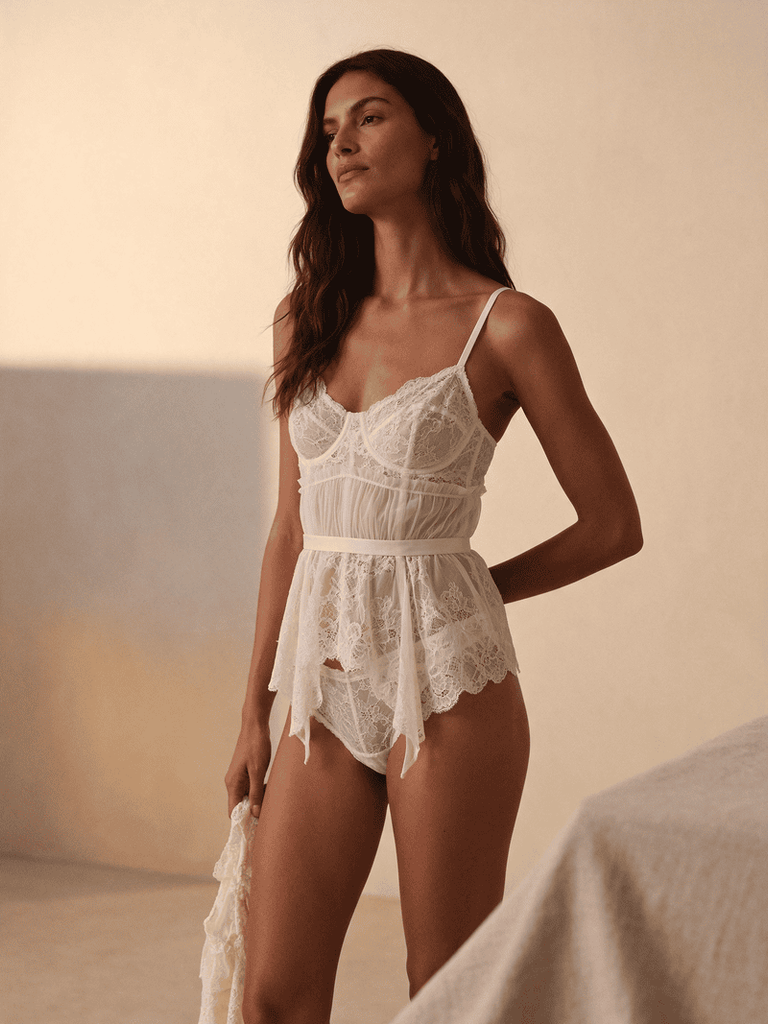
Prompt 1: Minimalist Lace Lingerie
An adult female fashion model wearing an elegant ivory lace lingerie set, standing against a warm beige studio backdrop. Soft diffused lighting, natural pose, clean composition, luxury ecommerce photography, realistic fabric texture.
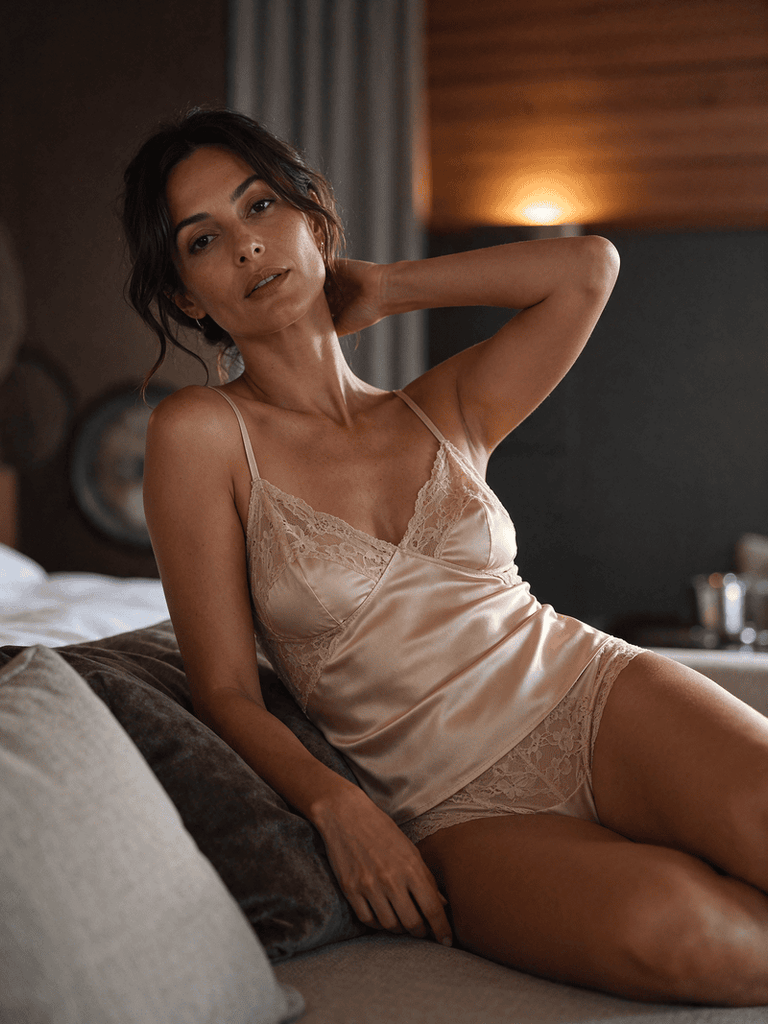
Prompt 2: Luxury Satin Editorial
An adult woman wearing a champagne satin lingerie set with delicate lace details, photographed in a sophisticated hotel suite. Warm cinematic lighting, elegant styling, relaxed pose, high-end fashion magazine photography.
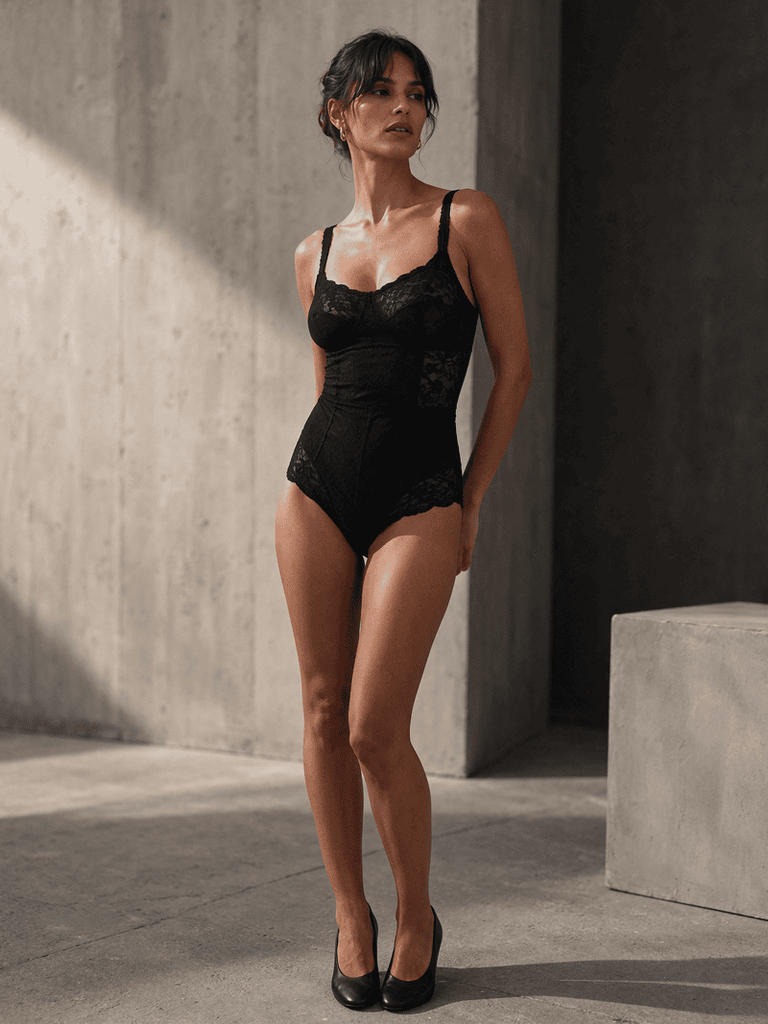
Prompt 3: Modern Black Bodysuit
An adult fashion model wearing a sleek black lace bodysuit, posing confidently in a minimalist architectural studio. Dramatic side lighting, contemporary editorial composition, refined luxury fashion campaign aesthetic.
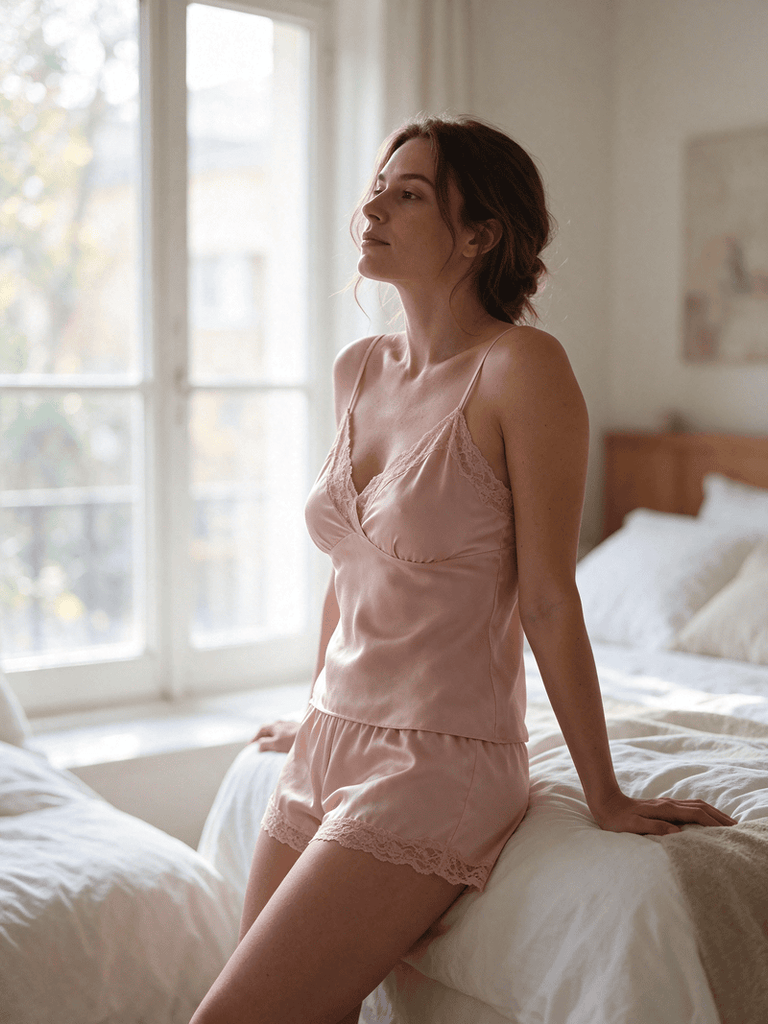
Prompt 4: Soft Lifestyle Photography
An adult woman wearing a soft pink silk pajama-inspired lingerie set, standing beside a large window in a bright, neutral bedroom. Natural morning light, relaxed atmosphere, understated styling, realistic lifestyle photography.
You can also explore more styles and ready-to-use ideas in Fashion Diffusion’s Lingerie AI Photo Prompts.
Once you have a result you like, you can use it as the starting point for creating additional product images.
Step 2. Create Flat Lay Lingerie Product Images
Model photos are useful for showing how lingerie looks when worn, but e-commerce listings often need standalone product images as well.
A flat lay image gives customers a clearer view of the product itself, including its overall shape, construction, color, and design details.
Instead of generating another image from scratch, you can use a flat-lay generator to turn your generated lingerie photo into a standalone product presentation.
For better results, consider these points:
- Choose a Clear Reference: Start with a model photo where the lingerie is clearly visible.
- Keep the Product Design Consistent: Pay attention to the original color, straps, lace patterns, and overall silhouette.
- Check the Final Details: Make sure the generated flat lay accurately represents the intended design.
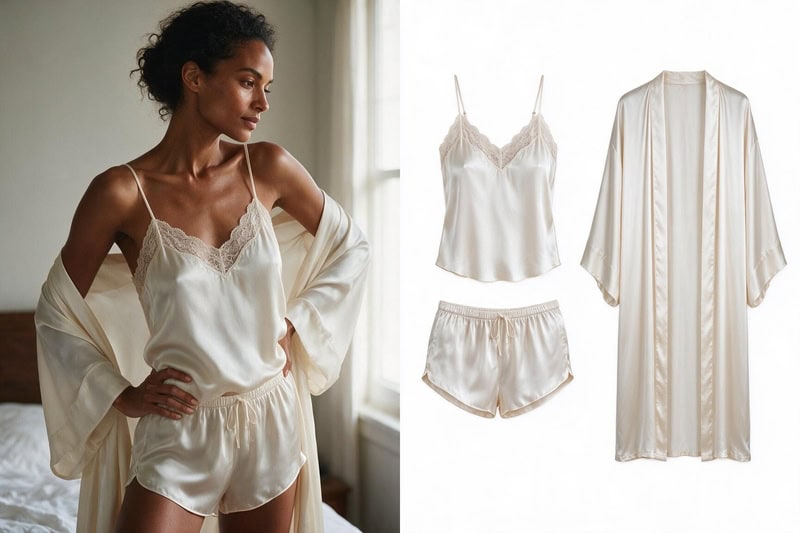
This gives you another type of product visual to use alongside your model photography.
Step 3. Refine and Expand Your Product Photos
After creating your main model and flat lay images, you may want to build a more complete collection for your online store.
For example, a lingerie product page might need:
- A main product image that immediately attracts attention.
- Close-up shots showing lace patterns, stitching, and fabric texture.
- Lifestyle images that establish the brand’s visual style.
- Feature images highlighting specific product details.
Fashion Diffusion’s AI Product Detail Shots can help create these additional e-commerce visuals.
Upload your product reference images and provide relevant product information or selling points. You can then generate different types of product detail images, including hero shots, lifestyle scenes, feature callouts, and other supporting visuals.
For lingerie products, you might highlight details such as adjustable straps, delicate lace patterns, soft fabric, or seamless construction.
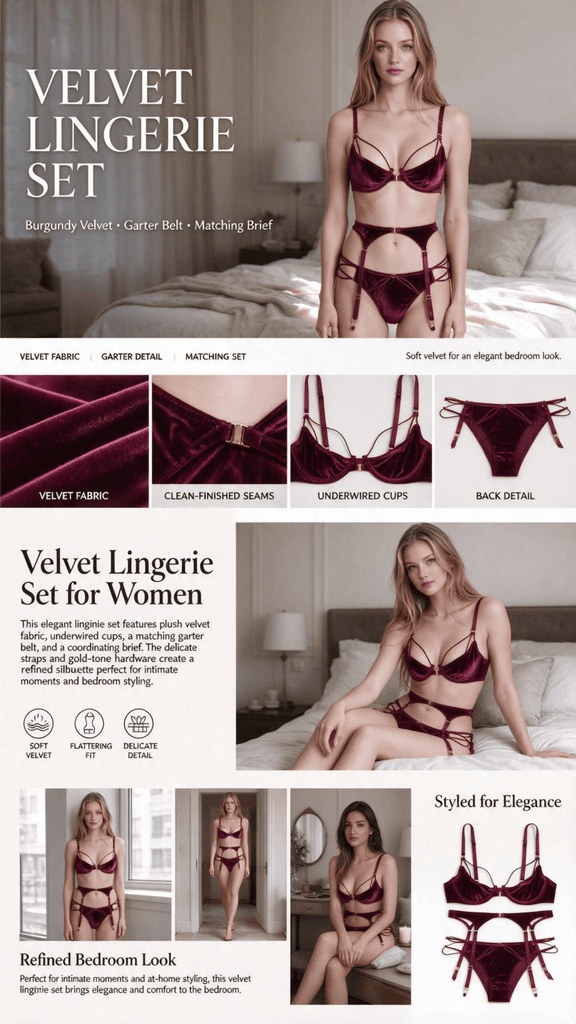
One important thing to remember: AI-generated product details should be checked against the actual item. Make sure the images do not introduce design features, materials, or product claims that aren’t present in the real product.
More Ways to Create Lingerie Product Photos with AI
Beyond creating product and flat lay images, there are other ways to use AI to expand your lingerie photography collection.
Create More On-Model Lingerie Photos
If you already have a specific lingerie design, you may want to show it on different models rather than generating an entirely new product image each time.
AI lingerie try-on can help you apply lingerie designs to model images and create additional on-model product photos.
This is particularly useful when you want to explore different model appearances, poses, and photography styles while keeping the original product as a reference.
Explore More Lingerie and Swimwear Photography Styles
Lingerie and swimwear photography share several visual styles, including luxury editorial, resort-inspired campaigns, minimalist studio photography, and soft natural-light portraits.
If you want more inspiration, you can also explore Gemini AI prompts for bikini photos. These ideas can help you experiment with different lighting, compositions, and fashion photography aesthetics.
How to Use AI Lingerie Photos for E–commerce
Creating lingerie photos is only part of the process. You also need to make sure your images work well across product listings, online stores, and marketing channels.
Here are a few things to consider:
- Build a Consistent Product Gallery: Use a consistent visual style across the same product collection, including backgrounds, lighting, and image composition.
- Show the Product from Different Angles: Combine on-model photos, flat lays, and detail shots to give shoppers a more complete view of each lingerie design.
- Create Separate Images for Different Channels: Use clean product images for e-commerce listings, lifestyle photos for social media, and editorial visuals for brand campaigns.
- Keep Generated Images True to the Product: Check colors, lace patterns, materials, straps, and construction against the actual item. Avoid showing features or fit details that the product doesn’t have.
- Follow E-commerce Image Guidelines: Review marketplace requirements for image backgrounds, model presentation, adult content, and AI-generated imagery before publishing.
Create Your Own Lingerie Product Photos with Fashion Diffusion
From generating your first lingerie model photo to creating flat lay images and detailed e-commerce visuals, AI gives you more ways to develop product photography for your brand.
With Fashion Diffusion, you can explore different lingerie styles, create model images, and build a more varied collection of product visuals without relying entirely on traditional photoshoots.
Start creating with Fashion Diffusion and bring your lingerie photography ideas to life.
FAQ
Yes. AI image generation can create realistic lingerie photos with detailed fabrics, natural-looking models, and professional lighting. Using specific prompts and clear reference images can help improve the results. However, generated images may not perfectly reproduce every product detail, so always review them before using them commercially.
Yes. You can generate flat lay lingerie images or standalone product shots without showing a model. These images are useful for e-commerce listings, product catalogs, and online stores.
Yes. With AI virtual try-on, you can use a lingerie product image as a reference and apply the design to a model image. This allows you to create on-model product photos without arranging a traditional photoshoot.
AI-generated lingerie photos can be used for e-commerce product pages and marketing materials, provided they comply with the relevant platform policies and accurately represent the products being sold. For example, check the image requirements of marketplaces such as Amazon and Google Merchant Center before publishing.
You can experiment with different prompts describing the model, background, lighting, pose, and photography aesthetic. Popular directions include minimalist studio photography, luxury editorial, lifestyle photography, and fashion campaign images.
Yes. Some AI image generators offer free credits or limited free generations, allowing you to try different lingerie photography styles without an upfront cost. Fashion Diffusion also provides free credits for new accounts, so you can experiment with AI-generated lingerie photos before choosing a paid plan for larger image batches.


