

Want to see how a different swimsuit style would look in your photo? You don’t need to change outfits or take another picture. With an AI bikini generator, you can explore different swimwear designs using your existing model photos.
From classic triangle bikinis to trendy halter styles and elegant one-piece swimsuits, AI makes it easy to experiment with different cuts, colors, and fabrics. You can also use simple prompts to customize the details and create a variety of summer looks.
In this guide, we’ll show you how to change a dress to a bikini with AI, explore different swimwear styles, and share practical prompts to help you create your own looks.
Change Your Outfit in Three Simple Steps
Fashion Diffusion’s AI bikini generator lets you explore custom swimwear designs and create realistic on-model visuals. You can describe the bikini style you want, upload reference images, and refine the design through prompts.
Here’s how to get started.
Step 1. Upload Your Photo
Open the AI Bikini Generator and upload your original model photo or a suitable visual reference.
For a dress-to-bikini transformation, start with a clear photo of an adult model wearing a dress. A well-lit image with a visible outfit and unobstructed clothing details provides a better starting point.
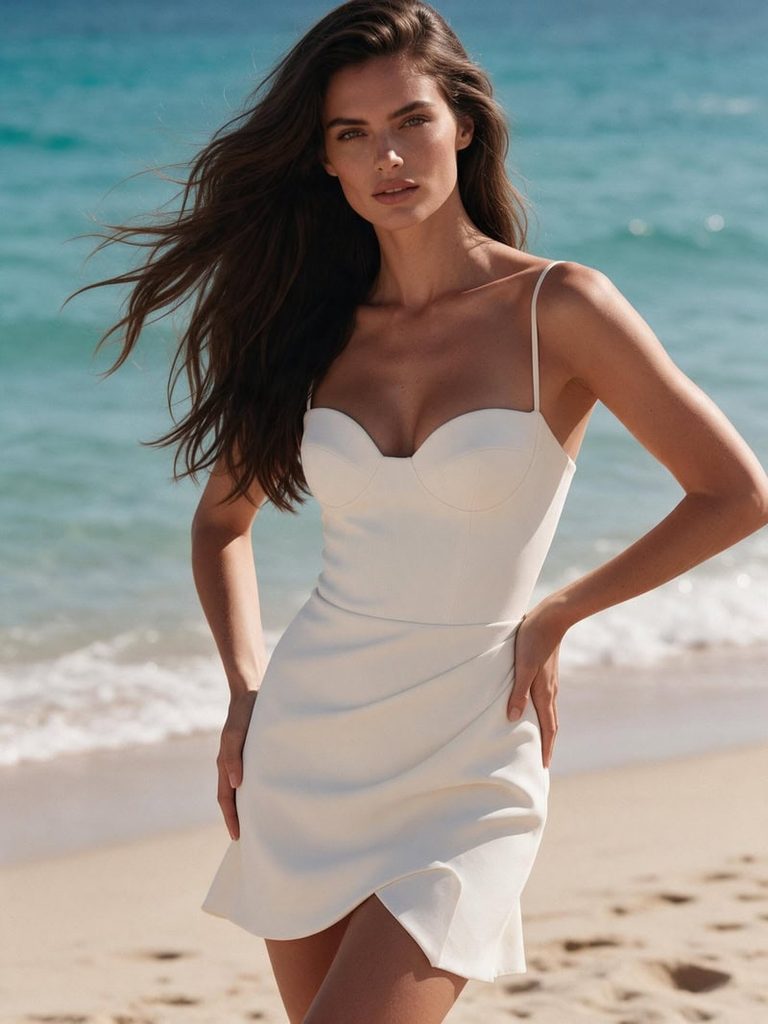
Step 2. Describe Your Bikini Style
Enter a prompt describing the swimsuit you want. Include details such as the bikini cut, color, fabric, straps, and decorative elements.
For example:
Replace the dress with a sexy, elegant ivory white bikini. A structured sweetheart bikini top with delicate thin straps, flattering high-cut bottoms and subtle draped fabric details. Modern, feminine swimwear design with a clean silhouette, stylish and slightly daring. Keep the same adult model, face, hairstyle, pose, beach background and lighting. Preserve the original ivory white color and luxurious summer resort aesthetic. Realistic high-end swimwear editorial photography.
You can experiment with different styles, from simple solid-color bikinis to printed designs and more distinctive silhouettes.
Step 3. Generate and Explore Different Looks
Generate your image and review the result. Try changing the bikini style, color, or fabric to explore more variations.
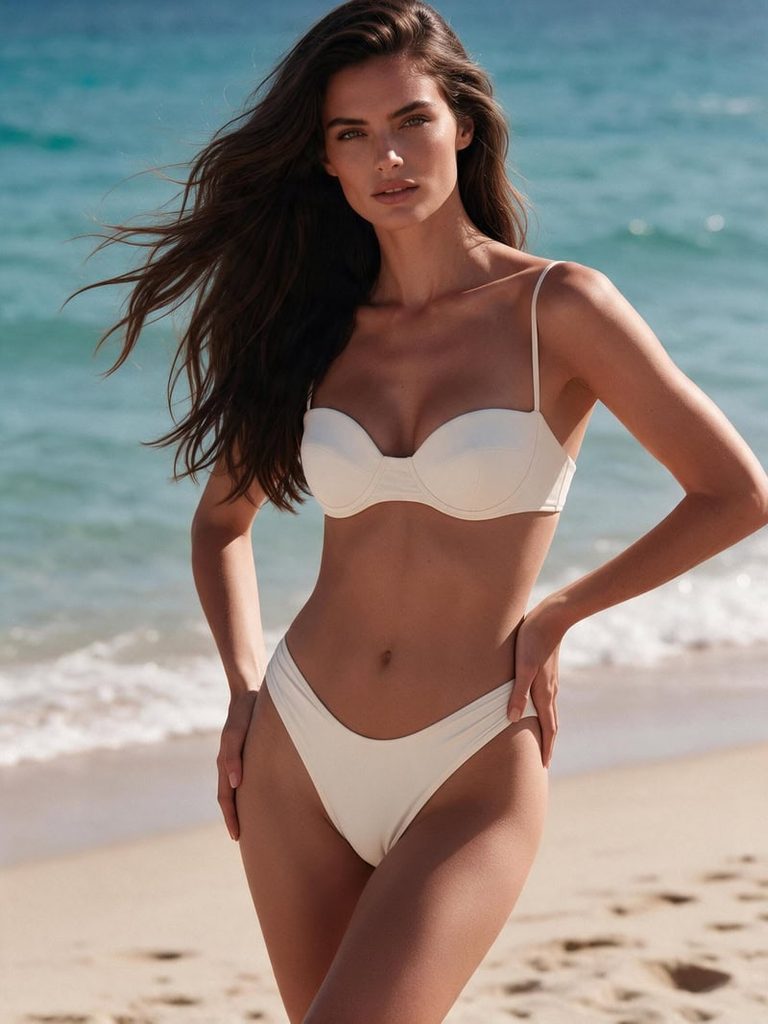
You can also adjust your prompt or reference image to refine the design. This makes it easier to compare different swimwear looks without starting from scratch every time.
From Dress to Bikini: 6 Styles to Try with AI
You don’t need an existing dress photo to get started. You can first create a model wearing a dress with Fashion Diffusion’s AI Outfit Generator, then use the AI Bikini Generator to transform the outfit into a matching bikini.
The idea is simple: keep the original color palette and overall style while changing the garment’s silhouette and design. This creates a more consistent before-and-after comparison and lets you explore different swimwear looks from one fashion concept.
Here are six styles to try, each with two prompts.
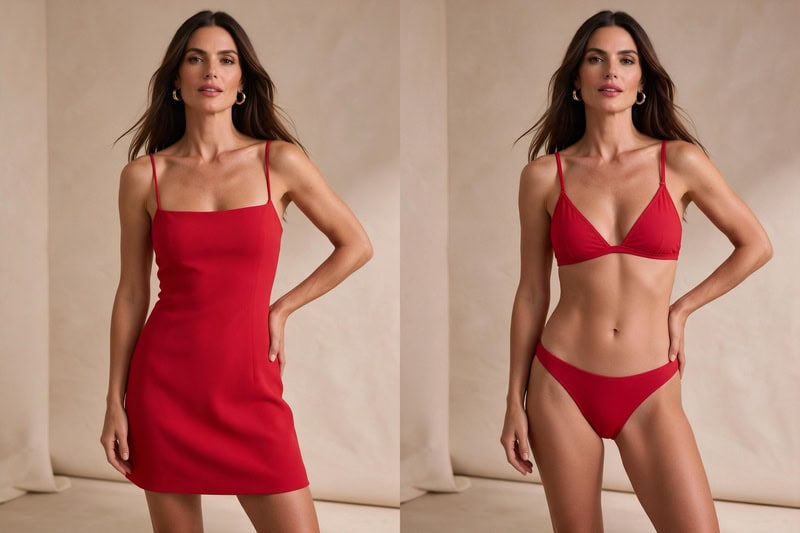
1. Classic Red Bikini
A classic red dress makes a great starting point for a bold summer look. Keep the vibrant red tone when switching to a simple triangle bikini for a clean, coordinated result.
Original Dress Prompt:
A stylish adult woman with long dark brown hair, wearing a fitted red mini dress with thin straps and a simple square neckline. Standing confidently against a warm beige studio background, natural pose, soft lighting, modern summer fashion editorial photography.
Bikini Transformation Prompt:
Replace the red dress with a matching red triangle bikini featuring delicate adjustable straps and a clean, minimal design. Keep the original model, face, pose, background, and lighting consistent. Preserve the vibrant red color and create realistic swimwear fabric details.
2. Black Halter Bikini
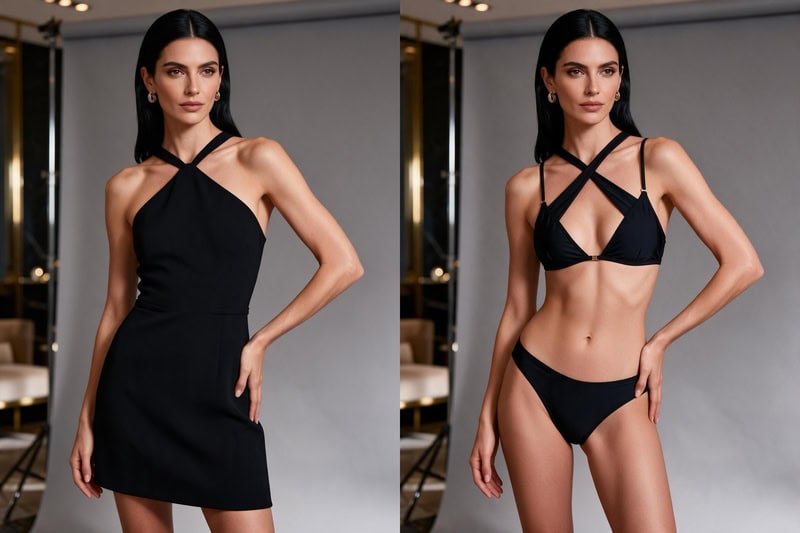
A sleek black dress can easily transition into a sophisticated black halter bikini. This combination works well for a polished, minimalist fashion aesthetic.
Original Dress Prompt:
An adult woman with sleek black hair, wearing a fitted black mini dress with a halter neckline and subtle waist detailing. Standing in a modern luxury studio with a soft gray background, elegant pose, understated fashion editorial photography.
Bikini Transformation Prompt:
Replace the black dress with a matching black halter bikini featuring a flattering neckline, delicate straps, and subtle gold hardware. Keep the original model, face, pose, background, and lighting consistent. Maintain the sleek black aesthetic and realistic fabric texture.
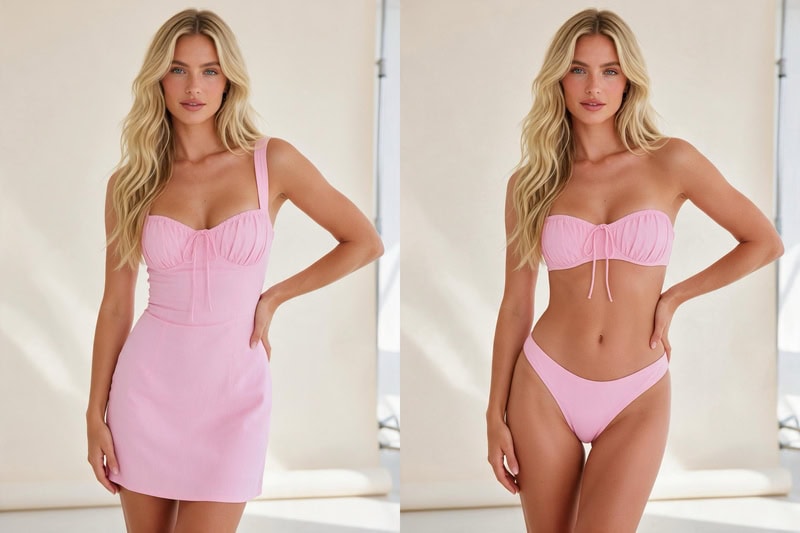
3. Pastel Pink Bandeau Bikini
Soft pink and delicate silhouettes create a playful, feminine summer look. Start with a pastel pink dress, then transform it into a matching bandeau bikini.
Original Dress Prompt:
An adult woman with long blonde wavy hair, wearing a pastel pink fitted mini dress with a sweetheart neckline and delicate gathered details. Standing in a bright studio with a soft cream background, relaxed pose, fresh summer fashion photography.
Bikini Transformation Prompt:
Replace the pink dress with a matching pastel pink bandeau bikini featuring a softly structured strapless top and delicate gathered details. Keep the original model, face, pose, background, and lighting consistent. Preserve the soft pink color palette and realistic fabric appearance.
4. Chocolate Brown High-Waisted Bikini
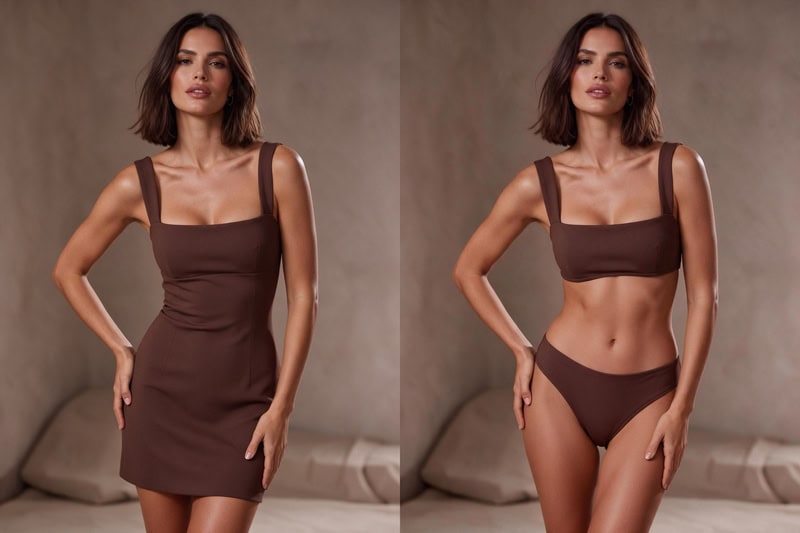
Chocolate brown is a popular choice for understated summer styling. A fitted brown dress can be transformed into a coordinated high-waisted bikini with a retro-inspired silhouette.
Original Dress Prompt:
An adult woman with shoulder-length dark brown hair, wearing a fitted chocolate brown mini dress with a square neckline and wide shoulder straps. Standing against a warm taupe studio background, relaxed confident pose, muted luxury fashion editorial style.
Bikini Transformation Prompt:
Replace the chocolate brown dress with a matching high-waisted bikini featuring a structured square-neck top and high-rise bottoms. Keep the original model, face, pose, background, and lighting consistent. Maintain the warm brown color palette and refined minimalist aesthetic.
5. Tropical Printed Bikini
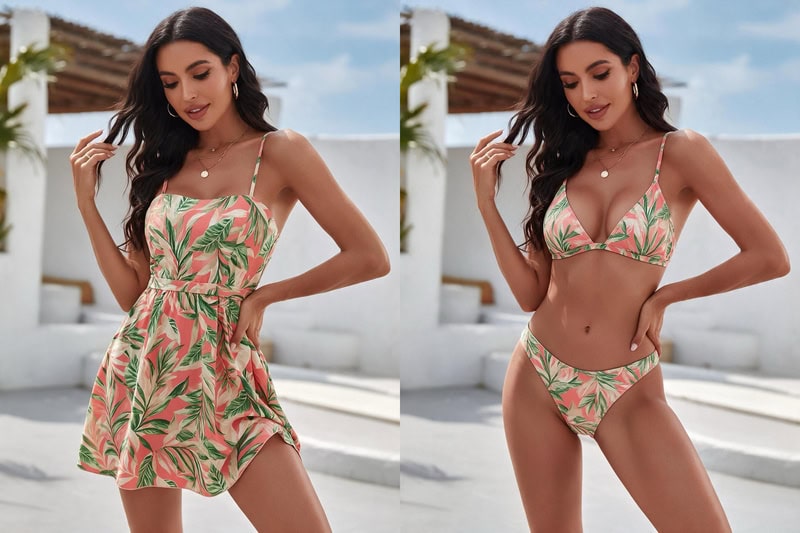
For a more playful summer look, try a colorful tropical-print dress as the starting point. Keep the same print and color combination when transforming it into a matching bikini.
Original Dress Prompt:
An adult woman with long dark wavy hair, wearing a tropical-print mini dress featuring coral pink, leafy green, and cream tones. The dress has a fitted waist and delicate shoulder straps. Set against a bright resort-inspired background, relaxed summer pose, vibrant yet tasteful vacation photography.
Bikini Transformation Prompt:
Replace the tropical-print dress with a matching triangle bikini featuring the same coral pink, leafy green, and cream floral pattern. Keep the original model, face, pose, background, and lighting consistent. Preserve the print colors and create realistic swimwear fabric details.
6. White Ruffle Bikini
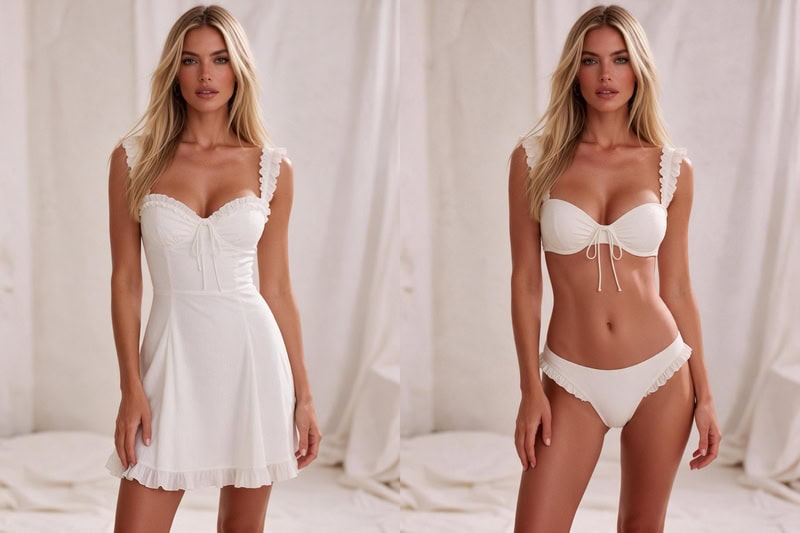
A white dress with delicate details provides a great base for a romantic swimwear look. Transform its soft, feminine style into a matching white ruffle bikini.
Original Dress Prompt:
An adult woman with long blonde hair, wearing an elegant white mini dress with delicate ruffle details, a sweetheart neckline, and subtle textured fabric. Standing against a soft ivory studio background, natural pose, dreamy summer fashion editorial photography.
Bikini Transformation Prompt:
Replace the white dress with a matching white bikini featuring delicate ruffle details, a sweetheart-style top, and subtle textured fabric. Keep the original model, face, pose, background, and lighting consistent. Preserve the soft ivory color palette and feminine aesthetic.
Tips for Getting Realistic AI Bikini Photos
A few simple adjustments can help improve your AI-generated swimwear images.
- Choose a clear source photo: Good lighting and visible clothing details provide a better starting point.
- Specify the bikini design: Describe the neckline, straps, silhouette, and coverage instead of using a generic description.
- Experiment with colors and fabrics: Try different color combinations, satin finishes, ribbed textures, and printed patterns.
- Keep the original photo consistent: If you want to preserve the model and setting, mention the original appearance, pose, and background in your prompt.
- Refine one detail at a time: If the bikini shape or color isn’t right, adjust that specific part instead of rewriting the entire prompt.
More Ways to Explore Your Bikini Looks
Changing a dress into a bikini is just one way to experiment with swimwear styles. If you want to try something different or do more with the images you’ve created, here are two more ways to explore.
If you want to try a different approach to creating bikini photos, the AI Dress Remover is worth exploring. Instead of describing every detail in a prompt, simply upload a dress photo and let AI create a matching bikini look based on the original outfit. It’s a handy way to experiment with different swimwear styles while keeping the original colors and overall aesthetic.
And if you’ve created a bikini look you really like, you can take it beyond a still image. The AI Bikini Video Generator lets you turn your bikini photos into short videos, adding movement to your new look. It’s a fun way to create more eye-catching swimwear content without having to start over.
Create Your Own Bikini Looks with AI
Turning a dress into a bikini is just one way to play with AI fashion. Whether you love classic swimwear cuts, bold color combinations, or small details like ties and cutouts, a simple prompt and a reference image are all you need to try a new look.
Curious how it would look on you? Head over to Fashion Diffusion and start experimenting with our AI-powered fashion design and photo editing tools.
FAQ
AI can help transform many types of clothing into swimwear designs. Results depend on the original image, clothing visibility, pose, and the complexity of the requested design.
Yes. You can describe a one-piece swimsuit instead of a bikini in your prompt. Specify details such as the neckline, straps, color, and silhouette to guide the design.
Yes. You can experiment with different colors, prints, fabrics, and design details by adjusting your prompts or uploading reference images.
Start with a clear, well-lit source photo and describe the desired swimsuit in detail. Include its cut, fabric, and color, and specify which parts of the original photo you want to keep consistent. Refine the prompt if the first result needs adjustments.
Yes. Some AI bikini generators offer free credits for new users, allowing you to try different swimwear designs without an upfront payment. Fashion Diffusion provides free credits when you create a new account. Additional usage may require a paid plan.


