

Creating swimwear content used to mean booking a studio, flying in models, and waiting weeks for edited shots. Today, you can get design concepts, on-model photos, diverse body type variations, and campaign visuals — all from a browser, in minutes.
This guide covers the full AI bikini workflow using Fashion Diffusion: how to generate designs from scratch, visualize them on AI models, create product-ready photography, and turn images into video content.
What Is an AI Bikini Generator?
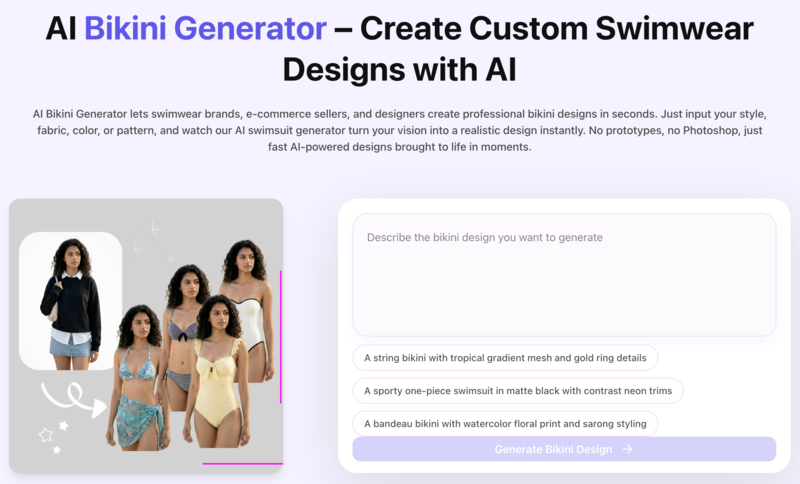
An AI bikini generator uses artificial intelligence to create swimwear visuals — either as original design concepts, or as on-model product photos from existing garment images.
Most tools only handle one of these. The distinction matters:
- Design generators take a text prompt and produce bikini concepts: silhouette, fabric, color, and print. Useful for ideation and exploring new directions before sampling.
- Photography generators take an existing garment photo (flat lay or mannequin) and place it on a realistic AI model. Used for product listing images and catalog photography.
Fashion Diffusion covers both. You can design a swimwear concept from a text prompt, then take it directly into Virtual Try-On to see it on a model — without switching tools.
How to Create Swimwear Designs with the AI Bikini Generator
Step 1: Generate a Bikini Design from a Text Prompt
Open the AI Bikini Generator and describe the swimwear you want. The AI produces a photorealistic design concept based on your description.
Your prompt should specify:
- Silhouette: triangle bikini, bandeau top, one-piece, high-waist bottom, cut-out swimsuit
- Fabric and texture: matte, metallic, ribbed knit, mesh, neoprene, sustainable recycled material
- Color palette: specific colors, gradients, bold contrasts
- Print or pattern: tropical, geometric, solid, tie-dye, abstract
- Details: ring hardware, lace-up ties, ruching, underwire, adjustable straps
- Styling direction: minimalist, resort, editorial, sport, vintage-inspired
Example prompts:
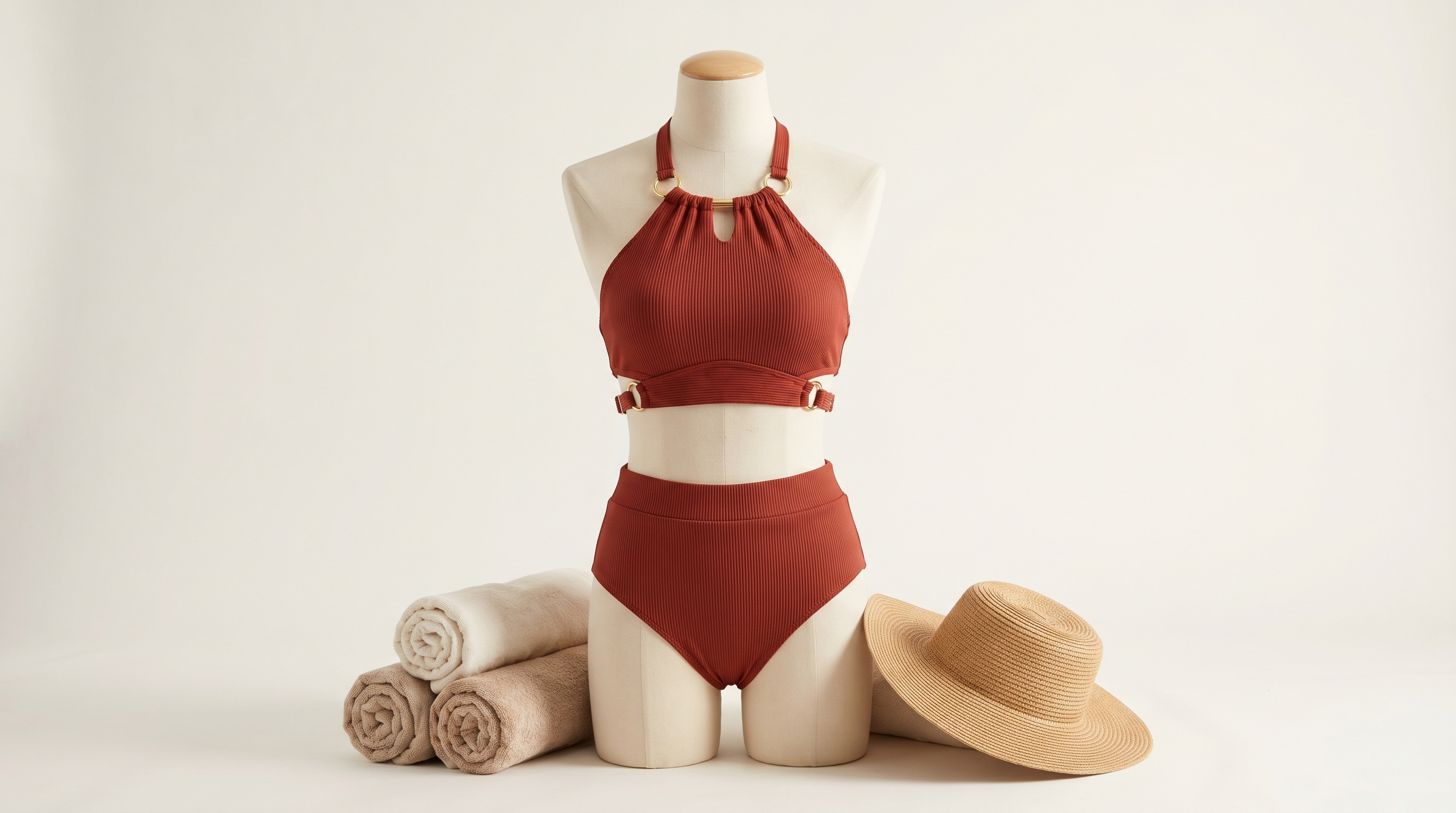
A halter bikini top with adjustable gold ring details and high-waist bottoms, in deep terracotta with ribbed texture. Resort-ready, clean studio background.
A structured bandeau bikini in glossy black with architectural boning and minimal hardware. Editorial fashion photography, soft studio lighting.
A sustainable one-piece in sage green recycled fabric, with asymmetric cut-out at the waist and wide straps. Minimalist luxury aesthetic.
A Brazilian-cut bikini with tropical watercolor print, string ties, and sarong wrap bottom. Lifestyle beach photography mood.
Generate multiple variations from the same prompt. Small changes — matte to metallic, string ties to clip hardware — produce meaningfully different designs.
Step 2: Refine Colors, Fabrics, and Patterns
Once you have a base design, iterate without starting over:
- Recolor — Change the color palette while keeping the silhouette and fabric intact. Test the same cut in five colorways in minutes.
- Apply Fabric — Upload a fabric swatch and apply it to your design to see how a specific print looks on the actual garment shape.
- AI Inpainting — Edit specific areas: change strap style, adjust hardware, or modify the cut without regenerating the whole image.
Step 3: Put Your Bikini on an AI Model
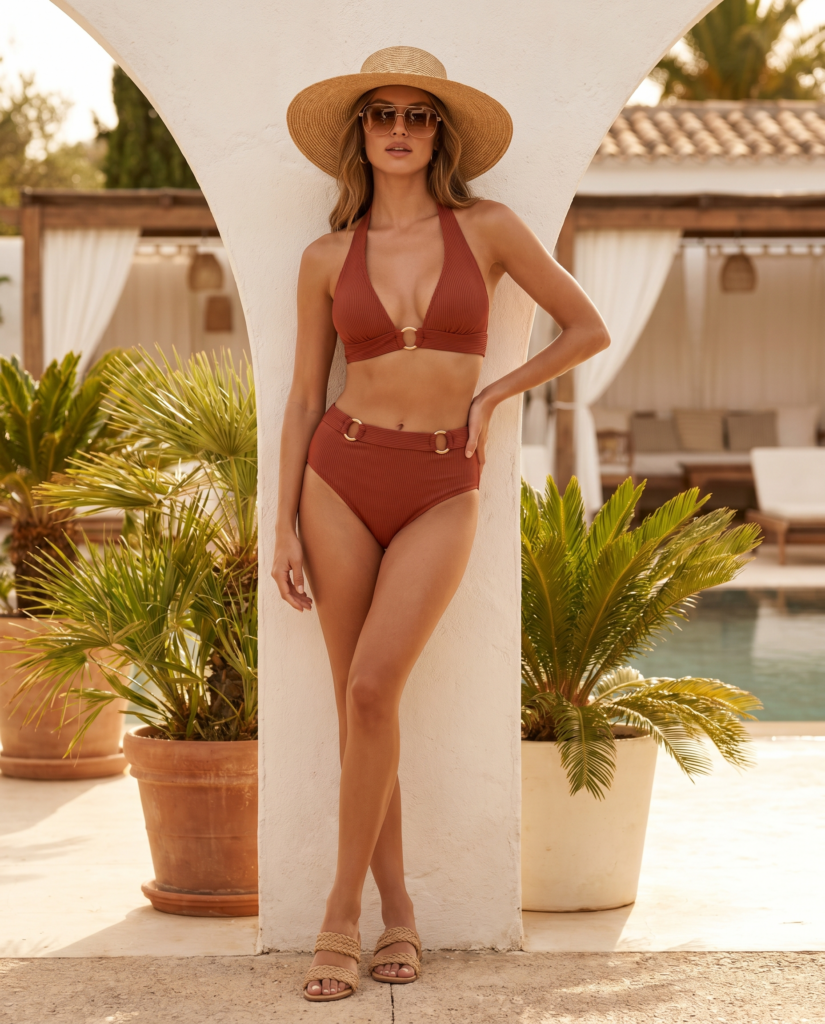
When the design is ready, use Virtual Try-On to place it on a realistic AI model. Upload the design, select your model parameters, and generate. Fashion Diffusion renders the garment with accurate fabric behavior — drape, texture, print alignment, and strap placement.
For product listings, use a white or neutral background with a full-body shot. This meets format requirements for Amazon, Shopify, and most marketplaces.
For editorial and campaign content, use Change Background to place your model in a beach setting or poolside environment after generating the on-model shot.
Step 4: Show Your Swimwear on Diverse Body Types
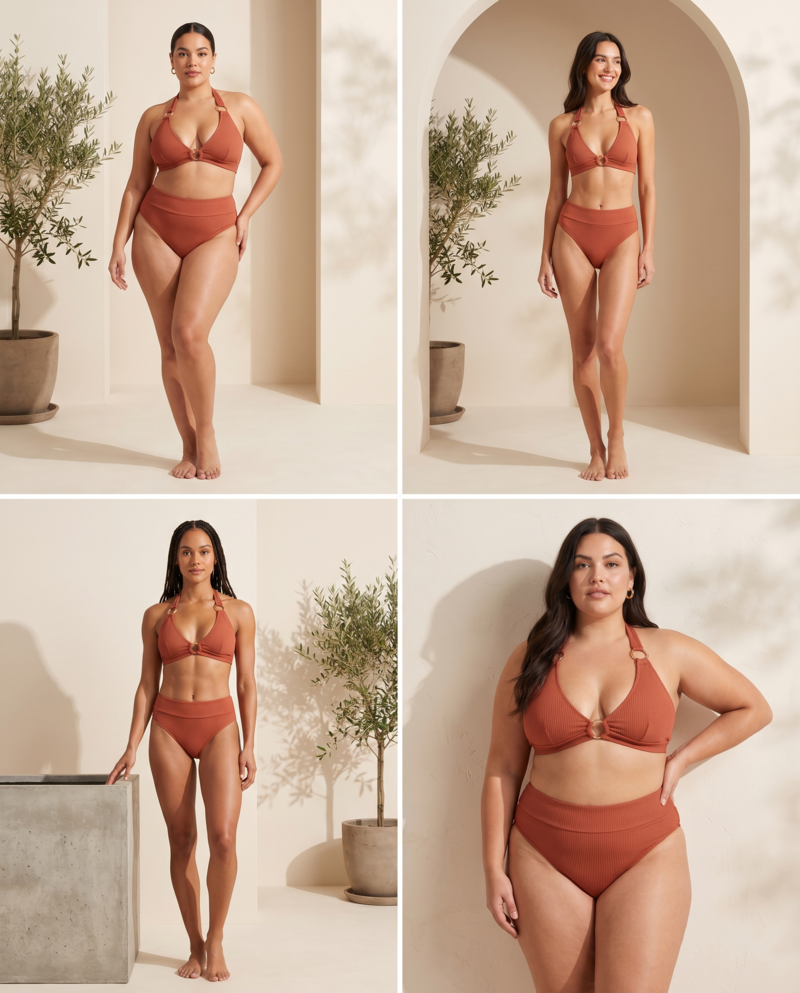
AI model generation lets you show a design across different body types, skin tones, and sizes — without booking multiple models.
Using the AI Model Generator, specify:
- Body type and size range
- Skin tone and ethnicity
- Hair style and length
- Pose and framing (full body, waist up, detail crop)
- Background and lighting
The bikini design stays consistent — same fabric, same print, same hardware — while the model changes. This is the most practical way to build a size-inclusive catalog without extra shoots.
Step 5: Turn Your Swimwear Photos into Video Content
Static photos get you onto a marketplace listing. Video drives engagement on TikTok, Instagram Reels, and product pages.
Fashion Diffusion’s AI Fashion Video takes any bikini image — a flat lay, a model shot, a Virtual Try-On result — and animates it into a publish-ready video. No filming, no editing, no production team.
How it works:
- Upload your swimwear image (the on-model shot from Step 3 works directly)
- Describe the motion — fabric movement, camera style, scene direction
- Generate and publish
Prompt examples for swimwear video:
“Slow camera pan across the model, fabric rippling gently in a beach breeze, golden hour light, lifestyle mood”
“Model turns to show the back of the swimsuit, poolside setting, soft natural light”
“Close-up of fabric texture moving in wind, showcasing the print detail, white background”
The AI preserves garment detail — fabric texture, print, strap placement — through the motion. Customers can see how the swimwear moves and drapes, which static images can’t show.
One image can produce multiple video variations in a single session — different motions, different moods, different crops. A single bikini shot becomes a full week of content.
Who Benefits Most from an AI Bikini Generator
E-Commerce Sellers: Product Photography at Scale
For sellers managing large catalogs, traditional photography doesn’t scale — one round of on-model shots can cost $5,000–$15,000 and repeats every season. AI reduces per-image cost to under $1, and you can update imagery for a single colorway or restocked style without scheduling a new shoot.
Fashion Designers: Concept to Presentation in Hours
Traditional swimwear design means hand-sketching, mood boards, and physical sampling before presenting to buyers. With Sketch to Render, upload a hand-drawn sketch and get a photorealistic rendering in seconds.
Now designers can stay ahead of trends. They can quickly respond to looks like those featured in ELLE’s 2026 swimwear trends report.
Swimwear Startups: Launch Visuals Before Production
You don’t need manufactured products to launch. AI-generated imagery lets you build a complete visual collection — multiple designs, on-model photos, diverse sizing — before committing to production. Use it for crowdfunding campaigns, pre-orders, or investor pitches.
Content Creators: Campaign Visuals Without a Shoot
Describe the styling direction, generate the visuals, and adapt them for different platforms within the same session. No location, no crew, no scheduling.
AI Bikini Generator Prompt Guide: How to Get Better Results
Put the Garment First
Describe what the bikini is before describing the model or background. The AI prioritizes garment accuracy when garment details come first.
Weak: “A model on the beach wearing a stylish bikini”
Strong: “A string bikini with gold O-ring hardware, burnt orange with subtle tiger print, model on white sand beach. Natural light. Full body shot.”
Use Fabric Names, Not Just Adjectives
Specific fabric names produce more accurate texture rendering.
| Instead of | Try |
| “shiny” | metallic spandex, foil-printed lycra |
| “flowy” | chiffon sarong, lightweight mesh overlay |
| “sporty” | matte neoprene, compression knit |
| “textured” | ribbed pointelle knit, crochet cotton |
Add a Photography Style
Photography context helps the AI calibrate lighting, framing, and background.
- “E-commerce product photo, white background, full body, natural studio light”
- “Editorial fashion photography, beach location, golden hour light, lifestyle crop”
- “Lookbook image, poolside setting, soft fill light, upper body framing”
Keep Collections Consistent
When generating multiple designs, use one base prompt and vary a single element at a time. This creates a cohesive catalog look while still showing range.
AI Bikini Generator vs. Traditional Swimwear Photography
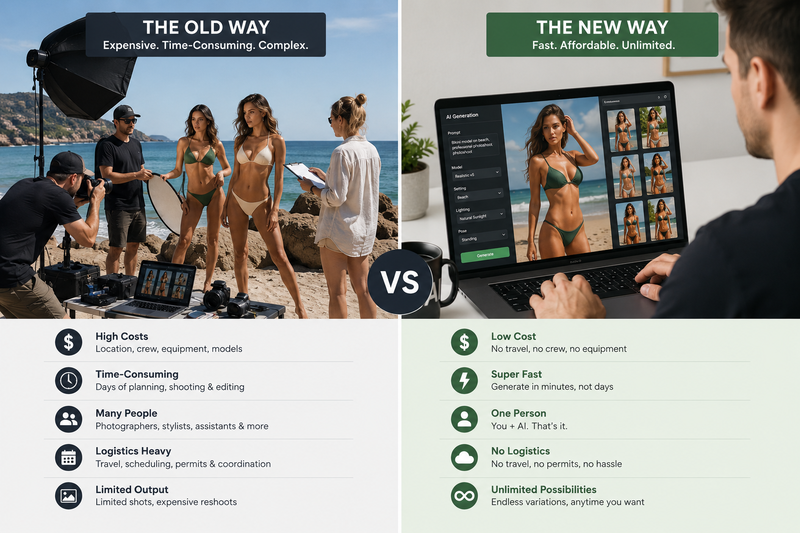
| Traditional Photoshoot | AI Bikini Generator | |
| Cost per image | $50–$200+ | Under $1 at scale |
| Time to first image | Days to weeks | Minutes |
| Model diversity | Limited by budget | Unlimited variations |
| Design iteration | Physical samples required | Instant from prompt |
| Platform adaptation | Re-shoot or extensive editing | One-click background change |
| Seasonal updates | Full production cycle | Update individual SKUs same day |
| Pre-production visuals | Not possible | Full collection before manufacturing |
Traditional photography still has a role — for influencer collaborations and high-end editorial work where the photography itself is the brand signal. For product listings, catalog photography, size representation, and design iteration, AI is faster and significantly cheaper.
Start Designing Your Swimwear Collection with AI
Create bikini designs, AI model photos, and videos in minutes.
No studio. No photographer. No physical samples needed.
FAQ
Yes. Fashion Diffusion’s AI Fashion Video tool animates any bikini or swimwear image into a publish-ready video. Upload the on-model shot, describe the motion, and generate. Output publishes directly to TikTok, Instagram Reels, YouTube Shorts, or embeds on product pages.
Fashion Diffusion offers a free trial covering the core bikini generation tools — AI Bikini Generator, Virtual Try-On, and AI Model Generator. No credit card required. Paid plans unlock higher volume and resolution exports.
Yes. AI-generated product photography is permitted on Amazon, Shopify, and most major marketplaces, provided the images accurately represent the product and comply with platform content policies. For marketplace listings, use a clean white background, full-body framing, and the garment filling at least 85% of the frame.
Very specific prompts produce significantly better results. Include cut, fabric, color, print, hardware, and photography style. A vague prompt like “a nice bikini on the beach” produces generic output. A detailed prompt like “structured bandeau top with underwire, matte terracotta ribbed fabric, high-waist bottoms, gold clip hardware, white studio background, full body e-commerce shot” produces results close to a professional brief.


