

Most design ideas start as words. A floaty midi dress with wide sleeves. A structured blazer with an oversized lapel. A low-rise cargo skirt paired with a cropped halter top. The gap between having that idea and seeing it visually has always required either drawing skills or an illustrator on call.
An AI fashion sketch generator closes that gap. Type a description of any garment and get a clean fashion sketch in seconds — line art or colored illustration, no drawing skills required, no software to learn.
This guide walks through the full process: how the tool works, how to write prompts that produce accurate results, and what to do with the sketches once you have them. If you are still exploring which AI sketch tool is right for you, that’s a good place to start.
What Is an AI Fashion Sketch Generator
An AI fashion sketch generator takes a written description of a garment and converts it into a fashion sketch automatically. Unlike general-purpose image generators, a fashion-specific tool understands the vocabulary designers actually use — A-line, drop shoulder, cowl neck, raglan sleeve, bias cut — and translates those terms into accurate garment drawings.
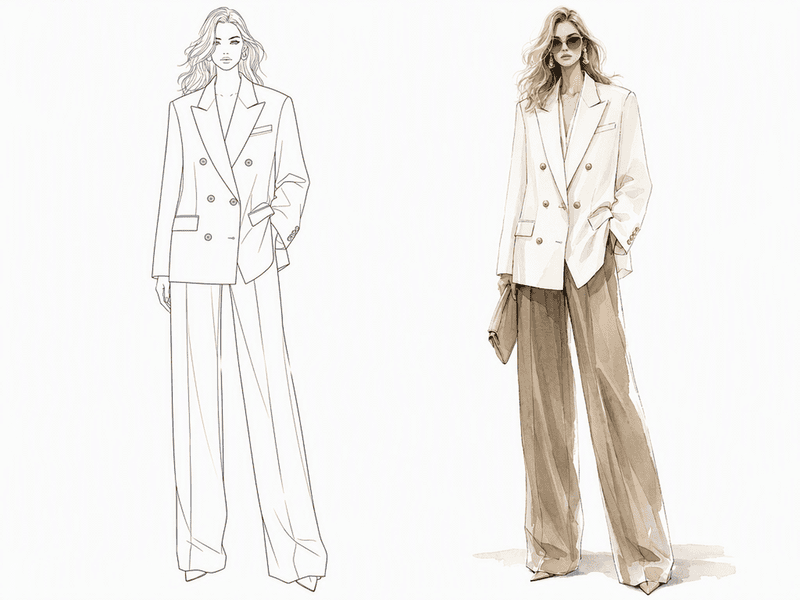
Output style varies by tool. Fashion Diffusion, for example, offers two modes: Line art for clean, minimal technical drawings suited for production briefs and tech packs, and Colored sketches for illustrated fashion visuals with color and texture, suited for mood boards and client proposals.
Who Uses Text to Fashion Sketch Online
The tool serves different people for different reasons — understanding where it fits your workflow is the first step.
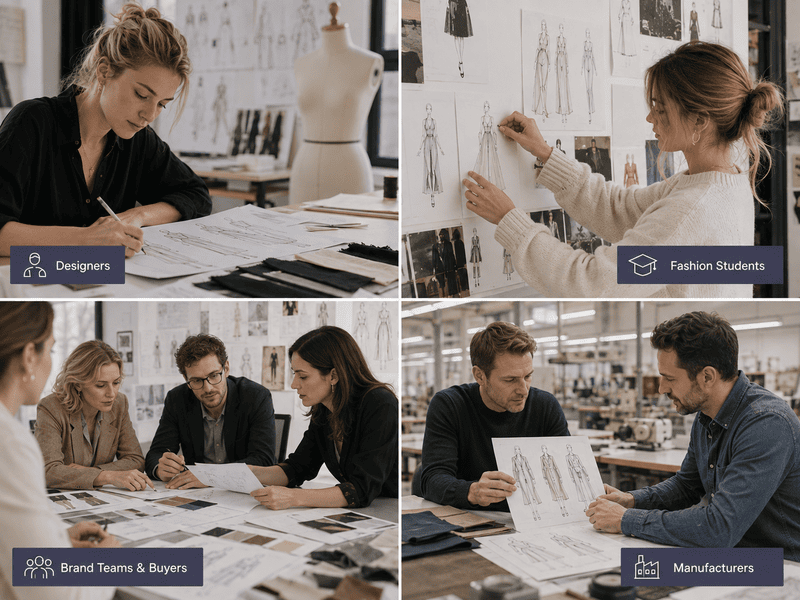
Designers who have ideas but not the time or confidence to sketch by hand use it to generate concept drawings they can hand directly to pattern makers or present to clients. The output quality is good enough for production briefs without additional refinement.
Fashion students use it to populate portfolio boards quickly — exploring more silhouettes, garment categories, and design directions in the time it would normally take to produce one hand-drawn sketch.
Brand teams and buyers use it during range planning and buying meetings to visualize trend descriptions from market reports. Converting a written trend direction into a rough garment illustration on the spot is faster than waiting days for a designer to produce visuals.
Manufacturers use it to align on design intent before production starts. A shared visual generated from a client’s written brief reduces the misunderstandings that cause costly revisions.
How to Generate a Fashion Sketch from Text Online — Step by Step
Fashion Diffusion’s AI text to sketch tool runs in the browser. No software installation, no design background required.
Step 1: Open the Text to Sketch Tool
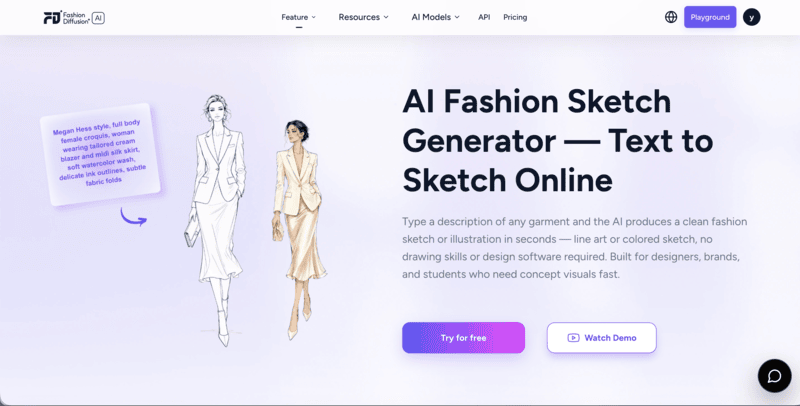
Go to Fashion Diffusion’s Text to Sketch tool and sign in. New accounts start with free credits — no payment required to try it. The interface is a text input field with two options above it: Line Art and Colored Sketch.
Step 2: Choose Your Sketch Style
Select the output type before writing your prompt.
Line Art produces black-and-white line drawings — clean outlines, minimal detail, no fill. This is the right choice when you need the sketch for a tech pack, a production brief, or a presentation where the garment construction needs to read clearly.
Colored Sketch produces illustrated fashion visuals with color, texture, and stylized figure rendering. This works better for portfolio boards, mood boards, client proposals, and any context where visual appeal matters as much as technical accuracy.
Step 3: Write Your Text Prompt
This is where the quality of your output is determined. The more specific the description, the more accurate the result. A prompt that says “a dress” gives the AI very little to work with. A prompt that describes silhouette, neckline, sleeve, fabric, length, and mood produces a result that reflects an actual design intent.
Prompt structure that works well:
[garment type] + [silhouette/fit] + [neckline] + [sleeve] + [fabric/texture] + [length] + [details] + [style/mood]
Examples across garment categories:
- Dress: “Loose flowy tunic dress, wide flared long sleeves, lace trim details on cuffs, high-waisted tiered long skirt, layered ruffled sections, plenty of soft fabric gathers, thin waist belt”
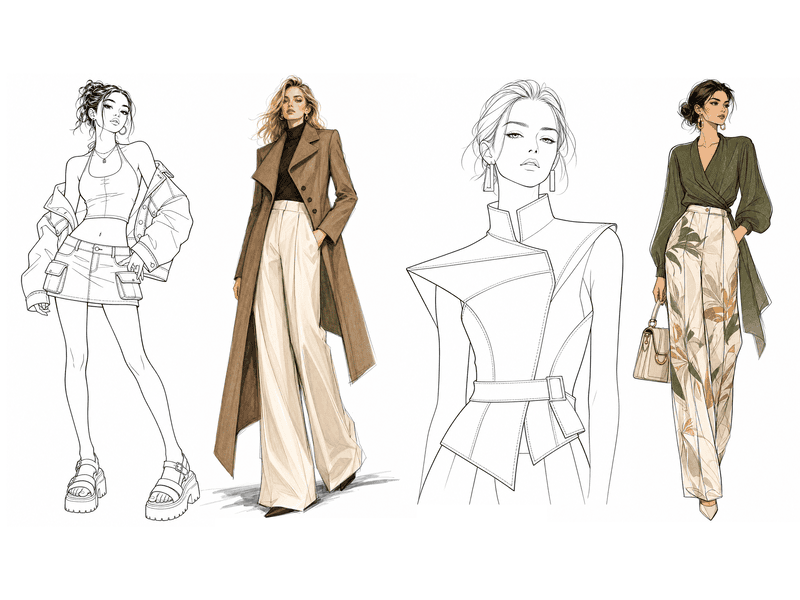
- Outerwear: “Long-length asymmetrical coat, single-breasted buttons, wide lapels and long sleeves, paired with high-waisted wide-leg trousers featuring side pockets and floor-grazing length, simple and elegant, European and American female model”
- Streetwear: “Low-rise mini cargo skirt with big flap side pockets, fitted halter neck crop top, open back design, oversized lightweight cropped denim jacket draped over shoulders, platform chunky sandals, youthful retro 2000s silhouette, sharp clothing outlines, line art without fill”
- Editorial: “Fashion illustration, full body female model, wearing elegant designer outfit, clean bold outlines, flat color blocks, soft grain texture, minimalist fashion editorial style, muted high-end color palette, simple solid background”
- Croquis: “Fashion croquis sketch, black-and-white line art, female fashion figure, half-body, avant-garde structured garment, clear clothing silhouette and seam details, only outline lines, no color, minimal hatching, white background”
Step 4: Generate and Refine
Click Generate. The AI produces the sketch in seconds. Review it against your original intent — does the silhouette read correctly? Is the neckline accurate? Does the overall proportion feel right?
If the result isn’t quite there, adjust the prompt rather than accepting a near-miss. Small changes in wording produce meaningfully different results: “structured” versus “relaxed,” “midi” versus “maxi,” “fitted” versus “boxy” all shift the output noticeably. Generate two or three variations before deciding on a direction.
How to Write Better Prompts for Fashion Sketches
Prompt quality is the single biggest factor in output quality. Here’s what makes a prompt work.
Be specific about silhouette. Words like “A-line,” “straight,” “fitted,” “oversized,” “balloon,” and “wrap” give the AI clear structural information. “Nice dress” gives it almost nothing.
Name the fabric or texture. “Silk,” “denim,” “linen,” “knit,” “sheer,” “velvet” all produce different visual textures in the output. Without a fabric term, the AI defaults to a generic surface that may not match your intent.
Specify construction details. Seam placement, collar type, pocket style, closure type — the more construction detail you include, the more the output resembles an actual garment rather than a generic shape.
Add a style reference. Terms like “minimalist,” “editorial,” “Megan Hess style,” “1990s tailoring,” or “avant-garde” influence the overall aesthetic of the illustration beyond just the garment. They’re especially useful for colored sketches where mood matters.
What to Do with Your Fashion Sketch
Once you have a sketch you are happy with, here’s where it can go:
- Mood board: Import into Milanote or Canva alongside fabric swatches, color references, and trend imagery to build a coherent design direction;
- Client brief: Present the sketch during a consultation to get immediate visual feedback rather than waiting days for a hand-drawn version;
- Production handoff: Line art output is clear enough to communicate construction intent to a pattern maker or production team before formal tech packs are produced;
- Design exploration: Run the same prompt with small variations (different neckline, sleeve, or length) to generate a set of options and compare them side by side.
Start Generating Fashion Sketches with Fashion Diffusion
The prompt examples and techniques in this guide cover most of what you need to get useful results quickly. The rest comes from trying things — a prompt that produces exactly what you had in mind in one attempt, or one that takes three iterations to get right. Both are part of how the tool works, and each attempt produces something you can evaluate and build on.
The design idea in your head doesn’t have to wait for someone who can draw it. Fashion Diffusion‘s AI fashion sketch generator converts any garment description into a professional fashion sketch in seconds — line art or colored illustration, free to try.
New accounts start with free credits. Write a description of the garment in your head and see what the AI produces.
FAQ
A tool that generates fashion sketches from text descriptions using AI. You type a description of a garment — silhouette, neckline, sleeve, fabric, length — and the AI produces a clean fashion illustration or flat drawing in seconds, without any drawing skills required.
No. The entire workflow is text-based. You describe what you want and the AI generates the visual. No tablet, no stylus, no art background required.
All fashion categories — dresses, tops, trousers, outerwear, eveningwear, casualwear, streetwear, and accessories. The AI understands fashion-specific terminology including silhouette types, neckline styles, sleeve constructions, and fabric names.
Yes. Downloaded sketches from Fashion Diffusion can be used in client presentations, production briefs, portfolio work, and marketing materials.
Yes. New Fashion Diffusion accounts start with free credits that can be used on the text to fashion sketch tool. Additional credits are available on paid plans.


