

Over 30 ready-to-use prompts. That’s what this guide gives you. If you just want to copy a Gemini AI photo prompt, drop it into your generator, and get a realistic model shot, skip straight to the list below.If you want to know why some prompts produce high-end fashion shots while others give you a plastic-looking mannequin, the quick breakdown below will show you how to structure every line.
Gemini has gotten insanely good at real human features, natural skin textures, and fabric details. But to get studio-quality results, you need the right words.
Below, you’ll find copy-and-paste prompts for streetwear, editorial portraits, and vintage aesthetics. Planning a summer campaign? Check out our dedicated Gemini AI prompt for bikini library for instant beachwear visuals.
From reading to your first generated fashion photo: about two minutes. Let’s dive in.
The Secret Formula for a Perfect Gemini AI Photo Prompt
Copying prompts works, but knowing how to build them gives you full control. When a generated photo looks off, it is usually because one core element is missing from the text.
A commercial-grade Gemini photo prompt relies on four basic building blocks:
- Subject & Pose: Define the model clearly. Specify ethnicity, hair style, expression, and action (e.g., “A 25-year-old East Asian female model, slight smile, candid relaxed stance, hands in pockets”).
- Clothing & Texture: Name the garments and their materials. AI needs texture cues to avoid a flat look (e.g., “Oversized heavy-wool coat, ribbed knit turtleneck, raw denim jeans with visible stitching”).
- Lighting & Environment: Set the mood and light source. Light shapes the face and fabrics (e.g., “Golden hour sun, soft golden glow, subtle rim light, muted minimalist urban alley background”).
- Camera & Film Type: Instruct the engine to shoot like a camera, not a 3D renderer (e.g., “Shot on 35mm lens, f/1.8 aperture, Kodak Portra 400 film grain, subtle depth of field”).
Combine these four pieces into a simple paragraph, and Gemini will yield clean, photorealistic visuals every time.
Top Gemini AI Photo Prompts for Realistic Fashion & Portraits
Here is the ultimate lookbook. Each section below features a ready-to-use prompt designed around specific lighting, styling, and camera settings. Copy them, tweak the details, and drop them into Gemini to generate instant fashion visuals.
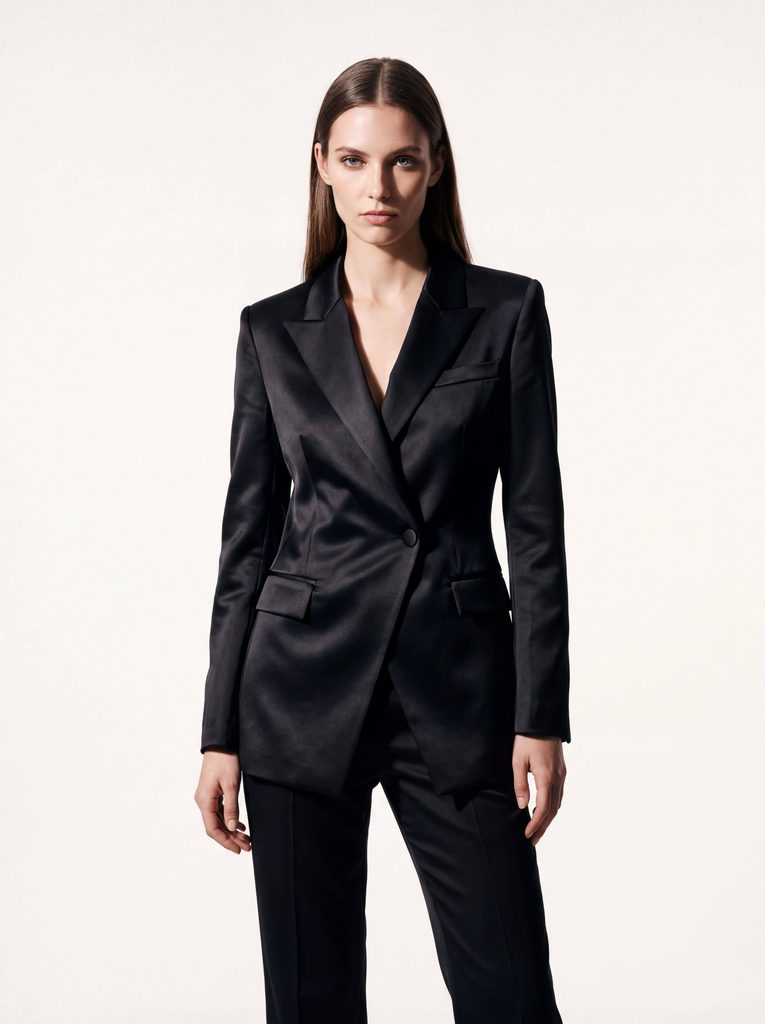
1. High-Fashion & Editorial Studio Shots
For high-end fashion brands, clean contrast and dramatic studio lighting are essential. Using the best Gemini AI photo prompts for high-end fashion helps you skip synthetic renders and achieve a polished, magazine-cover aesthetic.
Prompt: High-fashion editorial portrait of a tall female model wearing an asymmetrical avant-garde black satin blazer and tailored trousers. Sharp studio lighting, dramatic softbox shadow on one side, clean off-white background. Model standing with a confident, calm gaze looking directly at the camera. Shot on 85mm lens, f/2.8, hyper-detailed fabric sheen and crisp tailoring, sharp focus.
2. Summer Vacation & Swimwear Photography
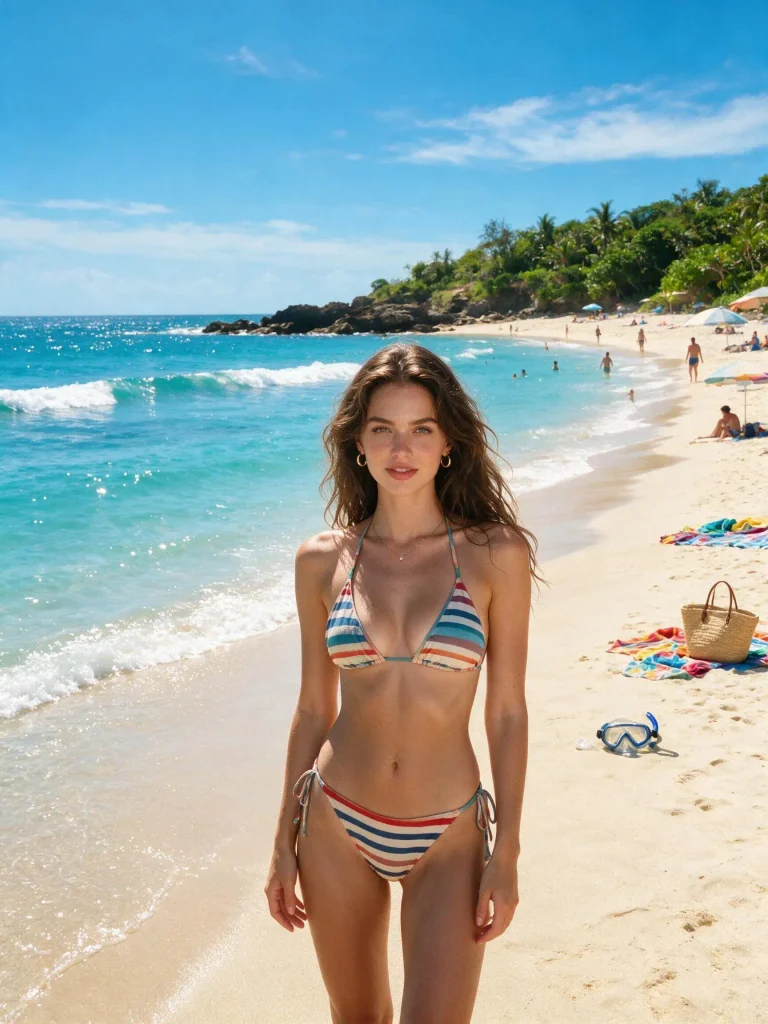
Natural sunlight, ocean reflections, and light fabrics require precise prompt engineering to keep textures realistic and skin tones warm without looking over-processed. If you are specifically building summer campaigns, explore our curated bikini prompts for Gemini AI to quickly generate high-converting swimwear visuals.
Prompt: Full-body beach photo of a female model on a sun-drenched tropical shore at golden hour. Warm sunlight reflecting off gentle ocean waves, soft lens flare. Candid relaxed pose standing near shoreline. Shot on 35mm lens, natural skin texture with subtle water droplets, vibrant yet natural color grading, Kodak Portra 400 warmth.
3. Street Style & Urban OOTD
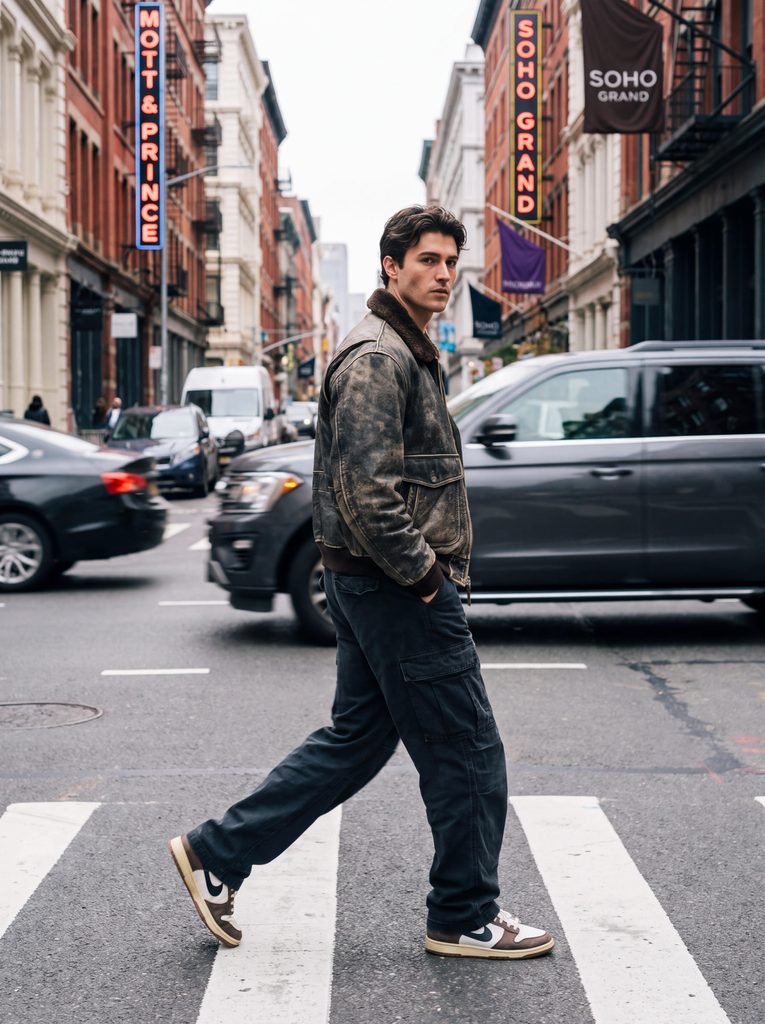
Urban photography thrives on movement and real-world background blur. Capturing motion blur and authentic streetwear textures gives your e-commerce lookbooks an organic, social-first vibe.
Prompt: Candid street style photography of a male model walking across a SoHo crosswalk in New York City. Wearing an oversized vintage bomber jacket, dark relaxed cargo pants, and retro sneakers. Subtle background motion blur of city traffic and blurred pedestrian neon signs. Natural cloudy daylight, shot on 50mm lens, f/1.8 aperture, realistic street texture.
4. Extreme Close-Up Beauty Portraits
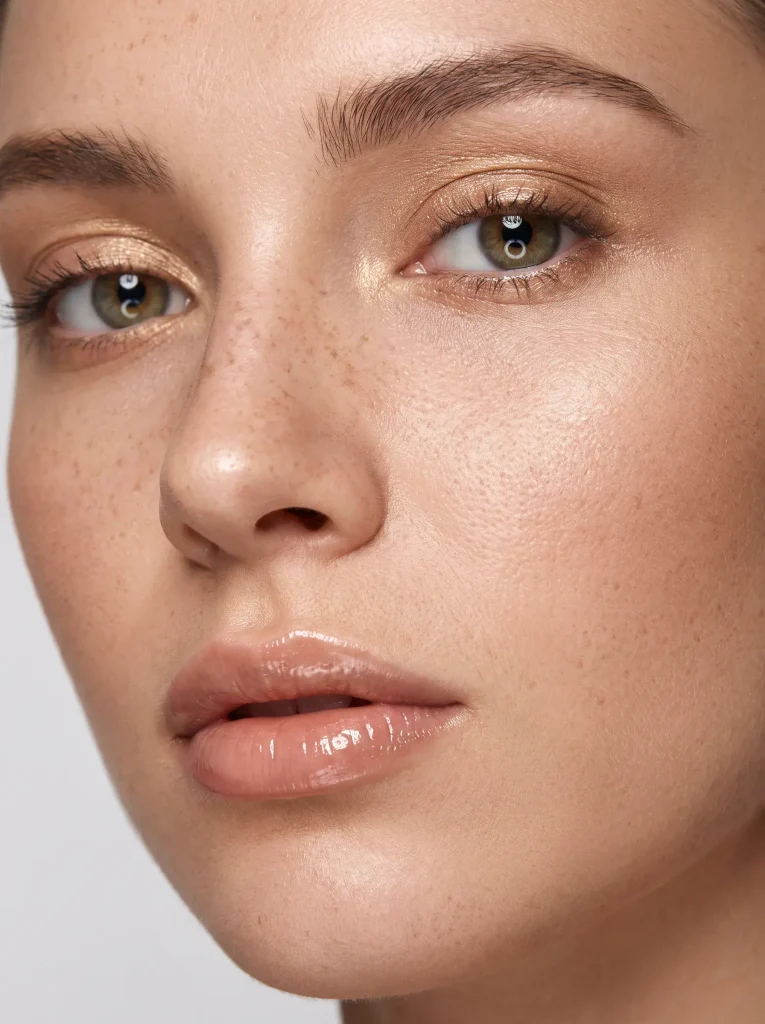
Close-up beauty shots leave no room for AI hallucinations or smooth “plastic” filters. Gemini excels at hyper-detailed skin textures, pores, and cosmetic details when prompted correctly.
Prompt: Extreme macro beauty portrait of a female model showcasing glossy nude lip color and subtle golden shimmer eyeshadow. Soft ring light reflection in the eyes, ultra-realistic skin texture showing fine pores and natural freckles, clean studio background. Shot on 100mm macro lens, sharp focus on eyes and lips, f/4 aperture, crystal clear detail.
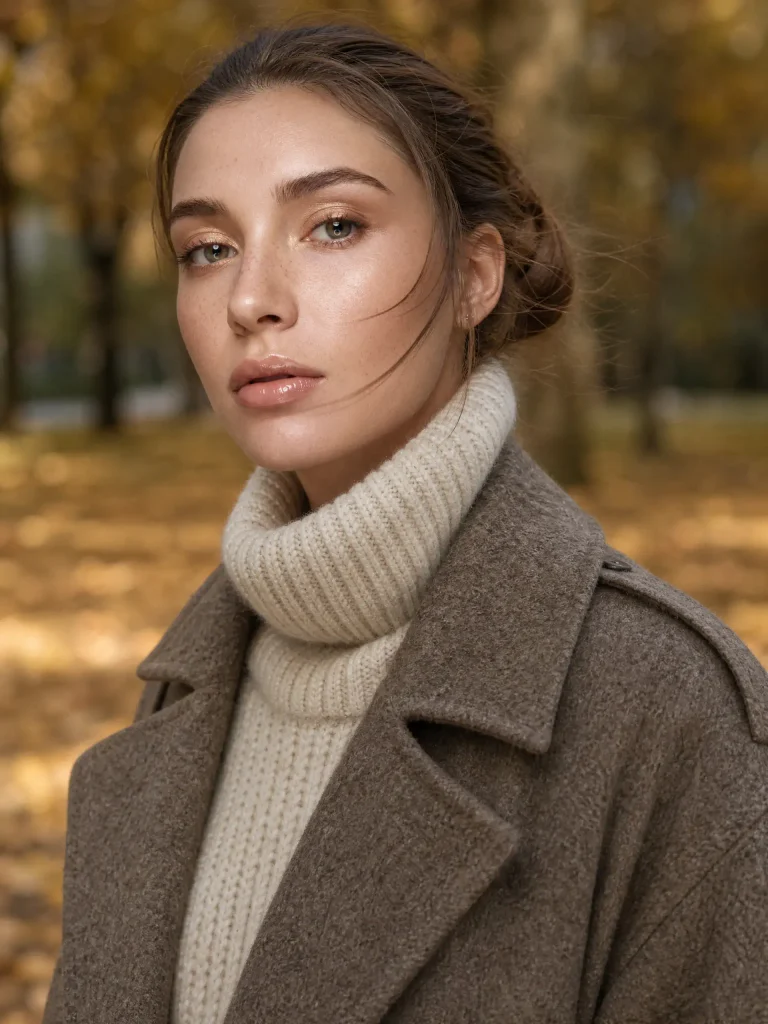
5. Cozy Autumn/Winter & Layered Outerwear
Winter collection campaigns rely heavily on tactile materials—chunky wools, matte leathers, and soft knits. Warm lighting against cold, natural backgrounds creates an instant seasonal contrast.
Prompt: Medium shot of a model wearing a heavy cream turtleneck sweater layered under a thick wool trench coat. Standing in a park during late autumn, fallen golden leaves blurred in the background. Soft diffused afternoon light, subtle wind blowing hair strands, shot on 85mm lens, f/2.0, detailed knit weave and coat texture.
6. Activewear & Fitness Lifestyle Shots
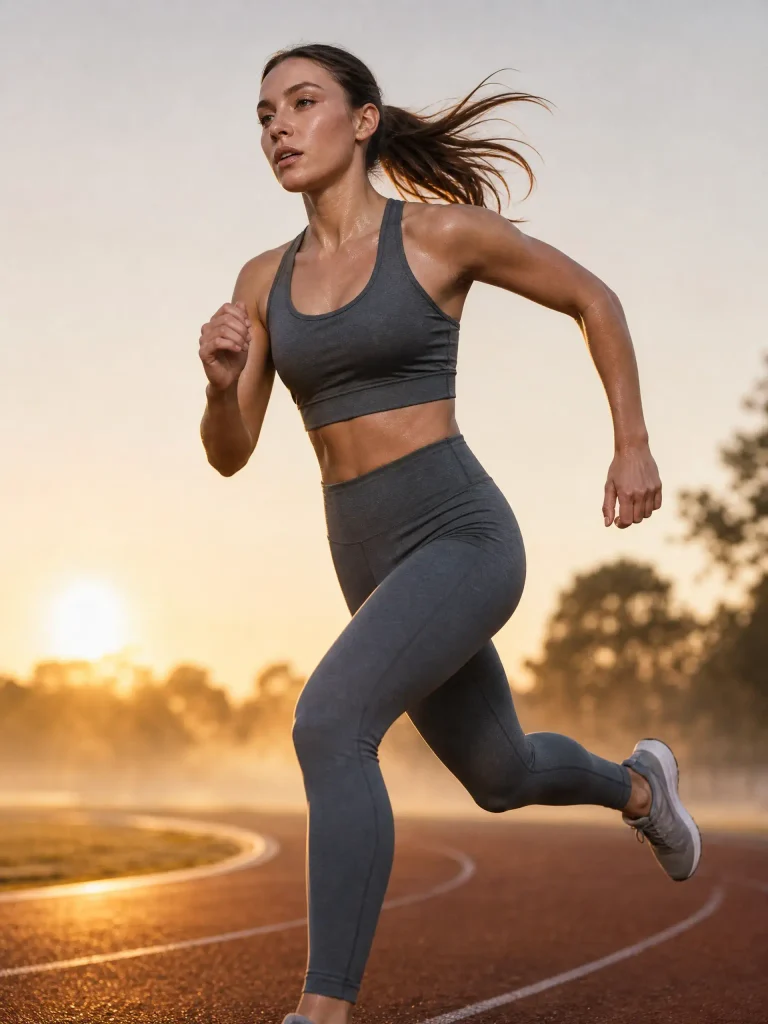
Dynamic motion and athletic energy require prompts that emphasize action, crisp highlights, and realistic sweat or muscle definition without looking exaggerated.
Prompt: Action shot of a female athlete tied in mid-stride on an outdoor track during early morning sunrise. Wearing a sleek slate-grey activewear matching top and leggings set. Low-angle shot, side rim light highlighting athletic form and fine beads of sweat, soft atmospheric morning mist. Shot on 70-200mm lens, 1/2000s shutter speed, tack-sharp freeze frame.
7. Hot Girl Aesthetic
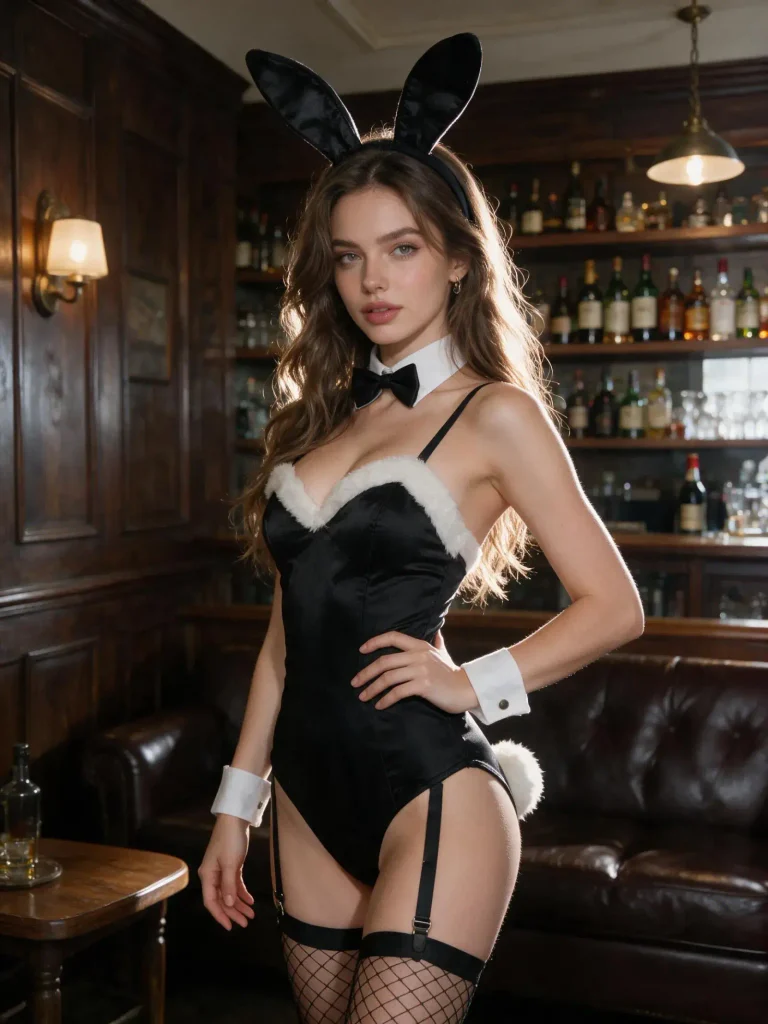
Capturing high-energy, flattering glamour shots requires a balance of vibrant contrast, warm highlights, and confident posing. If you are looking for even more trending portrait styles, explore our curated list of AI hot prompts to generate viral, social-ready visuals in seconds.
Prompt: A captivating woman, dressed in a bunny girl outfit and wearing a headband adorned with black plush bunny ears, is photographed from the waist up while wearing tight black stockings. She stands seductively in a bar, with a vintage liquor cabinet in the background. Captured in a natural, confident pose, the photo was taken with a 50mm lens at an aperture of f/1.4, creating a creamy bokeh effect in the background and a strong, cinematic contrast.
Common Mistakes When Writing Gemini Image Prompts
Even with a strong prompt formula, minor oversights can turn a promising generated portrait into an awkward synthetic mess. Avoid these three frequent pitfalls to keep your fashion renders photorealistic:
- Keyword Stuffing & Buzzword Overload: Avoid piling on vague quality buzzwords like “ultra-realistic, 8k resolution, trending on ArtStation, masterpiece.” Gemini responds far better to specific visual descriptions—such as “visible skin pores,” “subtle fabric weave,” or “shallow depth of field”—than to generic hype words that clutter the prompt.
- Contradictory Lighting & Style Cues: Mixing conflicting instructions confuses the image generator. For instance, prompting “soft morning haze with harsh studio directional shadows” or “vintage film grain on a clean modern vector background” forces Gemini to blend opposing physics, often resulting in unnatural lighting artifacts. Stick to one cohesive lighting atmosphere per render.
- Ignoring Hand and Limb Distortion: While Gemini handles anatomy better than earlier generations, hands and awkward posture folds can still glitch when relying purely on text. Instead of lengthening your prompt with massive negative prompt lists, keep it simple: specify clean poses like “hands in jacket pockets” or “relaxed arms at side.” If you want guaranteed, production-ready body proportions without prompt wrestling, using a modern AI fashion generator like Fashion Diffusion bypasses these text-to-image limitations completely.
FAQs
Yes. Gemini has significantly upgraded its ability to render human anatomy and facial features. By specifying details like “natural skin pores,” “subtle freckles,” and exact lighting in your prompt, you can bypass the smoothed-out, plastic look and generate faces that look entirely photorealistic.
Drop overused buzzwords like “8k resolution” or “CGI.” Instead, talk to the AI like a photographer. Add real film types (such as Kodak Portra 400), specify camera lenses (like an 85mm or 35mm lens), and include natural visual imperfections like “subtle film grain” or “soft background motion blur.”
In most cases, images generated through Google’s paid AI tiers (like Gemini Advanced or Workspace) allow for commercial use. However, policies vary depending on your specific account type.
Standard Gemini prompts rely purely on text to generate randomized clothing on randomized models. If you are an e-commerce brand or fashion seller who needs to showcase your actual garment inventory, text prompts cannot reliably replicate your physical apparel. Using a dedicated AI fashion workflow like Fashion Diffusion allows you to upload flat-lay photos of your real products and seamlessly map them onto realistic AI models, preserving exact textures, cuts, and brand aesthetics without trial-and-error prompt writing.
Text-to-image prompts in Gemini are ideal for generating general styles, aesthetics, and garment textures (e.g., “ribbed knit cardigan” or “distressed denim”). However, standard text generators struggle to replicate precise, complex brand logos, unique custom graphics, or exact pattern placements consistently across multiple renders.


