

Choosing an engagement ring is harder than it looks. You are not shopping for yourself. You are trying to picture a ring on someone else’s hand, in a size you may not know, in a style you hope she’ll love. The ring in the display case — or on a model’s hand in a product photo — tells you almost nothing about how it will look on the person you are proposing to.
That gap is exactly what a virtual engagement ring try on closes. Try on ring online lets you do exactly that. Upload a photo of the ring and a photo of her hand. The AI shows you how the ring looks on her — before you buy, before you propose.
Why the Ring Looks Different on a Hand Than in a Display Case
Product photography is designed to show a ring at its absolute best. Studio lighting maximizes diamond brilliance. The angle is chosen to flatter the setting. A white or velvet background removes all visual competition.
Professional jewelry photography uses LED lighting and controlled setups specifically to enhance sparkle in ways that natural daylight doesn’t replicate. The stone in the product image is showing you its best-case performance, not its everyday appearance on an actual hand.
Proportion is the other variable that photos don’t convey. The same ring reads completely differently depending on the width of the finger wearing it. A stone that looks confidently sized in isolation can appear modest on a wider finger, or unexpectedly bold on a very narrow one. There’s no way to know which side of that equation you are on without seeing the ring in context, which is exactly what a virtual try-on provides.
What Is Virtual Engagement Ring Try-On
Virtual engagement ring try-on uses AI to place a ring onto a photo of a hand, generating a realistic preview of how that specific ring looks when worn. You upload two inputs: an image of the ring and a photo of a hand. The AI renders the ring at accurate scale, with natural light behavior and realistic positioning on the finger.
Unlike AR try-on tools built into specific jeweler websites, virtual try on engagement ring online tool works with any ring image from any source — a screenshot from a jeweler’s website, a Pinterest save, a photo from a magazine. And from any hand photo you already have, including a photo of your partner’s hand.
A Note on the Photo You Use
The quality of the try-on result depends significantly on the hand photo. A few things make a meaningful difference.
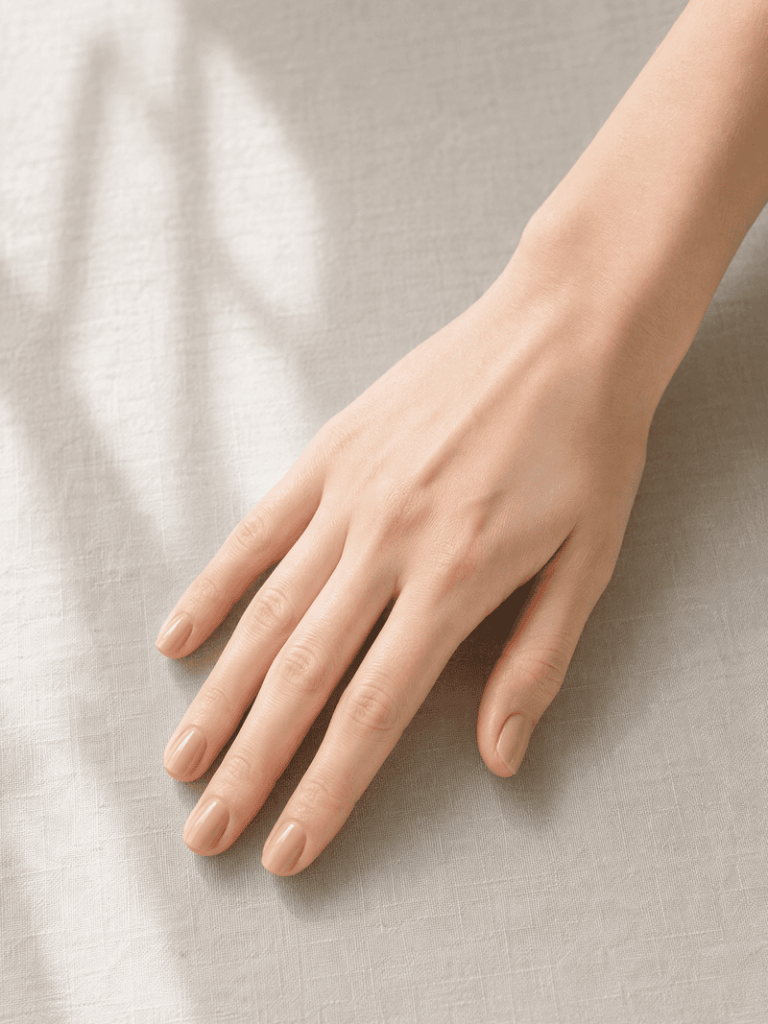
For your own hand: Take a photo in natural daylight, palm facing down, fingers relaxed and slightly spread. A plain, neutral background removes distractions. Avoid heavy shadow across the fingers.
For your partner’s hand: You probably have more photos than you think. A photo where her hand is clearly visible, can be cropped to isolate the hand. If the background is cluttered, run it through an AI background remover before uploading to get a cleaner result. The AI doesn’t need a posed hand photo to produce a useful result. What it needs is a clear view of the finger the ring will sit on, with enough detail to read skin tone, finger width, and natural positioning.
If the photo is taken at an angle, the ring preview will reflect that perspective. A straight-on, slightly downward angle produces the most useful result for judging proportions.
How to Try On an Engagement Ring Virtually
With your ring image and hand photo ready, the process takes less than a minute. Fashion Diffusion’s AI virtual try-on ring tool runs entirely in the browser — nothing to install, free to start.
Step 1: Find and Save the Ring Image
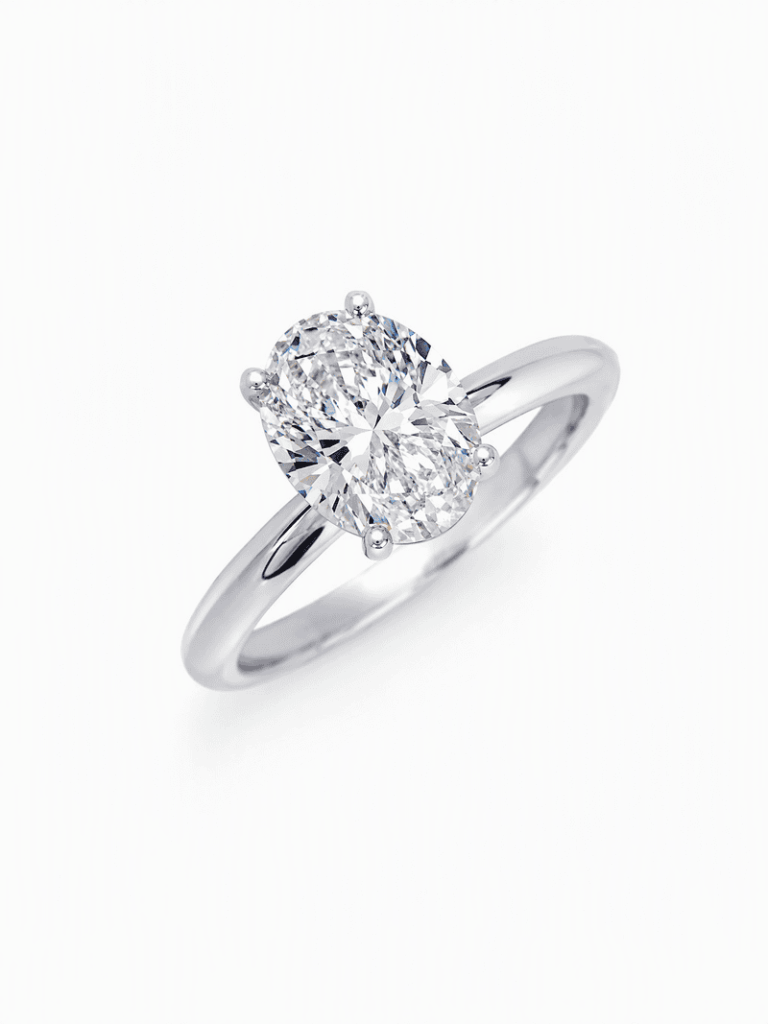
Start by saving the ring image you want to try. This can be a screenshot from any jeweler’s website — James Allen, Brilliant Earth, Blue Nile, a local jeweler, anywhere. It can also be an image you’ve saved from Pinterest, a magazine, or a ring you’ve photographed in a store. The AI reads the ring’s setting, stone shape, band width, and metal from the product image, so a clear, well-lit product photo gives the most accurate result.
Step 2: Upload the Hand Photo
Upload the hand photo alongside the ring image. The AI uses the hand photo to determine finger proportions and skin tone, then places the ring at accurate scale on the ring finger. See the section above for guidance on what makes a good hand photo — the same advice applies whether you are using your own hand or your partner’s.
Step 3: Generate and Compare
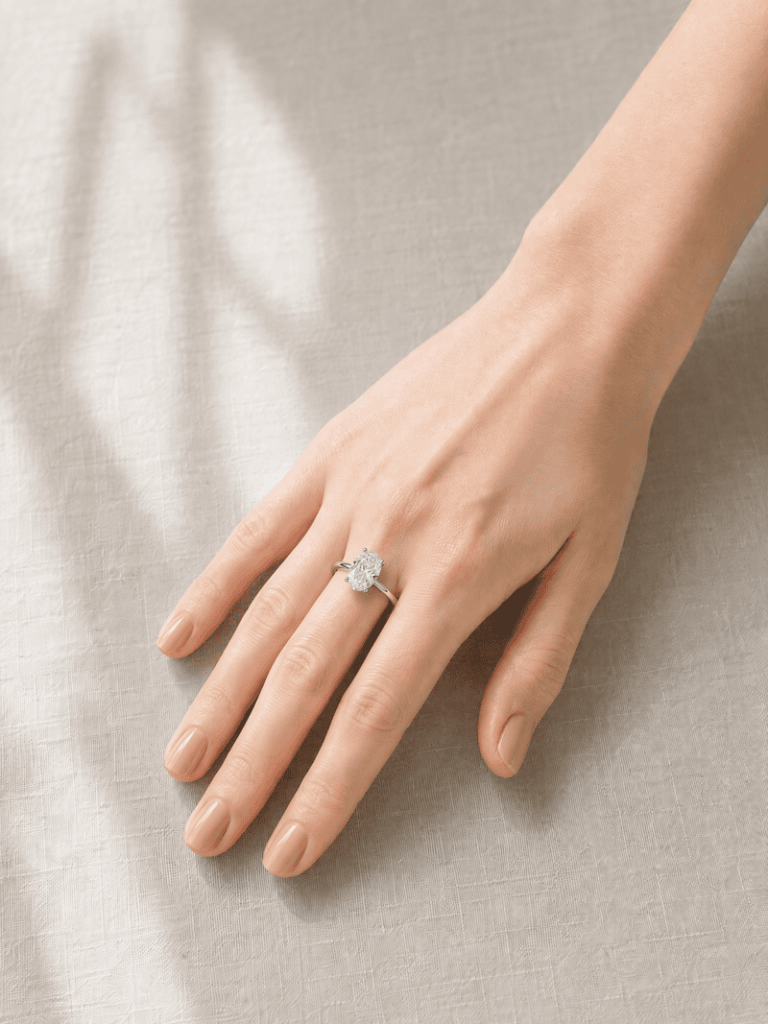
The AI generates the result in seconds. The ring appears at realistic scale, positioned naturally on the finger, with lighting consistent with the hand photo. If the result isn’t what you expected — the ring reads larger or smaller than anticipated, or the metal color isn’t landing right — adjust the input and try again.
What to Look For in the Result
Generating the engagement ring try on is the first step. Knowing what to evaluate in the result is what makes it useful.
Ring-to-Hand Proportion
The ratio of the ring’s visual size to the width of the finger is the most important thing to assess. A stone that looks generously sized in a product image can appear modest on a wider finger. And a stone marketed as subtle can look bold on a very narrow one. The try-on shows you this relationship directly — use it to calibrate your expectations before purchasing.
Stone Shape and Visual Presence
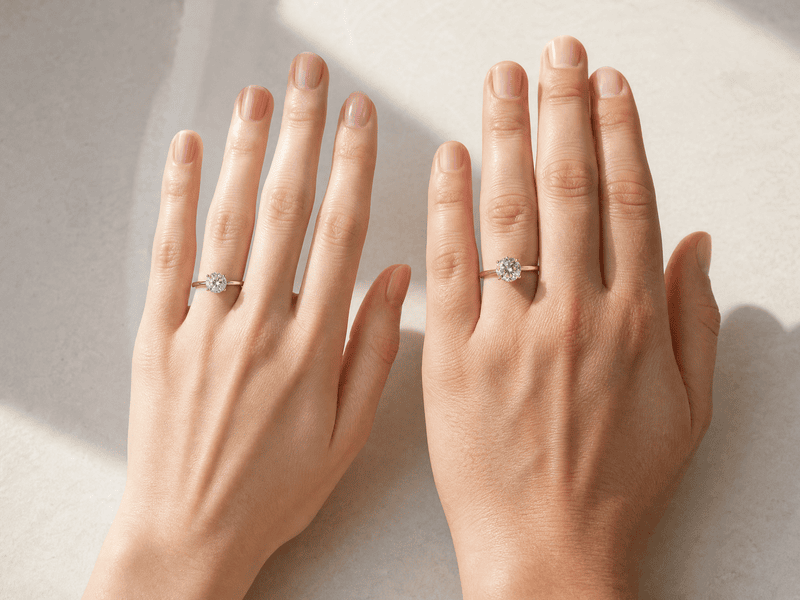
Different cuts create different visual footprints on the hand. An oval elongates the finger. A round sits more centrally. A pear points in a direction that draws the eye. A toi et moi creates two focal points across the width of the finger. These are differences you can read in a product image, but seeing them in the context of an actual hand makes the choice much more concrete.
Metal Color Against Skin Tone
Yellow gold, white gold, and rose gold interact with skin tone in ways that are difficult to judge from a product image shot on a white background. Yellow gold reads warmer and more vintage against most skin tones. White gold reads cooler and more contemporary. Rose gold sits between the two, with a softness that works across a wide range. Seeing the metal color against the actual skin tone of the hand you are shopping for is a more reliable guide than any rule of thumb.
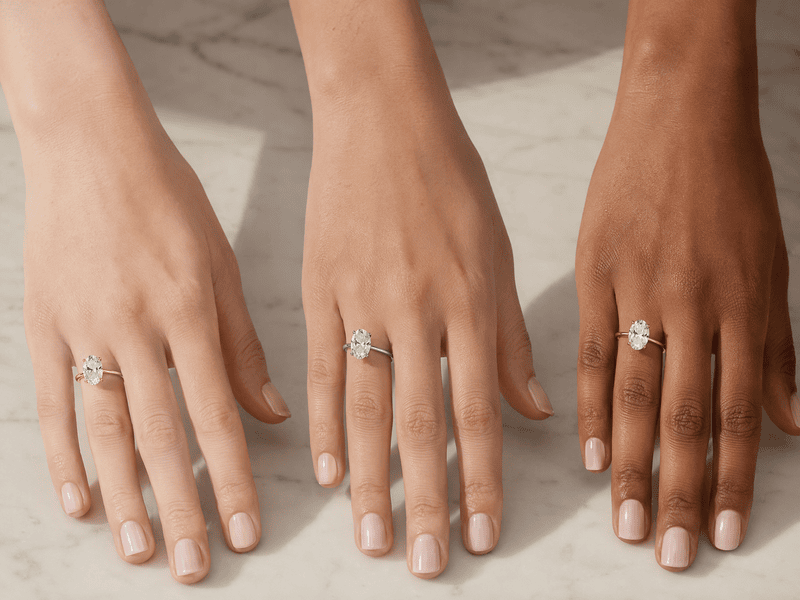
Compare Multiple Rings Side by Side
The single most effective use of a virtual try-on tool is systematic comparison. Choose three to five rings that appeal to you, and run each one against the same hand photo. Because the hand is consistent across all comparisons, the differences you see are genuinely about the ring. Not about lighting, model, or camera angle variations between product photos. Save each result, then look at them together. The one that keeps drawing your eye is usually the right answer.
Try On Any Ring Before You Propose with Fashion Diffusion
The decision you are making is one of the most significant purchases of your life, and you are making it with limited information. Fashion Diffusion’s virtual engagement ring try-on puts the ring on the right hand before you commit — any ring, from any jeweler, on any photo you already have.

New accounts start with free credits. Upload a ring image and a hand photo and see the result before you make a decision.
FAQ
A tool that places a ring image onto a hand photo using AI, generating a realistic preview of how the ring looks when worn. It shows accurate proportions, metal color, and stone presence on a specific hand, so you can evaluate the ring in context before purchasing.
Yes. Use any photo where her hand is clearly visible—a candid shot, a photo cropped from a group picture. The AI doesn’t need a posed photo, just a clear enough view of the finger the ring will sit on.
Ring size doesn’t affect the virtual try-on. The AI places the ring visually on the hand photo without needing size information. The try-on evaluates style, proportion, and visual fit—you’ll still need to determine her ring size separately before ordering.
Yes. Upload any ring image—a screenshot from a jeweler’s website, a photo from a magazine, a Pinterest save—and the AI uses that image as the input. There’s no requirement to use a specific catalog or brand.
The try-on generates a realistic visualization of the ring’s proportions, metal color, and stone shape on the hand. It accurately answers the questions product photos can’t—how the ring reads in scale, and how it looks against the specific skin tone and finger proportions you are shopping for.
Yes. New Fashion Diffusion accounts start with free credits that can be used on the virtual engagement ring try-on tool.


