

Simulating transparent fabric effects used to mean manual layer adjustments, custom masks, and hours of editing. Even experienced designers found the process slow — and the results rarely looked natural. AI has changed that. A see through clothes filter powered by AI can transform the appearance of a garment in seconds, keeping the original pose, lighting, and composition intact.
This guide covers how to make clothes see through in photos with AI, how see through clothes AI works technically, and what fashion professionals and content creators actually use it for.
What Is a See Through Clothes Filter
A see through clothes filter is an AI image editing tool that creates the appearance of transparent or semi-transparent fabric in a photo. Instead of manually editing opacity or fabric layers, the AI analyzes the clothing area and generates a new material appearance based on the original image.
These tools can simulate different material effects, including sheer fabrics, mesh textures, lace, lightweight translucent layers, and futuristic fashion designs.
One clarification worth making upfront: AI see-through effects do not reveal hidden information or see through actual clothing. They create a generated visual interpretation of how a garment could look if made with transparent or sheer materials. The output is a new image — not a view through the original fabric.
How Does See Through Clothes AI Work
See through clothes AI creates transparent fabric effects by analyzing the clothing in an image and generating a new material appearance.
Instead of simply reducing opacity, AI considers factors such as:
- Clothing shape and structure
- Fabric texture and thickness
- Lighting and shadows
- The way the garment fits the body
Based on these details, AI can simulate different materials, such as sheer fabric, mesh, or lace, while keeping the overall style of the original image consistent.
The quality of the result also depends on the input photo. Clear clothing outlines, good lighting, and visible fabric details usually help AI generate more realistic effects.
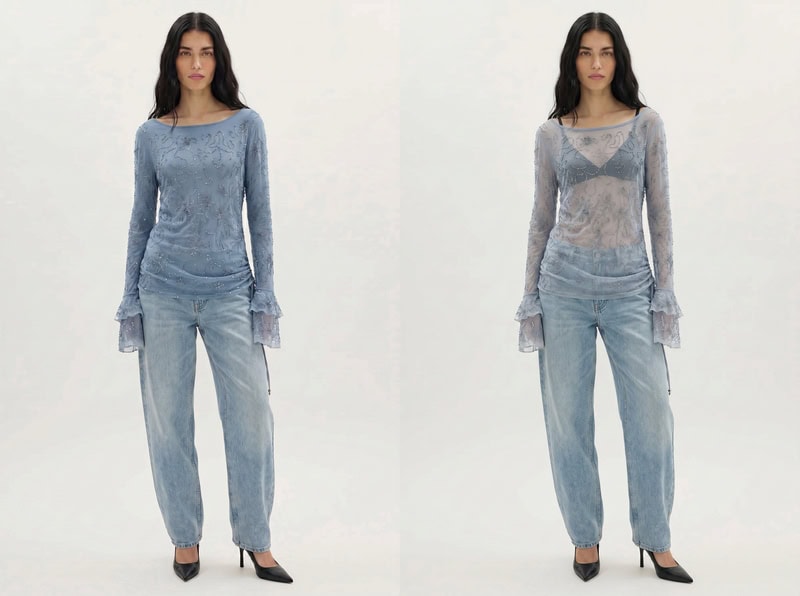
AI See Through Clothes Filter vs Traditional Photo Editing
Before AI tools became available, creating transparent clothing effects usually required traditional photo editing software. Editors needed to manually adjust layers, blend textures, and refine fabric details.
AI Xray Clothes provides a different workflow by generating the effect automatically based on the image and text instructions.
| Traditional Photo Editing | AI Xray Clothes | |
| Editing process | Manual layer and mask adjustments | AI-generated transformation |
| Required skills | Requires photo editing experience | Easier for beginners |
| Speed | Takes more time for complex edits | Faster generation and iteration |
| Material exploration | Limited by editing skills | Easy to test different fabric ideas |
| Workflow | Detailed manual control | Prompt-based creative exploration |
Traditional editing is still useful when you need precise adjustments. However, AI tools are more convenient when you want to quickly explore different clothing materials, styles, or visual concepts.
What Are AI See-Through Clothing Effects Used For
AI see-through clothing effects are most useful when you need to explore a fashion idea before committing it to a physical sample or final image. Here are the main professional applications.
Exploring Fabric Variations Before Sampling
One practical use case is testing fabric ideas during the early design stage.
For example, a designer may have a jacket silhouette ready but want to explore different material options. They can use AI to compare how the design might look with:
- A sheer mesh overlay
- A lightweight translucent layer
- A lace-inspired texture
This allows designers to evaluate different material directions before creating physical samples.
AI-generated concepts can be especially useful when experimenting with unconventional materials or layered transparent designs, helping teams decide which ideas are worth developing further.
Creating Fashion Concepts and Visual References
AI see-through clothing effects can also help creative teams develop visual directions for campaigns, editorials, and digital content.
For example, a brand planning a futuristic collection may want to explore how transparent fabrics, layered materials, or experimental styling could appear before organizing a photoshoot.
AI-generated images can be used as creative references to test:
- Fashion campaign concepts
- Editorial styling ideas
- New material combinations
- Social media visual directions
The goal is not to replace final product photography, but to help teams explore and communicate creative ideas more efficiently.
How to Make Clothes See Through in Photos with Fashion Diffusion
AI-powered clothing editing tools have made it easier to explore different fabric styles and visual effects without relying on complex photo editing software.
With Fashion Diffusion’s AI Xray Clothes, users can transform the appearance of clothing directly from an existing image. Instead of manually adjusting transparency, layers, or fabric textures, the tool uses AI to generate a new clothing effect based on the uploaded image and editing instructions.
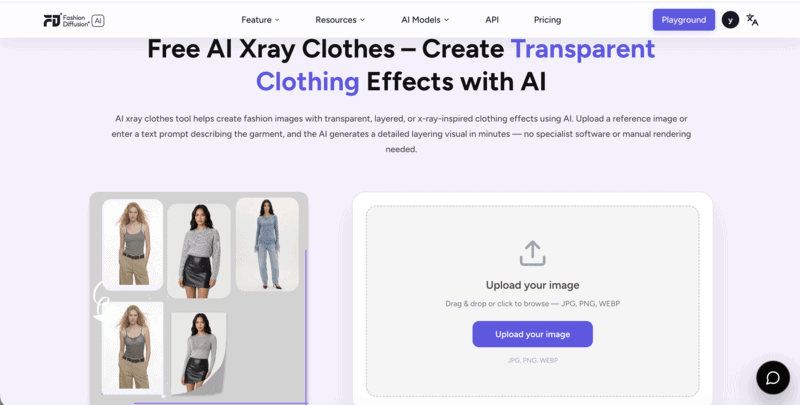
The workflow is simple: start with a suitable image, describe the transparent fabric effect you want, and refine the result until it matches your creative direction.
Step 1: Upload a Clothing Image
The first step is to prepare an image where the garment is clearly visible.
This works best for:
- Fashion product images
- Model photos
- Outfit images
- Design references
A clear image helps AI better understand the garment structure, including its shape, folds, and overall style.
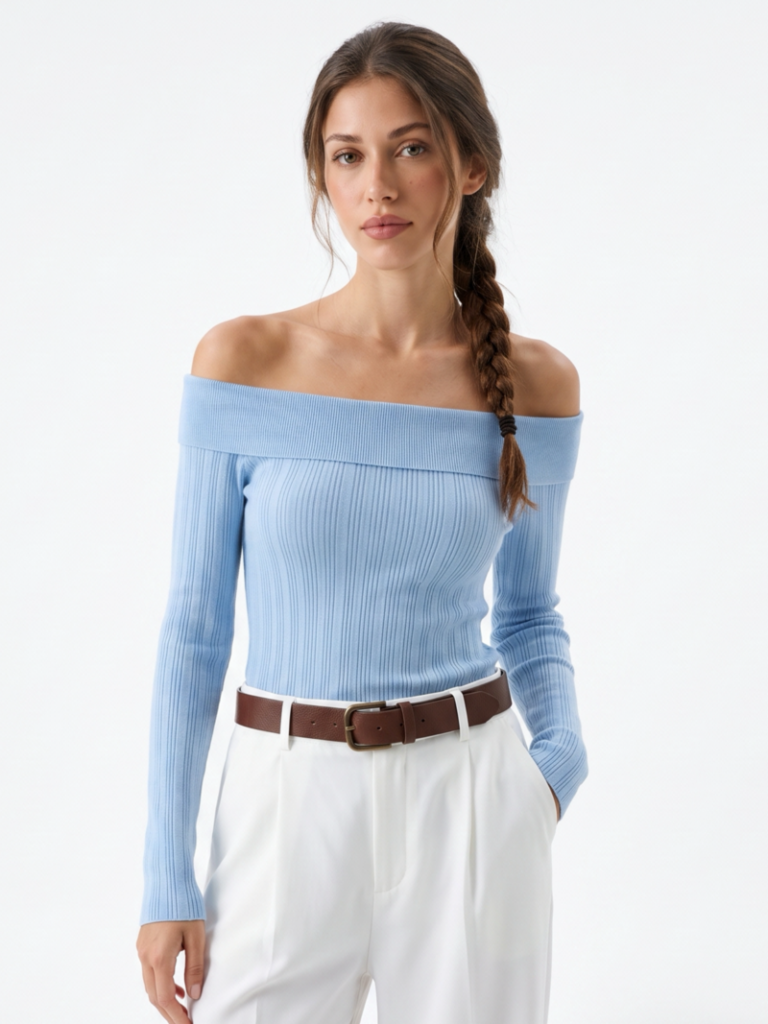
Unlike traditional editing, you do not need to manually select clothing areas or create masks. The AI analyzes the image and applies the transformation based on the garment’s appearance.
Step 2: Describe the See-Through Fabric Effect
After uploading the image, describe the material change you want to create.
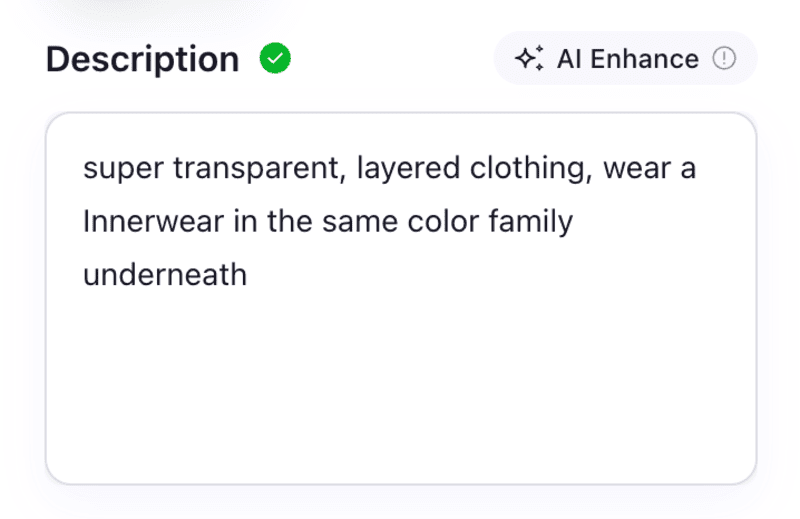
For example, instead of make clothes see through, try Transform the dress into a lightweight sheer organza fabric with soft transparency, realistic folds, and natural lighting.
You can include fabric type (sheer, mesh, lace, organza), transparency level, fashion style, and any mood or lighting details. Different descriptions produce different visual directions — a sheer lace effect looks quite different from a futuristic transparent mesh design.
Step 3: Review and Adjust the Result
AI-generated fashion images often work best through iteration.
After generating an image, review:
- Whether the fabric effect looks natural
- Whether the garment shape is preserved
- Whether the transparency level matches your idea
If the result is not what you expected, adjust the prompt and try again.
For example:
- Change transparent to slightly translucent for a more subtle effect
- Add soft fabric texture for a more realistic material appearance
- Specify editorial fashion style for a more creative visual direction
Small prompt adjustments can help you explore different interpretations of the same garment.
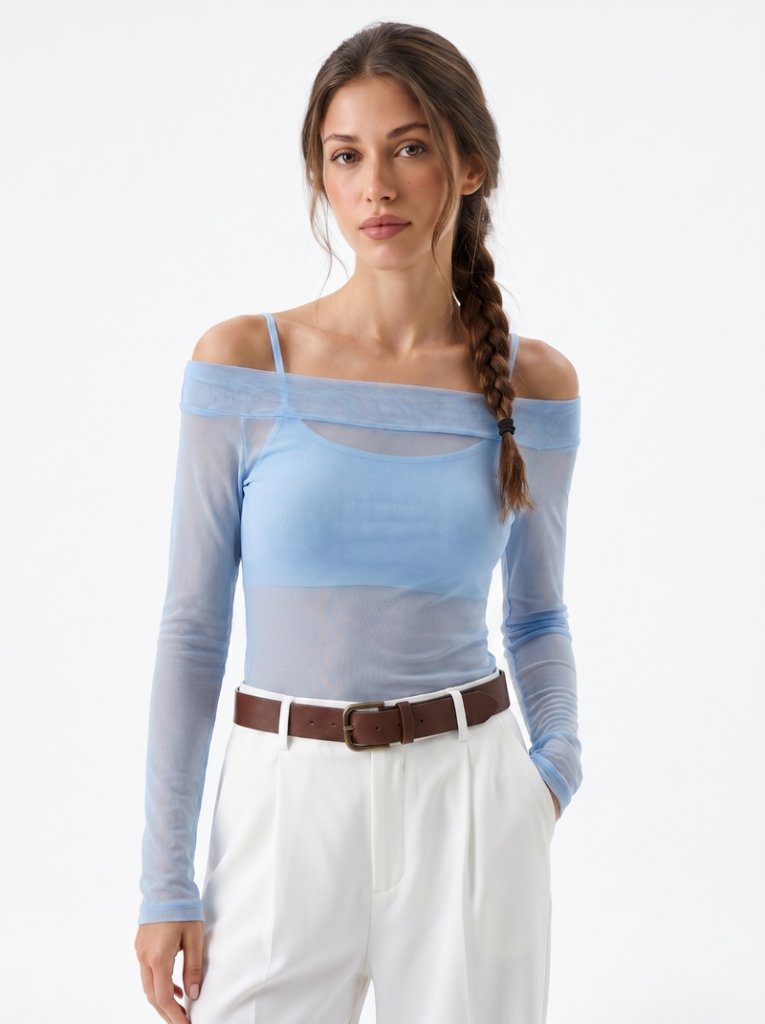
Step 4: Explore Different Fashion Directions
One advantage of AI clothing transformation is that you are not limited to a single result.
After creating one version, you can experiment with different concepts:
- A casual outfit with lightweight sheer layers
- A futuristic look with transparent technical fabrics
- A high-fashion editorial style with lace or mesh details
This makes AI useful not only for creating one image, but also for exploring multiple creative possibilities from the same starting point.
Create See-Through Clothing Effects with Fashion Diffusion
Exploring transparent fabric ideas no longer requires complex editing workflows or manual adjustments.
With Fashion Diffusion AI Xray Clothes, you can transform clothing appearances directly from your images and experiment with different material styles through AI.
Whether you want to explore sheer fabric concepts, develop fashion references, or test new visual directions, AI provides a faster way to turn creative ideas into images.
Upload your image, describe the fabric effect you want, and create different see-through clothing concepts with Fashion Diffusion.
FAQ
AI does not see through clothing or reveal what is underneath. Instead, it creates a generated visual effect that simulates transparent or semi-transparent fabric based on the original image and your prompt. The result is a creative image transformation. Not exposing anything hidden.
No. A see through clothes filter changes the material appearance of clothing to simulate sheer or transparent fabrics. It does not remove clothing from an image. The tool is designed for exploring fashion concepts, material variations, and creative visual effects.
Photos with clear garment details produce better results. The image should have a visible clothing area with clear outlines, good lighting, and sufficient resolution. A front-facing or slightly angled photo is usually easier for the AI to analyze.
Yes. AI-generated transparent fabric effects are useful for exploring material concepts, comparing styling directions, and creating visual references before developing physical samples. The tool is particularly useful during the early creative stage.
Using an AI tool like Fashion Diffusion’s AI Xray Clothes is the fastest approach. Upload a suitable image and describe the transparent fabric effect you want. Refine the result through adjusted prompts until it matches your creative direction. The entire process takes minutes rather than the hours required for manual editing.
The AI can simulate a wide range of transparent and semi-transparent material styles, including sheer organza, mesh, lace, lightweight chiffon, and experimental futuristic fabrics. The output is shaped by the prompt.


