

A great fashion lookbook used to require weeks of production: a photographer, a model, a studio, a stylist, and a post-production team. The result was expensive, inflexible, and slow to update when the collection changed.
In 2026, brands are producing full AI fashion lookbooks in days — on-model, story-driven, and ready to publish — directly from a browser. This guide walks through exactly how, using Fashion Diffusion’s AI Lookbook Generator.
What Is an AI Fashion Lookbook Generator
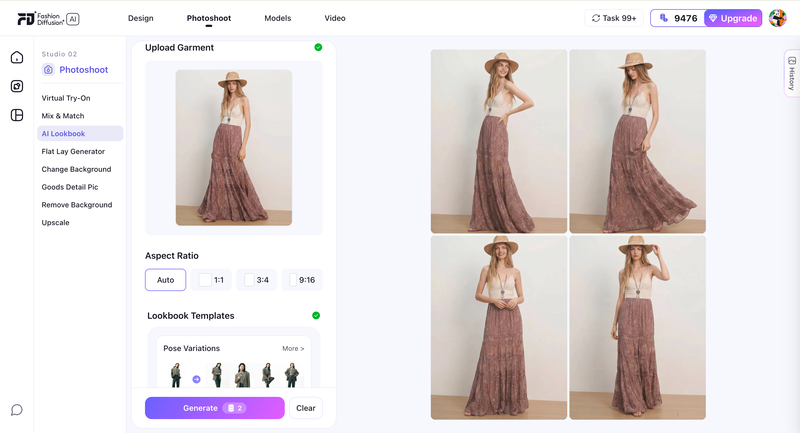
An AI fashion lookbook generator is a tool that creates a complete set of on-model lookbook images from a single photo — multiple poses, backgrounds, and scenes — while keeping the model, garment, and visual style consistent throughout.
The key distinction from a standard AI image tool: it’s not generating a new model each time. It’s generating multiple variations of the same model in the same outfit. That consistency is what makes a set of images read as a cohesive lookbook rather than a collection of unrelated photos.
Why Brands Are Switching to AI Lookbook Production
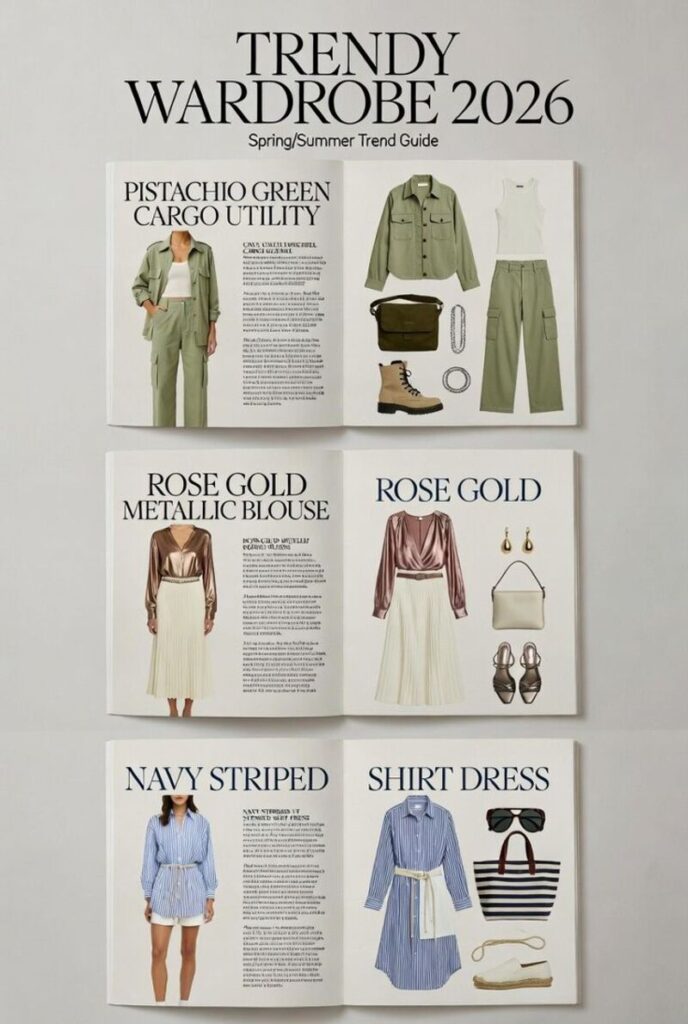
The shift isn’t just about cost. It’s about what becomes possible when the production barrier drops — faster seasonal cycles, more colorway coverage, and the ability to test creative directions before committing to a full campaign. These are the three reasons brands are making the switch.
Dramatically Lower Production Cost
A traditional lookbook shoot for a 20-piece collection runs $5,000–$25,000. It takes 4–8 weeks from brief to final images. Every time a colorway changes or a new piece is added, the process starts again.
Turnaround in Hours, Not Weeks
AI lookbook production changes the unit economics. You generate from one photo per garment. Turnaround is hours, not weeks. When a product changes, you regenerate that item — not the whole shoot.
Iterate Your AI Lookbook Until It’s Right
Traditional shoots give you one chance to get the creative direction right. AI keeps the process open: adjust the prompt, swap the background, regenerate until you’re satisfied. It’s no coincidence that McKinsey’s State of Fashion 2026 names AI as the single biggest operational opportunity for fashion brands this year, with 35% of executives already using generative AI for image creation.
How to Write a Mood Brief for Your AI Fashion Lookbook
The biggest mistake in AI lookbook production is skipping the brief. Without one, you generate images that look individually strong but don’t cohere as a brand story.
Write a single paragraph that captures the world your lookbook lives in:
- Season and occasion — summer resort? autumn workwear? festive eveningwear?
- Emotional tone — aspirational and minimal? vibrant and playful? moody and editorial?
- Setting — white studio? sun-drenched coast? urban street? countryside?
- Customer — who is wearing these clothes, and what does their world look like?
Example brief:
“Late summer on the Italian coast. White-washed walls, terracotta tiles, late afternoon light. Relaxed and effortlessly stylish. Linen fabrics, natural shadows, warm Mediterranean palette.”
This becomes the anchor for every prompt you write. Every image should feel like it belongs to the world in that paragraph.
Step 1: Prepare Your Photo for the AI Lookbook Generator
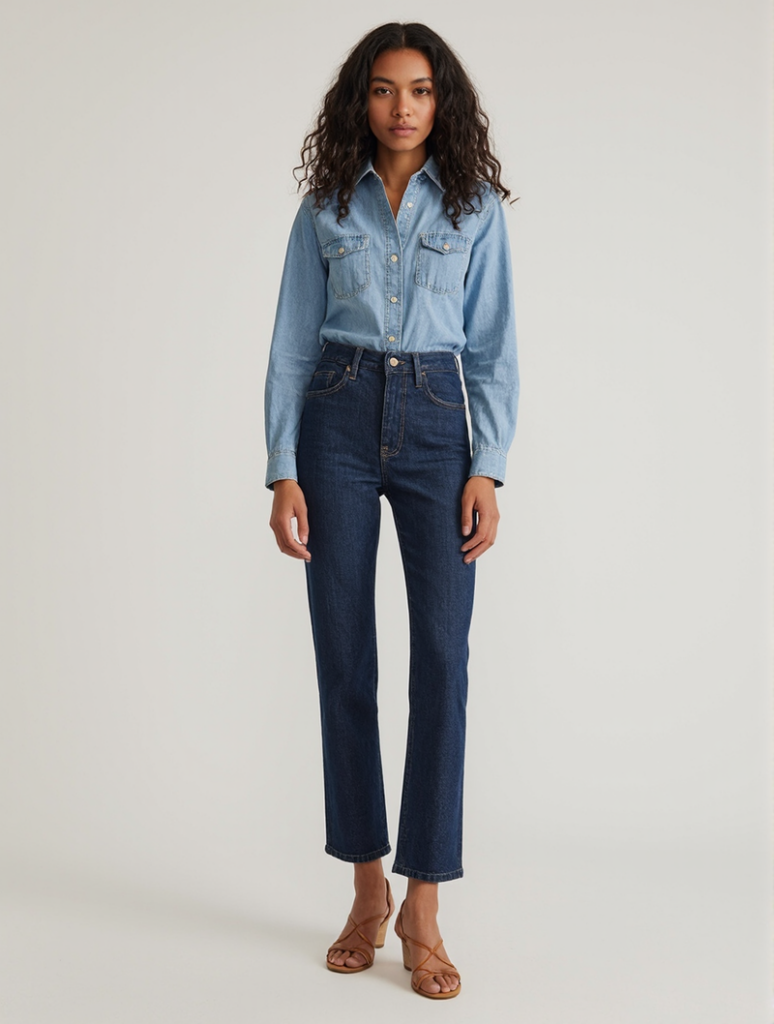
The quality of your output depends on the quality of your input. Fashion Diffusion’s AI Lookbook Generator works from a single model photo — here’s what makes a strong one:
- Clean, well-lit photo — natural or studio lighting works best; avoid heavy shadows across the garment
- Full garment visible — the AI needs to read fabric, construction, and fit accurately; partial or obscured garments produce inconsistent results
- Neutral or plain background — the AI generates new backgrounds, and a plain input makes that process more accurate
- One garment per generation — run each outfit separately to maintain per-item consistency across your full catalog
You don’t need a professional shoot for the input. A clean product photo on a model — even from a fitting session — is enough to start.
Step 2: Set Your AI Lookbook Style Direction
Go to the AI Lookbook Generator and describe the visual direction you want. This is where your mood brief becomes a prompt.
Your style prompt should specify:
- Setting: ‘sun-drenched rooftop’, ‘minimalist white studio’, ‘urban street at golden hour’
- Mood: ‘editorial’, ‘lifestyle’, ‘relaxed’, ‘aspirational’
- Lighting: ‘soft natural light’, ‘golden hour side lighting’, ‘clean studio fill’
- Tone: ‘cinematic’, ‘warm’, ‘high-fashion’, ‘approachable’
Prompt examples that produce strong results:
“Relaxed Mediterranean lifestyle, sun-drenched terrace, late afternoon golden light, warm and editorial”
“Clean minimalist studio, white background, soft fill lighting, e-commerce product focus”
“Urban street style, overcast natural light, documentary editorial aesthetic”
“Aspirational beach resort, soft sea breeze, lifestyle photography, warm tones”
The same input photo produces completely different results depending on the prompt — which is why the brief you wrote in the previous step matters. Use it directly.
Step 3: Generate Your AI Fashion Lookbook Images
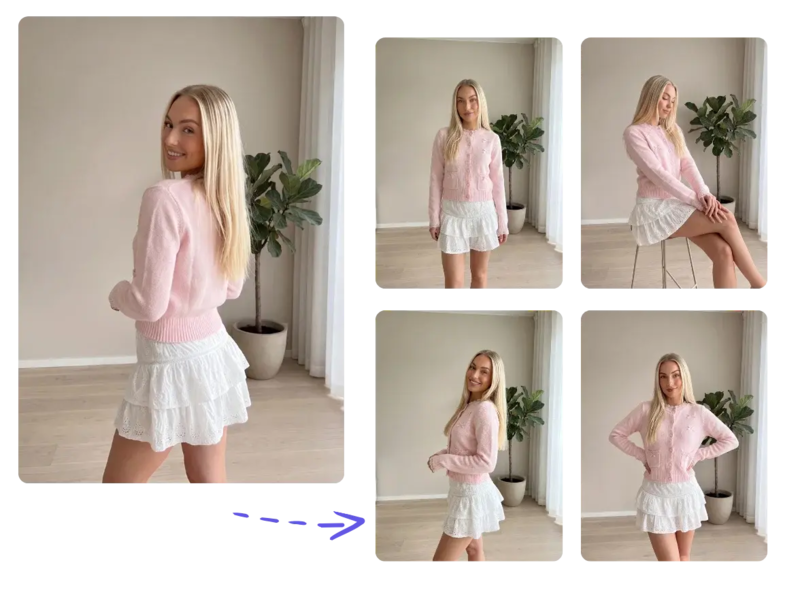
Click generate. Fashion Diffusion produces a full set of lookbook images from your single photo:
- Multiple poses — standing, seated, walking, turned profile, detail crop
- Multiple backgrounds — matching your style direction
- Consistent model — same face, body, and garment throughout
- Consistent style — all images match the visual direction you described
For each garment, generate 3–5 variations. Select the best 1–2 per piece. Edit your selections together before finalizing — images that work individually may not flow as a sequence. Adjust the prompt and regenerate if anything feels off; the iteration cost is zero. If you need the same garment on a different model, AI Model Generator handles that as a separate step without reshooting.
Step 4: Extend Your Lookbook with Additional Tools
The AI Lookbook Generator produces your core image set. Fashion Diffusion’s broader toolkit lets you extend it further.
Adapt for Different Platforms
Use Change Background to create platform-ready versions from a single model shot. Your main lookbook might use a Mediterranean setting. Your product pages need a clean white background. Your Instagram needs a lifestyle urban scene. One image, three destinations.
Test Colorway Variations
Use Recolor when the same garment comes in multiple colors. Apply each colorway to the same image — same model, same pose, same setting — and get a consistent set across your full range without additional production time.
Add Short-Form Video
Use AI Fashion Video to animate any lookbook image — fabric movement, camera pan, lifestyle moment — into a publish-ready clip for TikTok, Reels, and product page embeds.
Generate Flat Lay Alternatives
Use Flat Lay Generator when a channel requires flat lay or ghost mannequin format alongside on-model shots. Generate both from the same workflow without a separate production run.
Step 5: Arrange Images Into a Narrative
A lookbook is a story. The order of images matters as much as the images themselves.
Classic lookbook structure:
| Position | Purpose |
| Opening | Establish mood — hero shot, wide environment, aspirational |
| Early | Introduce key pieces — let each item read clearly |
| Mid-section | Outfit combinations, styling range, brand depth |
| Climax | Your strongest look — the centerpiece of the collection |
| Close | Pull back to mood — lifestyle close-out, brand statement |
Practical arrangement tips:
- Alternate between full-length and close-up or detail shots — it creates visual rhythm
- Balance color distribution — don’t cluster all your neutrals or all your statement pieces
- Let images breathe — resist filling every space; restraint reads as editorial
- Create transitions — adjacent images should share a visual element (color, setting, tone)
For a 20-image lookbook, aim for 8–10 paired spreads with 2–3 single-page hero moments.
How to Keep Your AI Lookbook Visually Consistent
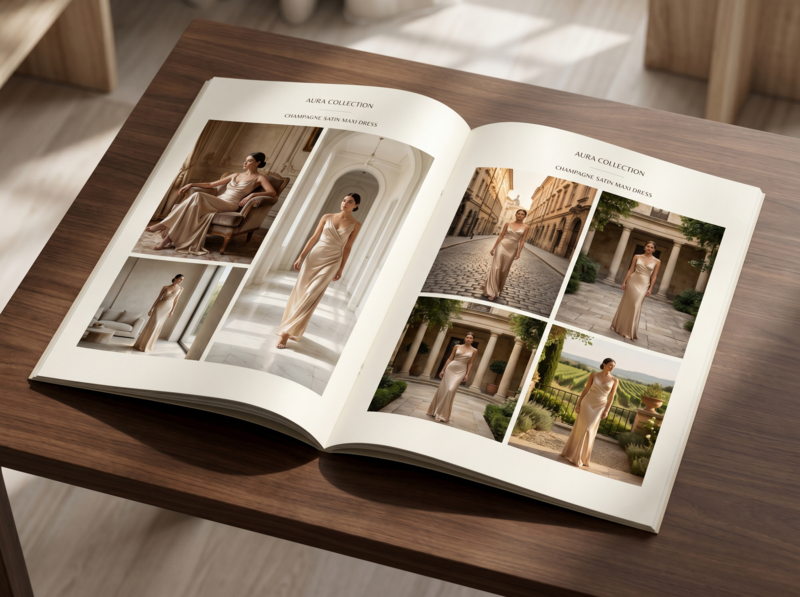
This is where many AI lookbooks fall apart. Individual images look strong in isolation, but together they feel like five different aesthetics.
When selecting images from each generation, check: does the garment detail (fabric texture, color, stitching) look accurate? Does the lighting match your brief? Does the pose feel on-brand? Does the setting match your intended world? If any of these are off, adjust and regenerate before moving on.
Across the full set, keep these variables locked:
- Color temperature — warm-toned or cool-toned throughout, not mixed
- Lighting style — soft diffused or directional, pick one and keep it
- Background palette — similar tones and environments across every image
- Pose energy — don’t mix high-drama editorial with casual street-snap energy
- Full look styling — the whole image (not just the hero garment) should signal your brand
The brand test: Cover your logo on every page. Would your regular customer still know it’s you? If not, the consistency work isn’t done.
Seasonal vs. Evergreen AI Fashion Lookbooks: Which to Make First
Not all lookbooks serve the same purpose. Understanding the difference helps you plan production and prioritize.
Seasonal Lookbooks
Tied to SS (Spring/Summer), AW (Autumn/Winter), or retail moments like holiday or back-to-school.
- Typically 20–40 images
- Anchor asset for broader campaign: ads, email, social
- Higher stakes, longer shelf life (3–6 months)
- AI advantage: iterate the seasonal narrative before full campaign launch; swap a colorway or setting that isn’t working without reshooting
Evergreen Lookbooks
Core collection lookbooks for timeless or perennial products — basics, workwear, staples.
- Typically 8–16 images
- Used as ongoing sales tools, wholesale assets, website resources
- Updated as the core range evolves
- AI advantage: extremely low cost to produce and update; add a new colorway and regenerate in hours
Where to start: If you’re new to AI lookbook production, begin with an evergreen lookbook for your core collection. The workflow is simpler, the creative pressure is lower, and it builds the brand consistency practice before you tackle a high-stakes seasonal campaign.
Common AI Fashion Lookbook Mistakes to Avoid
Most AI lookbook problems don’t come from the tool — they come from the workflow. These are the five mistakes that consistently show up in first-time productions, and how to sidestep each one.
Skipping the Mood Brief
The fastest way to produce a beautiful mess. Images with no brief behind them look individually strong but fall apart as a set.
Changing the Prompt Between Garments
If your first garment used ‘warm Mediterranean lifestyle’ and your fifth uses ‘editorial studio,’ the two images will look like they’re from different campaigns. Lock your base prompt before you start generating.
Not Culling Aggressively
A 15-image lookbook where every spread is strong beats a 30-image lookbook padded with B-tier shots. Edit ruthlessly.
Ignoring the Full Look
The hero garment is only part of the image. Background, setting, and general styling signal your brand world. Include these in your prompt, not just the clothing description.
Skipping the Narrative Pass
Even great images can feel random without intentional sequencing. Spend time on the arrangement — it’s the difference between a product grid and a lookbook.
AI Fashion Lookbook vs. Traditional Photoshoot
Traditional photography still has its place — for high-end editorial campaigns where the shoot itself is part of the brand story, or for hero imagery that will run across a full season of advertising. For everything else — catalog updates, colorway expansions, platform-specific variations, and pre-season concepting — AI is faster, cheaper, and easier to iterate. The comparison below reflects where the difference is most significant.
| Traditional Shoot | AI Lookbook (Fashion Diffusion) | |
| Cost | $5,000–$25,000 per collection | Fraction of traditional cost |
| Turnaround | 4–8 weeks | 6–11 hours |
| Iterations | One chance to get it right | Adjust and regenerate instantly |
| Colorway updates | Full re-shoot required | Regenerate with Recolor |
| Video content | Separate production | Animate stills with AI Fashion Video |
| Consistency | Depends on crew and conditions | Controlled variables throughout |
Create Your First AI Fashion Lookbook
You don’t need a production budget to tell your brand story visually. One photo per garment, a clear mood brief, and the right tools are enough to produce a seasonal lookbook that competes with brands spending 10 times more on production.
Try Fashion Diffusion’s AI Lookbook Generator free →
FAQ
An AI fashion lookbook generator takes a single model photo and produces a complete set of lookbook images — multiple poses, backgrounds, and scenes — with the model’s face, body, and garment staying consistent throughout. Fashion Diffusion’s AI Lookbook tool generates a full image set from one upload in seconds.
Yes. Fashion Diffusion’s Virtual Try-On generates on-model images from a flat-lay or packshot — so you don’t need a model photo as input at all. You can start from a flat garment and get a full lookbook image set.
Yes. Fashion Diffusion offers a free trial that covers the AI Lookbook Generator. No credit card required. Paid plans unlock higher volume.
Yes. Fashion Diffusion’s AI Fashion Video animates any lookbook image into a short-form video — fabric movement, camera pan, lifestyle moment. Output is ready to publish directly to TikTok, Instagram Reels, or embed on product pages.
A product catalog shows each item clearly and consistently — it’s a reference document. A lookbook tells a brand story — it creates an aspirational world and shows how pieces fit together. Both serve different purposes. AI makes it practical to maintain both: the AI Lookbook Generator for narrative imagery, and standard product generation for catalog-format shots.
No. A clean, well-lit model photo is enough — even from a fitting session or a simple indoor shoot. The AI generates new backgrounds and poses from your input. The main requirement is that the garment is clearly visible and not obscured.
Use the same base prompt for every garment in your collection — only change the garment description. Keep your lighting, setting, and mood descriptors identical across every generation. If a prompt variation produces images that feel off, return to your locked base prompt.


