

AI fashion photography has gone mainstream. According to McKinsey, generative AI could add $150–$275 billion in value to apparel, fashion, and luxury over the next few years. Zalando has also reported significant reductions in image-production costs through AI-generated visuals, reflecting wider adoption across fashion ecommerce workflows.
Modelia helped many brands ship their first on-model image. But as catalogs grow, teams keep hitting the same wall — a watermarked free tier, no real design tools, and credits that drain fast on video.
This guide compares the seven best Modelia alternatives for 2026. You’ll find pricing, features, pros and cons, and recommendations based on different fashion photography workflows.
What Is Modelia AI?
Modelia is an AI fashion imaging platform for apparel and ecommerce brands. It turns garment photos, flat lays, mannequin shots, and sketches into photorealistic on-model visuals, and it produces both images and short videos.
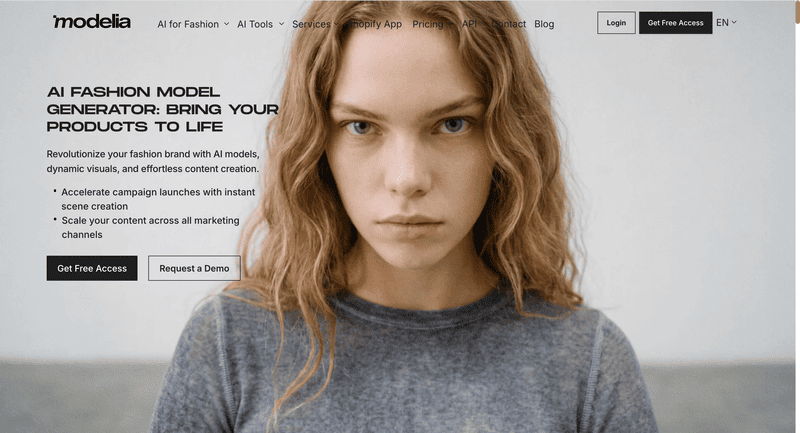
The platform bundles fashion-specific workflows: flatlay-to-model, mannequin-to-model, model swap, virtual try-on, repose, outfit generation, and accessory tools for hats, bags, glasses, and shoes. A Consistent Character feature reuses the same AI model across an entire catalog. Modelia also ships a native Shopify app, so brands can generate product imagery inside their store workflow.
Its free Starter tier gives 20 credits a month, which is enough to test some tools before paying.
Why Look for a Modelia Alternative?
Modelia covers a lot of ground. But it is a broad image toolkit first and a focused fashion studio second. Several recurring gaps push brands to compare alternatives.
- The free tier is watermarked and non-commercial. Starter gives 20 credits a month, capped at 10 a day, but every output carries a watermark and can’t be used commercially. You need a paid plan for store-ready images.
- No design or ideation tools. Modelia generates photos, not concepts. There’s no sketch-to-render, recolor, fabric swap, or text-to-outfit, so design-led teams still reach for a second platform.
- No dedicated ghost mannequin effect. Brands that lean on clean ghost-mannequin listings won’t find a built-in tool for it.
- Video burns credits fast. A five-second clip costs 25 credits; ten seconds costs 40. On smaller plans, a handful of videos can wipe out a month’s budget.
- Tool sprawl. Around 18 tools — including general utilities like image describer, color changer, and facial-expression editor — add interface weight when your day-to-day is catalog production.
None of this makes Modelia a bad tool. It just means a more specialized, better-value, or design-inclusive platform may suit your workflow better.
7 Best Modelia AI Alternatives — A Brief Overview
- Fashion Diffusion — Best overall for AI fashion design and photography. Combines a full design suite, on-model photography, and 1080p video in one workflow. From $12/month.
- FASHN AI — Best for virtual try-on quality and developer API. Industry-leading try-on accuracy plus a full REST API for custom integrations. From $19/month.
- Botika — Best for high-volume on-model photography on Shopify. Turns flat lays and mannequin shots into model imagery, with a built-in human retouching safety net. From $22/month.
- Veeton — Best for outfit styling and AI photoshoots. Mix-and-match outfits with camera, lighting, and background control. From $29.99/month.
- Rawshot AI — Best for prompt-free control and compliance. Click-based art direction with provenance logs and full commercial rights. From $9/month.
- Photoroom — Best for general ecommerce visuals at scale. Class-leading background removal, batch editing, and an image API across every product category. From $12.99/month.
- Picjam — Best for managed, agency-style production. A self-serve studio plus a fully managed “visual production agent” option with quality assurance. From $3 (3-day trial).
| Tool | Key Strength | Best For | Starting Price |
| Fashion Diffusion | Design + photography + video in one platform | Brands and designers who need concept-to-campaign in one platform | $12/mo |
| FASHN AI | Virtual try-on + full API | Ecommerce teams and developers embedding try-on | $19/mo |
| Botika | High-volume on-model + human retouching | Shopify brands with large SKU counts | $22/mo |
| Veeton | Outfit mix-and-match + photoshoot controls | Brands shooting full styled looks | $29.99/mo |
| Rawshot AI | Click-based control + compliance/provenance | EU brands and precise art direction | $9/mo |
| Photoroom | Background removal + batch at scale | Multi-channel sellers across categories | $12.99/mo |
| Picjam | Managed visual-production agent | Established brands wanting hands-off output | $3 (trial); $99/mo |
These picks draw on each platform’s documented capabilities and pricing, plus aggregated user feedback across G2, Capterra, Trustpilot, and the Shopify App Store. We weighted garment fidelity, fashion-specific features, video support, and value for ecommerce teams.
How the Top Modelia Alternatives Compare on Features
The table below compares core capabilities.
| Feature | Modelia | Fashion Diffusion | FASHN AI | Botika | Veeton | Rawshot AI | Photoroom | Picjam |
| Free access | 20/mo or 10/day (watermarked) | Trial available | 10 signup credits | No free plan | Trial available | 7-day free trial | Free tier (watermarked) | $3 / 3-day trial |
| Max resolution | 4K | 4K | 4K | Up to 4K (Advanced) | Not stated | 2–4K | 2K–4K | Not stated |
| Diverse models | Yes | Yes | 40 faces | Yes | Yes | 600+ | Yes | Custom + branded |
| Batch processing | Yes (Basic+) | Limited | Yes | Yes | Yes | Yes | Yes | Yes |
| Video generation | Yes (5–10s) | Yes (1080p, all plans) | Yes | Yes (Pro+) | Yes | Yes | Yes | Yes |
| API access | Yes | No | Yes | Yes | No | Yes | Yes | No |
The 7 Best Modelia Alternatives, Reviewed
1. Fashion Diffusion — Best Overall for AI Fashion Design and Photography
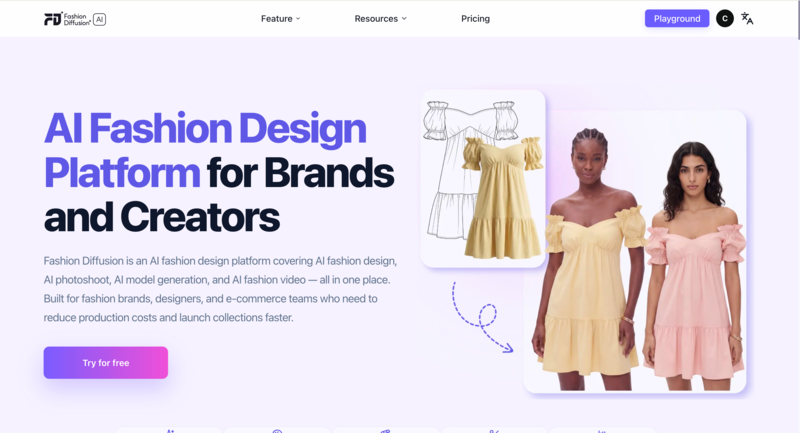
Fashion Diffusion spans the whole fashion workflow, from first sketch to finished campaign. Where Modelia stops at photography, it adds a full design suite, on-model shoots, model generation, and AI video in one subscription. The models are trained on fashion imagery rather than generic stock, so garment detail tends to hold up better on apparel.
Key Features
- Design studio: AI outfit generator, style innovation, AI Sketch, apply fabric, recolor, AI inpainting, seamless patterns, and print and pattern extraction.
- Photoshoot tools: virtual try-on, mix & match, AI lookbook, flat lay generator, change background, product detail shots, remove background, and 4K upscale.
- Models and video: swap to any AI model or face, then animate stills into 1080p fashion clips with motion control.
Best Use Cases
- Brands and D2C labels that want design prototyping and commercial photography in one place.
- Designers turning sketches into rendered visuals, then straight into on-model shots.
- Teams producing editorial and campaign content who need recolor, fabric swaps, and style exploration alongside catalog images.
- Agencies juggling several fashion clients on a single toolset.
Pricing
- Starter: $12/mo — 50 credits, all tools, 4K generation and upscaling, 1080p video.
- Creator: $29/mo — 160 credits (most popular).
- Pro: $59/mo — 380 credits.
- Studio: $199/mo — 1,400 credits.
Pros
- Combines design tools, AI fashion photography, and video generation in a single platform.
- Fashion-trained models designed for apparel workflows, not generic image generation.
- 4K image output and 1080p AI video available across all plans, including entry-level tiers.
- Low-cost starting point at $12/month with a broad feature set.
Cons
- No managed human-retouching service.
- Team-collaboration features aren’t detailed in public plans.
- No permanent free tier — a trial and bonus credits instead.
2. FASHN AI — Best for Virtual Try-On Quality and Developer API
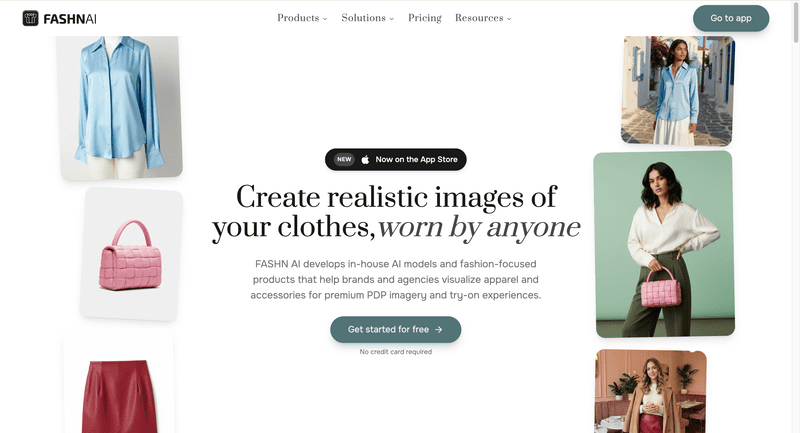
FASHN AI is built around best-in-class virtual try-on. Its diffusion engine wraps garments onto models with strong fabric and print fidelity, and a Face Reference feature keeps the same model identity across a catalog. Beyond the app, it ships a full REST API with TypeScript and Python SDKs, so dev teams can embed try-on and model generation directly into a storefront.
Key Features
- Virtual try-on, product-to-model, model creation, model swap, and face-to-model, all in one studio.
- Face Reference for consistent identity, with a 40-face library and custom faces on Agency.
- AI video up to 1080p, background removal, upscaling, and parallel generations (3 on Basic, up to 11 on Agency).
- Full developer API with a usage dashboard, plus a chat-based iOS app.
Best Use Cases
- Ecommerce teams that need the most realistic try-on for shopper-facing product pages.
- Developers integrating try-on or model generation into their own apps via API.
- Brands refreshing existing catalogs through model swap, without new shoots.
- Agencies that need shared credits across a team.
Pricing
- Basic: $19/mo — 200 credits, 4K images, two seats.
- Pro: $49/mo — 750 monthly plus 50 daily credits, five seats.
- Agency: $99/mo — 1,500 monthly plus 100 daily credits, 1080p video, custom faces, ten seats.
- The developer API is billed separately at $0.075 per credit, dropping at volume. Every account starts with 10 free credits; there’s no permanent free plan.
Pros
- Among the most realistic virtual try-on on the market.
- The most complete developer API in this lineup.
- Daily credits on Pro and Agency ease month-end limits.
- Commercial rights on all outputs.
Cons
- No design tools and no dedicated ghost mannequin.
- Base try-on resolution is modest, so you’ll often upscale for Amazon or large listings.
- No native Shopify app — integration is via API.
- No free tier; $19 is the floor.
3. Botika — Best for High-Volume On-Model Photography on Shopify
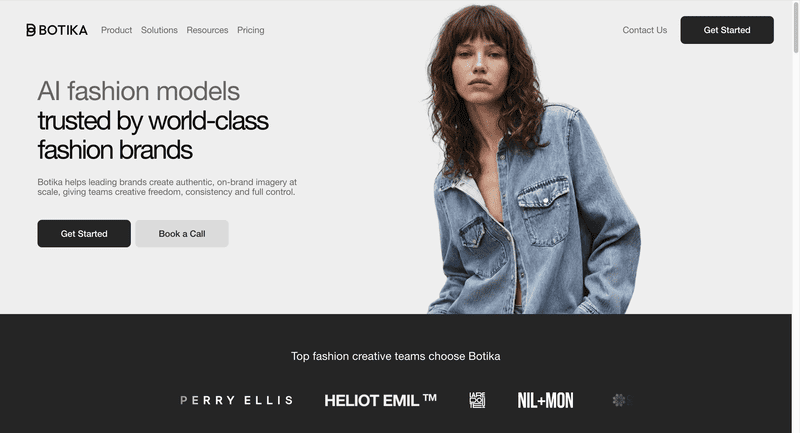
Botika turns flat-lay, mannequin, and packshot photos into professional on-model images, built for brands that need volume. Its model library spans ethnicities, body types, and ages, and credits roll over while you stay subscribed.
The standout is a built-in human retouching service. On paid plans, Botika’s team fixes images that miss the mark, at no extra cost.
Key Features
- On-model generation from flat lays, mannequins, or packshots.
- A wide, diverse AI model library, with full access on Pro and Advanced.
- Human retouching: two rounds within 48 hours on Pro, three within 24 hours on Advanced.
- AI video on Pro and above, plus a native Shopify app and credit rollover.
Best Use Cases
- Mid-to-large Shopify brands with high SKU counts needing consistent model imagery.
- Teams that want a human-reviewed quality safety net built into the plan.
- Brands prioritizing model diversity for inclusive presentation.
Pricing
- Lite: $22/mo — limited model and background selection.
- Pro: $35/mo — all models and backgrounds, 2K, video, and retouching.
- Advanced: $230/mo — 4K, team collaboration, and custom background colors.
- Enterprise: custom. Annual billing lowers the effective rate.
Pros
- Strong on-model quality with one of the widest model libraries.
- Built-in human retouching — unique in this list.
- Credit rollover while subscribed.
- Native Shopify app.
Cons
- No design tools or text-to-model creation.
- 4K only on the top consumer plan.
- Some users report delivery delays and slow support during demand spikes.
4. Veeton — Best for Outfit Styling and AI Photoshoots
Veeton is an AI photoshoot studio built around full-outfit styling. You mix and match tops, bottoms, and accessories, then control camera angle, lighting, and background like a virtual studio. It also cleans up rough product shots into flat-lay or ghost-mannequin visuals, and it exports without a watermark, even on the entry plan.
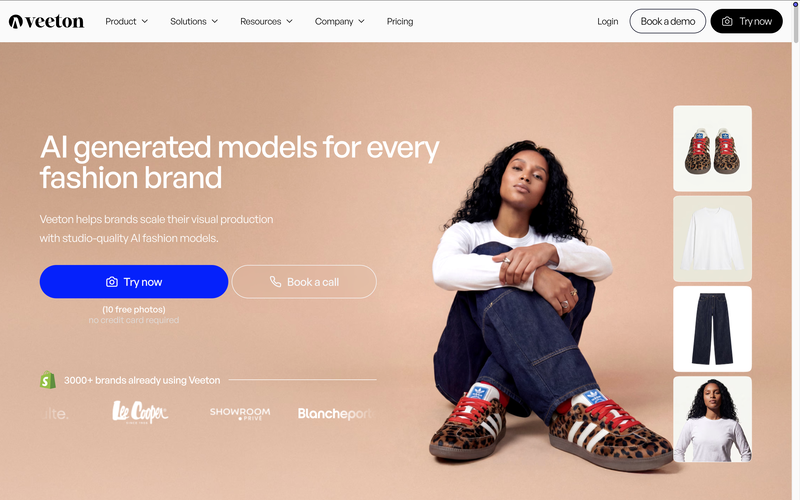
Key Features
- AI photoshoot with mix-and-match outfit styling.
- Custom AI models or a ready-made portfolio, plus model swapping.
- Dedicated visuals for shoes and eyewear.
- Batch generation from 2 to 100+ SKUs, AI video, and product recoloring.
Best Use Cases
- Brands that routinely shoot full styled looks rather than single garments.
- Teams wanting photoshoot-style controls at the generation step.
- Footwear and eyewear sellers needing category-specific shots.
Pricing
- Starter: $29.99/mo — 30 credits, no watermark, AI editing, recoloring, model swap, and video.
- Pro: $69.99/mo — 70 credits, unlimited team members, and a custom model generator.
- Studio: custom, for large volumes. No credit card needed to start.
Pros
- Outfit mix-and-match with real photoshoot controls.
- No watermark, even on Starter.
- Footwear and eyewear specialization.
- Unlimited team members on Pro.
Cons
- Low monthly credit allowance on Starter.
- No design tools.
- No public API.
5. Rawshot AI — Best for Prompt-Free Control and Compliance
Rawshot AI replaces text prompts with direct, click-based control. You set camera, pose, lighting, and background through buttons and presets, which suits teams that want repeatable art direction over prompt roulette.
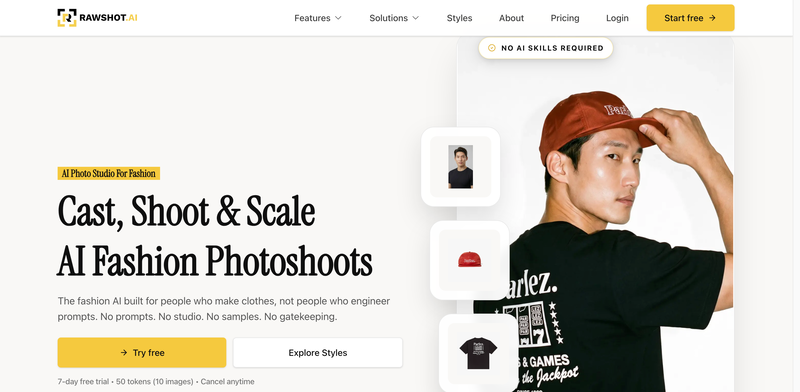
Built in the EU, it adds provenance logs, AI labeling, and full commercial rights — useful for brands with compliance requirements.
Key Features
- Click-driven control over camera, pose, lighting, and background.
- 600+ synthetic models and 1,500+ backgrounds, across fashion, plus-size, lingerie, and jewelry.
- Shoot types from lookbook and catalog to editorial and campaign.
- Video and ad formats — shorts, commercials, UGC — at 2–4K, with API access.
Best Use Cases
- Teams that prefer sliders and presets to writing prompts.
- Brands needing audit-ready imagery with provenance and clear AI labeling.
- EU brands prioritizing GDPR compliance and commercial-rights clarity.
Pricing
- Starter: $9/mo — 80 tokens (about 16 images).
- Growth: $39/mo — 400 tokens (about 80 images).
- Pro: $89/mo — 960 tokens (about 192 images).
- Business: $179/mo — 2,000 tokens (about 400 images). All plans include video, full commercial rights, and GDPR compliance.
Pros
- Prompt-free, click-based art direction.
- Strong garment fidelity and catalog-consistency focus.
- Compliance and provenance built in.
- Low $9 entry with commercial rights on every plan.
Cons
- The token model is tight on Starter — about 16 images.
- No design ideation tools.
- No Shopify-native app.
6. Photoroom — Best for General Ecommerce Visuals at Scale
Photoroom is a broad ecommerce visual editor, not a fashion-only tool. Its background removal is among the fastest and most accurate anywhere, and batch processing handles hundreds of images in one pass. A Virtual Model feature adds AI fashion try-on, but it sits inside a wider product-photography suite rather than a design platform.
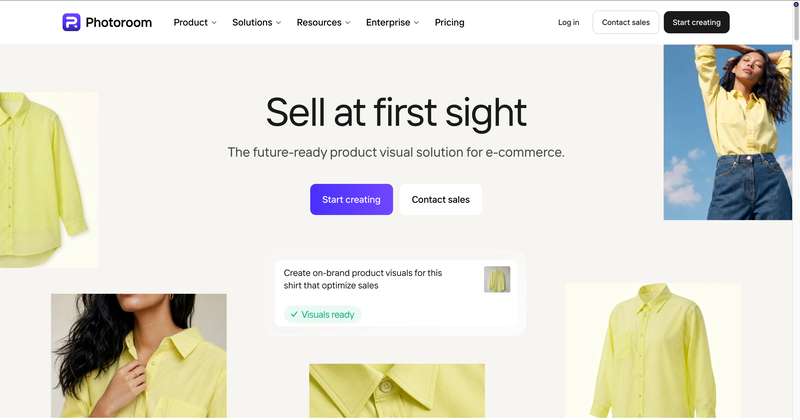
Key Features
- Industry-leading background removal, AI shadows, recolor, and product staging.
- AI Virtual Model for fashion, plus ghost mannequin, at 2K and 4K.
- Batch processing, brand kit, instant resize, and video templates for Reels and TikTok.
- Image API, Shopify publishing, and marketplace feeds.
Best Use Cases
- Multi-channel sellers managing visuals across fashion, beauty, home, and more.
- Teams that need background removal and listing-ready images at high volume.
- Sellers wanting white-background or marketplace-spec images fast.
Pricing
- Free: watermarked exports for testing.
- Pro: $12.99/mo — advanced AI tools, 500 batch exports, and 1,000+ templates.
- Max: $34.99/mo — better models, 1,500 batch exports, and Shopify publishing.
- Ultra: $99/mo — 5,000 batch exports and the fastest processing. Enterprise adds API access and SOC 2.
Pros
- Best-in-class background removal.
- Deep batch processing and a flexible image API.
- A huge template and format library with instant resize.
Cons
- General-purpose, not a fashion design suite — the virtual model is one feature.
- Less specialized garment control than dedicated fashion tools.
- Some users report frustration with billing and mid-plan credit changes.
7. Picjam — Best for Managed, Agency-Style Production
Picjam positions itself as a visual production agent for established brands. You can run it self-serve or hand the work to Picjam’s team through a managed Concierge tier with a four-point quality check. The toolkit covers AI models, fashion photography, ghost-mannequin removal, lifestyle and listing shots, poses, video, and UGC.
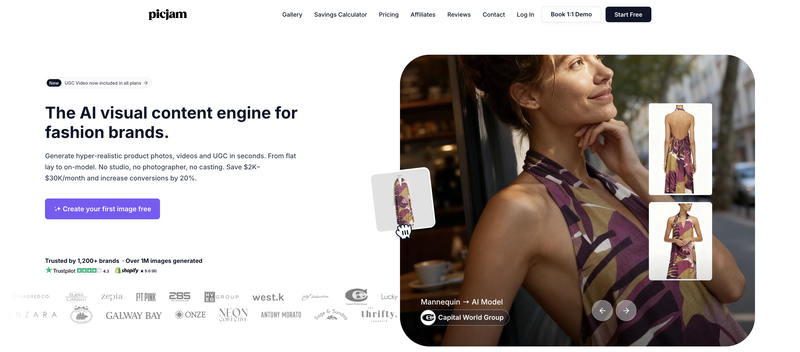
Key Features
- AI virtual model, fashion photography, and ghost-mannequin removal.
- Lifestyle and listing photos, pose adjustment, and product close-ups.
- Video and UGC generation, plus StyleWith for styling garments together.
- Batch generation, clean-up, upscaling, background removal, and SEO keyword tools.
Best Use Cases
- Established brands wanting a hands-off, managed production option.
- High-volume SKU catalogs needing batch output with human QA.
- Teams that want listing visuals and SEO support in one place.
Pricing
- Studio Trial: $3 for 3 days — 400 one-time credits, full Studio access, commercial license.
- Studio: $99/mo — 2,000 credits, custom and branded models, video, and UGC.
- Concierge: custom — fully managed by Picjam, with QA and high-volume processing.
Pros
- Low-risk $3 three-day trial.
- A managed Concierge option with a four-point QA system.
- Video and UGC included, plus SEO keyword tooling.
Cons
- No permanent free tier — trial only.
- Self-serve jumps to $99/mo.
- No design ideation tools, and Concierge is custom-priced.
How to Choose the Right Modelia Alternative
Start with one question: do you need fashion design tools alongside photography, or photography alone?
- If you need design and photography in one platform, Fashion Diffusion covers sketch-to-render, recolor, outfit generation, and on-model photography without a second subscription.
- If you need on-model imagery at scale, Botika and Veeton are strong options. Botika is well suited to ecommerce catalogs that benefit from credit rollover and optional human retouching, while Veeton offers more control over styling, camera angles, and lighting.
- If virtual try-on quality or API access is your priority, FASHN AI stands out for garment preservation and developer-friendly integrations, including a REST API.
- If you need broader ecommerce content tools or a more managed workflow, Photoroom supports multi-category batch editing and background removal, while Picjam includes built-in quality review processes.
- If budget is the main factor, Rawshot AI starts at $9/month, includes commercial usage rights and provenance tracking, and requires minimal setup.
Switching from Modelia: AI Fashion Workflow Setup
Start with clean inputs — well-lit flat lays or ghost-mannequin shots on a plain background give the AI more to work with and reduce re-rolls. Be specific upfront: define body type, pose, lighting, and background before generating to keep outputs consistent without wasting credits.
Stage your workflow before committing. Use a short trial or free tier to test concepts, then move final assets into a fashion-trained platform for production output. Upscale only the images you plan to publish.
If you want design, photography, and video in one place, Fashion Diffusion starts at $12/month with a free trial. Upload a garment, generate on-model images, and export a 1080p reel — no separate tools or subscriptions needed.
FAQ
Fashion Diffusion is the strongest all-round Modelia AI alternative — it pairs AI photography with a full design suite from $12 a month, which Modelia doesn’t offer. For pure virtual try-on precision, FASHN AI is the specialist pick. For Shopify brands needing high-volume on-model imagery with human QA built in, Botika is worth a direct comparison.
Depends on what you need. Modelia is stronger for consistent-character catalog production and has a native Shopify app. Fashion Diffusion is the broader platform: it adds a full design suite — sketch-to-render, outfit generation, style innovation— alongside AI photography and 1080p video on every plan.
Upload the flat-lay or ghost-mannequin photo, choose an AI model, set a background and pose, and the platform maps the garment onto the model automatically. Fashion Diffusion, FASHN AI, Botika, and Rawshot AI all support this workflow natively. Clean, well-lit flat lays on a plain background produce the most accurate garment fidelity with the fewest re-rolls.
Yes, on any paid plan. Fashion Diffusion, FASHN AI, Botika, Veeton, Rawshot AI, Photoroom, and Picjam all grant commercial rights on their subscriptions. The exception is Modelia’s free Starter tier, which outputs watermarked, non-commercial images. Always confirm the license terms for the specific plan you’re on before publishing.
Most do. Fashion Diffusion generates 1080p fashion video on every plan, including the $12 Starter. FASHN AI, Veeton, Rawshot AI, and Picjam all produce video or UGC-style clips. Botika adds video on Pro and above. Photoroom offers branded video templates for Reels and TikTok. Modelia generates video too, but clips cost 25–40 credits each.
Botika is well suited for Shopify-based fashion catalogs, offering a native integration, credit rollover, and optional human retouching for high-volume product workflows. Photoroom may be a better fit if you also sell across marketplaces like Amazon or Etsy, since it supports batch background removal and multi-category product editing beyond fashion.
AI fashion photography is dramatically cheaper. A standard shoot runs $5,000–$15,000 per session; AI tools generate comparable on-model images for a few cents to around $1 per image — a potential 90% or greater cost reduction. Complex garments like sheer fabrics and fine embroidery still benefit from a manual quality check.


