

In 2026, there’s a specialized tool for every stage of the clothing design workflow — from first sketch to finished product listing. The challenge isn’t finding apps. It’s knowing which ones are worth your time and money.
This guide compares the 10 best clothing design apps in 2026 — from free sketching tools to AI platforms like Fashion Diffusion that take designs from concept to product photography — with pricing, real pros and cons, and a workflow guide to help you build the right stack for your budget.
Quick Comparison: Best Clothing Design Apps at a Glance
| App | Category | Best For | Starting Price |
| Fashion Diffusion | AI design + photography | End-to-end AI fashion workflow | Free trial $12/mo |
| Adobe Illustrator | Technical design | Factory-ready tech packs | $22.99/mo |
| Procreate | Sketching | iPad fashion illustration | $12.99 one-time |
| CLO3D | 3D prototyping | Virtual sampling and fit testing | ~$50/mo |
| Canva | Visual design | Mood boards and social content | Free |
| Style3D | 3D + collaboration | Distributed design teams | Free trial ~$49/mo |
| Adobe Fresco | Digital painting | Fashion illustration with live brushes | Free |
| Browzwear | Enterprise 3D | Large brands with PLM integration | $75 /mo |
| Valentina | Pattern making | Budget-conscious pattern drafters | Free |
| Sketchbook | Sketching | Cross-platform concept sketching | Free |
How We Evaluated These Clothing Design Apps
We assessed each clothing design app across six dimensions:
- Ease of use — how quickly a new user can produce usable output
- Workflow coverage — how many stages of the design process the tool handles
- AI capabilities — sketch generation, model photography, virtual try-on
- Production readiness — whether output is accepted by factories and platforms
- Collaboration features — multi-user editing, sharing, and team access
- Pricing and value — cost relative to what each tool actually delivers
Tools were evaluated based on direct product use and documented feature sets as of May 2026.
Why AI Is Changing the Clothing Design App Landscape
Traditional fashion workflows required a separate tool for every stage:
- Sketching software for ideation
- Technical CAD for production files
- Studio shoots for product photography
- Image editing for post-processing
In 2026, AI platforms are collapsing these stages. Instead of Sketch → Sample → Shoot → Edit, designers can now move through Sketch → Generate → Publish in a single platform.
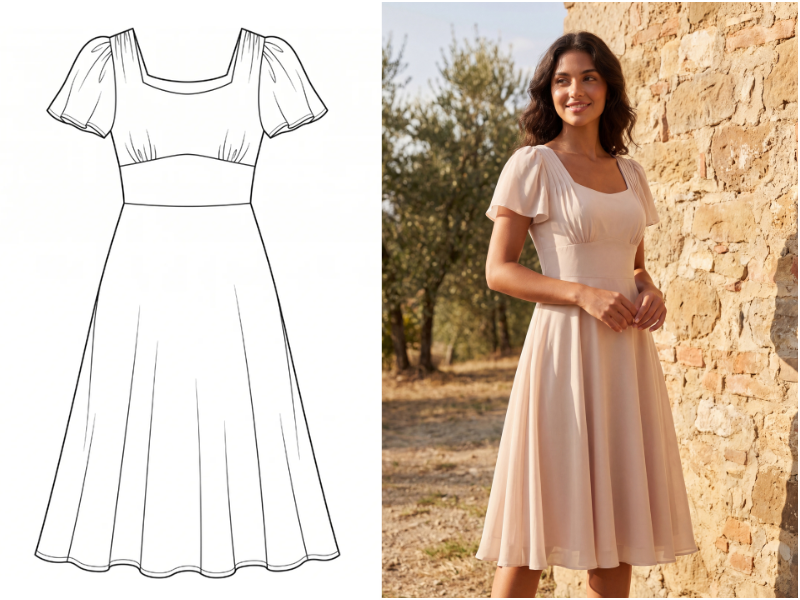
The biggest shift is at product photography. AI tools like Fashion Diffusion now generate studio-quality model shots from a single flat-lay photo, in a minute, at a fraction of the cost. Adobe Illustrator is still the standard for tech packs. CLO3D still leads for 3D sampling.
But for independent designers and small brands, AI has removed the biggest cost and time barriers that previously made professional-quality product imagery inaccessible.
How to Choose the Right Clothing Design App
Before diving into individual tools, it helps to understand what stage of the design process you’re optimizing for. Most designers need more than one app — the question is which combination fits your workflow and budget.
By workflow stage
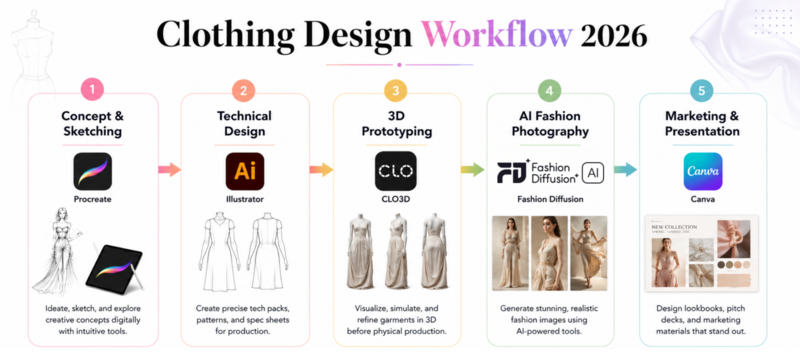
The clothing design process typically runs through five stages:
Stage 1 — Concept and sketching: Translating ideas into visual form. Best tools: Procreate, Adobe Fresco, Sketchbook.
Stage 2 — Technical design: Creating flat drawings, construction specs, and measurement documents manufacturers need. Best tools: Adobe Illustrator, Valentina.
Stage 3 — 3D prototyping: Building virtual garments to test fit, fabric behavior, and construction. Best tools: CLO3D, Style3D, Browzwear.
Stage 4 — AI fashion photography: Turning finished garments into product shots and model photos without a photoshoot. Best tools: Fashion Diffusion.
Stage 5 — Marketing and presentation: Mood boards, lookbooks, and social content. Best tools: Canva, Adobe Fresco.
1. Fashion Diffusion — Best AI Clothing Design App for End-to-End Workflows
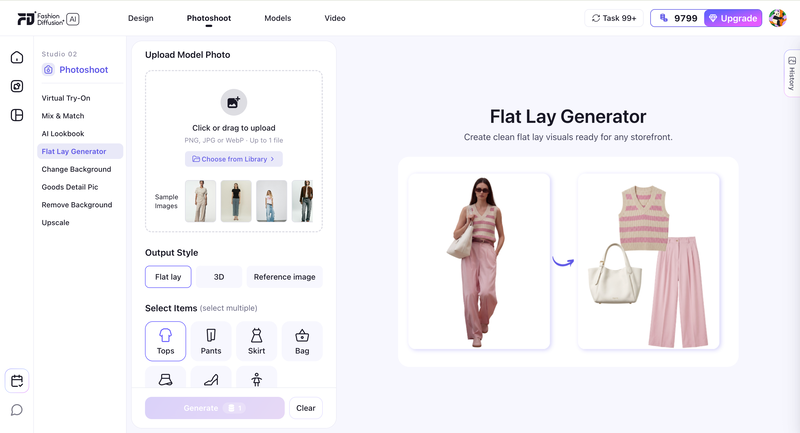
Fashion Diffusion is an AI-powered fashion design and photography platform that covers more of the clothing design workflow than any other tool on this list. Where most apps specialize in a single stage — sketching, or 3D, or photography — Fashion Diffusion connects them all: sketch a design, visualize it on an AI model, generate a flat lay, and produce product photography in one place, without stitching together five separate subscriptions.
Best for: Independent designers and brands who want to go from sketch to product-ready visuals without expensive studio setups.
Key features
- Sketch to Render: Upload a hand-drawn or digital sketch and the AI generates polished, photorealistic fashion visuals. Iterate on fabrics, colors, and silhouettes without touching a physical sample.
- Virtual Try-On: Place any garment on a realistic AI model from a flat-lay photo, with accurate fabric draping, texture, and fit.
- AI Model Generator: Generate diverse AI model photos from text prompts. Customize ethnicity, pose, and styling without booking a model.
- Flat Lay Generator: Produce clean flat lay and 3D ghost mannequin product images directly from model photos or garment shots.
- Change Background: Swap backgrounds on existing product photos to adapt images for different platforms or campaigns.
Who gets the most value
- Independent designers who couldn’t afford professional photoshoots can now generate studio-quality model shots from a single flat-lay photo
- Multi-platform brands can adapt one source image for Amazon, Shopify, Instagram, and wholesale catalogs without re-shooting
- Designers who iterate frequently can sketch a new concept and see it on a photorealistic model in minutes via Sketch to Render
Pricing: Free trial available; paid plans for higher volume and advanced features.
Pros
- Covers the widest range of the design workflow in a single platform
- Sketch to Render makes early-stage concept visualization fast and cost-effective
- Virtual Try-On maintains fabric texture and detail accuracy for credible product imagery
- Flat Lay Generator produces ghost mannequin results from model photos without prompts or Photoshop
Cons
- AI-generated imagery is best suited for e-commerce and social content; high-end editorial campaigns may still benefit from traditional photography
- Full feature set takes time to explore; new users typically start with one or two tools and expand from there
2. Adobe Illustrator — Best Clothing Design Software for Technical Flats
Adobe Illustrator is the industry standard for technical fashion design — not because it’s the most intuitive, but because factories worldwide expect files in its format. Illustrator’s vector tools give you the precision needed for garment specs, seam placement, and construction documentation that survives resizing without quality loss.
That said, real users consistently note it’s not purpose-built for fashion: it lacks a native Pantone library (Adobe removed it in a controversial 2022 update), and its Recolor Artwork tool handles subtle shades of black, white, and gray poorly. For many designers, learning Illustrator means learning to work around its quirks.
Best for: Professional fashion designers creating tech packs and production drawings for manufacturers.
Key features
- Precision vector drawing for garment silhouettes and construction details
- Measurement and annotation tools for factory-ready tech packs
- Textile pattern and repeat design for print development
- Round-trip integration with Photoshop and other Adobe CC apps
- Scalable output that prints cleanly at any size
Pricing: 7-day free trial. Single app $22.99/month (annual) or $34.49/month (monthly). All Apps plan $59.99/month.
Pros
- Universal factory acceptance — the file format manufacturers worldwide work with
- Vector output maintains quality from business card to billboard scale
- 2025–2026 updates improved launch speed and save performance significantly
Cons
- Not purpose-built for fashion: no native Pantone library, weak color tools for neutral shades
- Demands significant hardware — 16GB RAM recommended; older systems will struggle
- Subscription cost adds up fast; according to G2 user reviews, many long-term users wish it were a one-time purchase
3. Procreate — Best App to Design Clothes on iPad
Procreate has a near-cult following among fashion designers for good reason: drawing on it with an Apple Pencil genuinely feels like working with physical media. The pressure sensitivity is responsive, the brush engine is extensive, and the interface stays out of your way.
The one-time $12.99 purchase price remains remarkably low for the level of professional-quality work it enables. Where users run into friction is at the edges of its scope — it’s a sketching tool, not a production tool. You can’t output vector files for tech packs, exporting PSD files with masks intact is a known limitation, and layer count drops as canvas resolution increases.
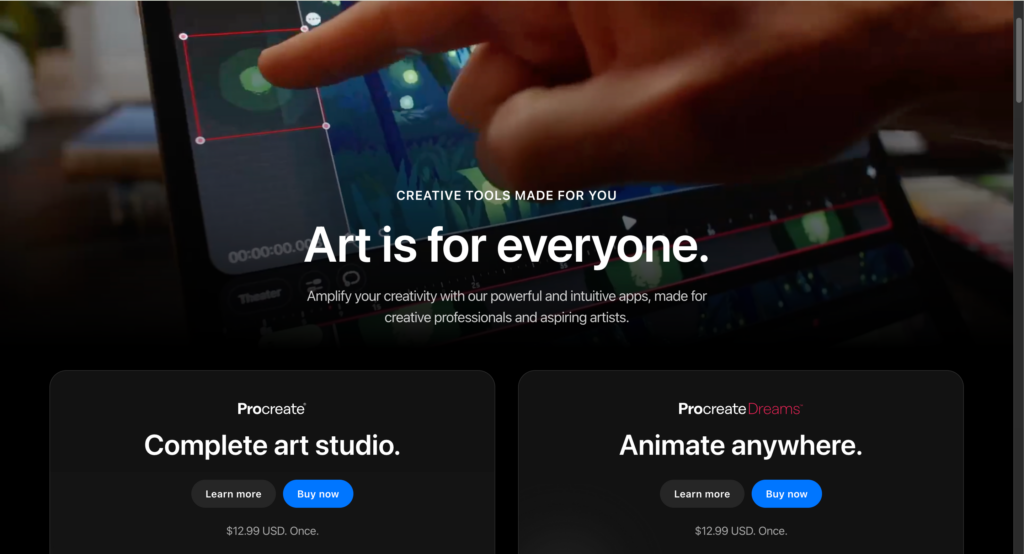
Best for: Fashion illustrators and designers who want a natural sketching experience on iPad.
Key features
- Brush engine with 200+ options, including pressure, tilt, and flow sensitivity
- Layer-based system for building fashion illustrations with editable components
- Time-lapse recording for process documentation and portfolio content
- Symmetry and QuickShape tools for clean garment silhouettes
- Offline functionality — no internet required to work
Pricing: $12.99 one-time purchase. iPad only.
Pros
- One-time payment with no subscription — the strongest value proposition on this list
- Natural drawing feel that consistently outperforms web-based sketching tools on iPad
- Works completely offline, useful for sketching anywhere without connectivity
Cons
- iPad only — no Android, Windows, or macOS version; some users buy an iPad specifically for Procreate
- Layer count drops as canvas resolution increases, limiting large-format print work
- No vector output and limited PSD export compatibility — a known issue flagged by Capterra reviewers — making handoff to Illustrator clunkier than it should be
4. CLO3D — Best Clothing Design App for 3D Prototyping
CLO3D is the most trusted 3D garment simulation tool in the fashion industry. Its fabric physics engine handles drape, weight, and stretch with enough fidelity to catch fit problems before you cut fabric. Real users consistently report 30–50% reductions in physical sampling costs after adoption.
The trade-off is performance: once you lower particle distance and stack complex layers of fabric physics, simulations slow down considerably. Custom avatar compatibility is also a known friction point — converting third-party avatars often distorts shape when you try to make them size-editable. CLO3D is best understood as a virtual sampling platform. Teams typically adopt it when physical sample costs become operationally painful, around 5–10 samples per season.
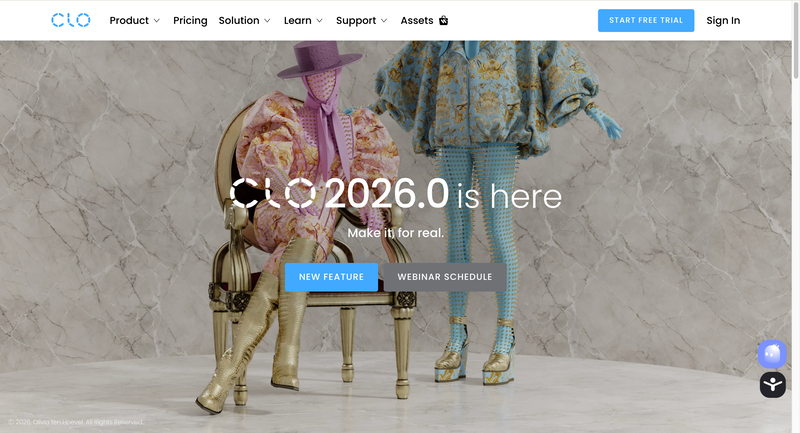
Best for: Brands and designers who want to test fit and construction virtually before committing to physical samples.
Key features
- Physics-accurate fabric simulation covering drape, weight, stretch, and layering
- Virtual fit testing on adjustable body avatars across multiple sizes
- Pattern import from Illustrator and 2D CAD tools
- Animation and turntable rendering for presentations and buying reviews
- Transparent subscription pricing with monthly or annual options, cancelable anytime
Pricing: Free trial available. Individual plans from $50/month.
Pros
- Realistic simulation quality that production teams actually trust for fit decisions
- Transparent pricing — stated clearly on the website, manageable for freelancers
- Large community of tutorials; CLO is responsive to user feature requests
Cons
- Simulation slows significantly with complex multi-layer garments — consistently reported in G2 user reviews
- Custom avatar conversion is frustrating — converted avatars often lose shape editing or can’t use native accessories
- Requires a high-spec machine; 16GB RAM is a practical minimum for comfortable performance
Fashion Diffusion vs CLO3D: Which do you need
These two tools are often compared, but they solve different problems.
| Feature | Fashion Diffusion | CLO3D |
| AI model generation | Yes | No |
| Virtual try-on | Yes | Limited |
| 3D fabric simulation | No | Yes |
| Product photography | Yes | No |
| Sketch to render | Yes | No |
| Pattern making | No | Yes |
| Learning curve | Low | High |
| Starting price | Free trial | ~$50/mo |
| Best for | Photography & visualization | Fit testing & sampling |
If your bottleneck is product photography — use Fashion Diffusion. If your bottleneck is physical sampling costs — use CLO3D. Many growing brands use both: CLO3D for development, Fashion Diffusion for catalog production.
5. Canva — Best Free Clothes Design App for Mood Boards and Marketing
Canva is genuinely excellent at what it’s designed for: fast, template-based visual communication. For mood boards, wholesale presentations, and social content, it’s the quickest path from idea to shareable asset. The free tier is permanently available and unusually generous for design software. Where users hit limits is when they need professional design control — layer management, blending modes, and masking are thin compared to dedicated tools. A recurring complaint is the lack of PSD export, which makes it difficult to pass work to a professional designer for refinement. Output also has a recognizable ‘Canva look’ that can work against brand differentiation. For fashion brands specifically, it has no garment-specific tools — it’s a communication and presentation layer, not a design tool.
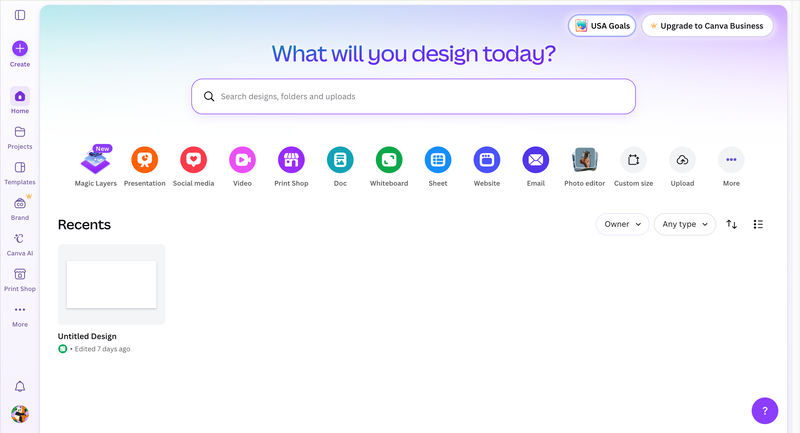
Best for: Designers and brands who need mood boards, lookbook layouts, and social media content without a steep learning curve.
Key features
- 250,000+ templates covering social media, presentations, and print formats
- Drag-and-drop interface that requires no design background
- Brand Kit (Pro) for maintaining consistent fonts, colors, and logos across assets
- Magic Studio AI tools for image generation and background removal
- One-click resize to adapt a design across multiple platform formats
Pricing: Free tier permanent and fully functional. Canva Pro $15–$18/mo (or ~$144/year).
Pros
- Free tier is the most generous in its category — not a trial, not feature-locked
- Productive within minutes; no learning curve for basic use cases
- Cross-format resize saves real time when adapting content across platforms
Cons
- No PSD export — difficult to hand off work to professional tools without workarounds
- Layer control, masking, and blending modes are shallow compared to Illustrator or Photoshop
- Output has a recognizable template aesthetic that requires deliberate customization to avoid
6. Style3D — Best Clothing Design App for Distributed Teams
Style3D has rapidly gained ground on CLO3D, particularly among designers who prioritize speed, modern UI, and cloud sharing over manufacturing-grade export depth. Its simulation quality now rivals CLO3D in most garment categories, and its native asset library — covering hairstyles, avatars, fabrics, and scene settings — is more extensive out of the box than CLO3D’s.
The key differentiator is its cloud-first architecture. The honest limitation is on the manufacturing side: Style3D is still missing some export formats that CLO3D has championed. It also has limited Mac support.
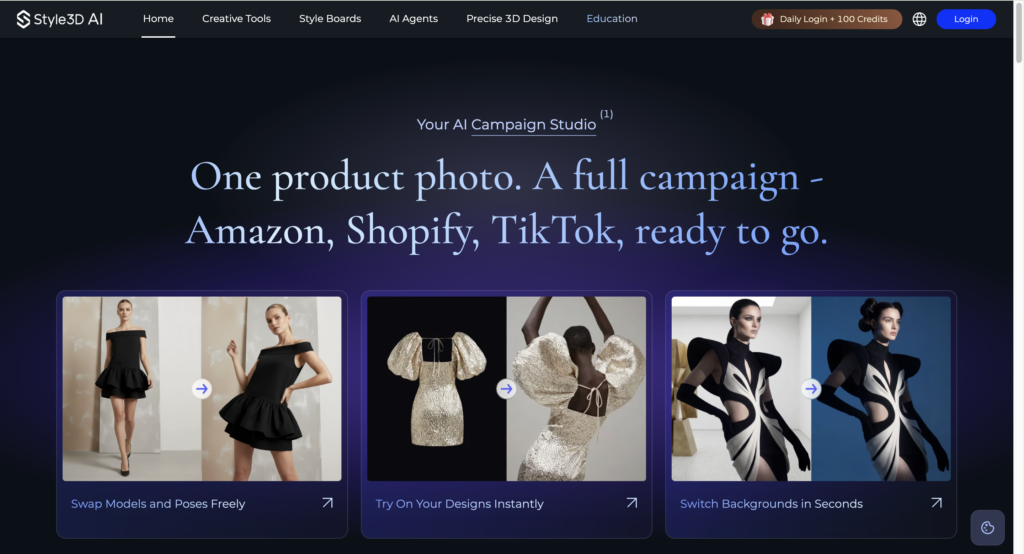
As of 2026, Style3D offers both a free individual tier and lower-cost creator plans, making it one of the most accessible professional-grade 3D fashion platforms for students, freelancers, and growing brands.
Best for: Design teams working across multiple offices or time zones who need real-time 3D collaboration.
Key features
- Cloud-based 3D garment design with real-time multi-user collaboration
- Simulation quality comparable to CLO3D across most fabric types
- Richer native asset library (avatars, hairstyles, fabrics, scenes) than CLO3D
- Smoother animation and Blender export workflow than CLO3D
- Free individual tier available
Pricing: Free tier available. Paid plans: $99+/mo for basic plans.
Pros
- Free tier makes it accessible to students and independent designers without upfront cost
- Modern interface with faster onboarding than CLO3D for new users
- Better animation and Blender export workflow than CLO3D
Cons
- Missing some manufacturing export formats that CLO3D supports — less suitable for factory-direct handoff
- Limited Mac support, which affects Apple-first design studios
- Smaller professional community than CLO3D; fewer industry tutorials and third-party resources
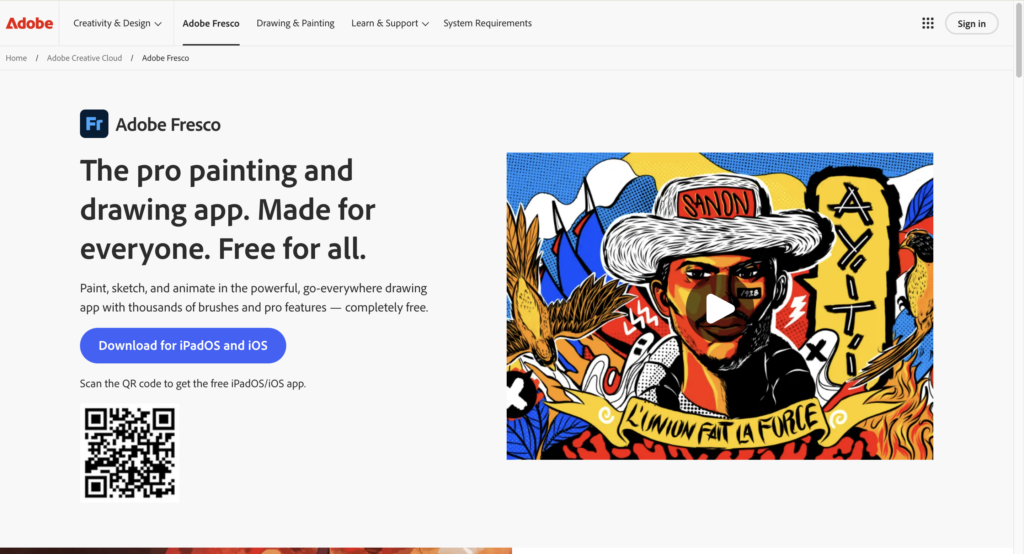
7. Adobe Fresco — Best Free App for Fashion Illustration
Adobe Fresco sits between Procreate and Illustrator — it handles the painterly, expressive illustration work that neither does well. Its Live Brushes genuinely simulate watercolor bleed and oil paint mixing. The free tier includes a working brush set and unlimited canvas use.
The friction point users raise consistently is platform availability: Fresco works on iPad and Windows, but there’s no macOS standalone app, forcing Mac desktop users to skip it entirely. It’s a pure illustration tool — no vector output, no pattern making, nothing that feeds directly into a manufacturing workflow.
Best for: Fashion designers and illustrators who want realistic traditional media simulation in a digital tool.
Key features
- Live Brushes that simulate physical watercolor bleeding and oil paint layering
- Combined raster and vector tools on one canvas
- Round-trip editing with Illustrator and Photoshop via Creative Cloud
- Apple Pencil and Surface Pen support with pressure and tilt sensitivity
- Free tier with no time limit and a functional brush set
Pricing: Free tier with core brushes. $34.99/mo for individuals.
Pros
- Live Brush watercolor and oil simulation is more convincing than Procreate’s equivalent
- Free tier is genuinely usable without pushing users toward an upgrade
- Tight integration with Illustrator and Photoshop for designers already in the Adobe ecosystem
Cons
- No macOS standalone app — Mac desktop users are effectively excluded
- Strictly an illustration tool; no path to production files or manufacturing documentation
- Advanced features are gated behind the full Creative Cloud subscription
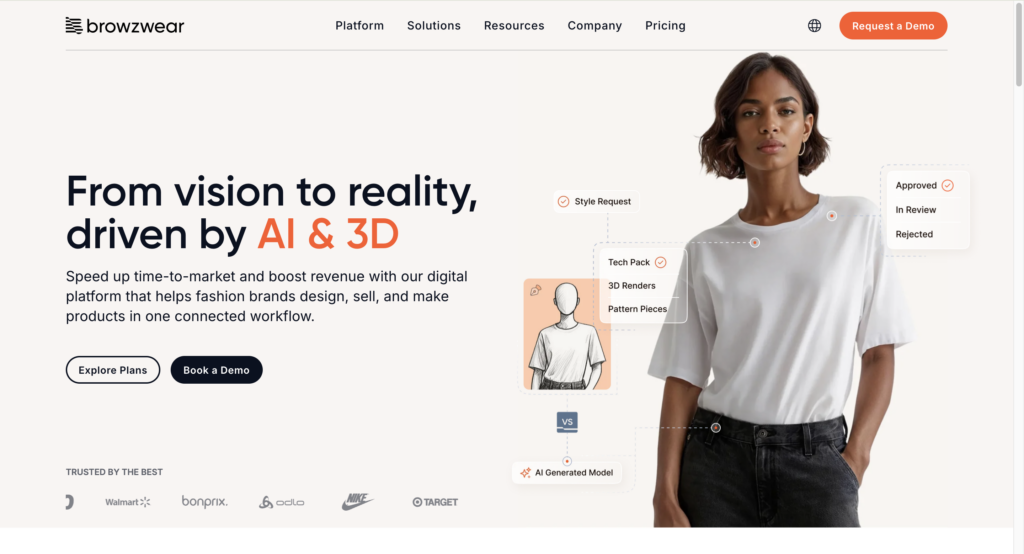
8. Browzwear — Best Clothing Design Software for Enterprise Teams
Browzwear is built for organizations where 3D fashion design needs to connect directly into supply chain systems. Its VStitcher tool handles detailed garment construction with certified fabric physics, and its PLM integrations are genuinely deeper than what CLO3D or Style3D offer at enterprise scale — a distinction covered by Delogue’s industry comparison of the four leading 3D fashion platforms.
The honest caveat is accessibility: there’s no public pricing, no self-serve trial. For independent designers or small brands, the answer is simply don’t — the tool is not built for that context.
Best for: Large fashion brands and manufacturers managing 100+ SKUs per season with PLM integration needs.
Key features
- VStitcher for detailed 3D garment creation with certified fabric properties
- Lotta for rapid design visualization and merchandising presentations
- PLM integration with major fashion industry platforms
- Certified digital fabric library for the most accurate material simulation available
- End-to-end workflow from concept to production-ready output
Pricing: Freelancer ~$75/mo ($750/yr), FreelancerPlus ~$150/mo, Teams ~$3,950/yr, and Enterprise custom.
Pros
- PLM integrations go deeper than any other tool on this list
- Certified fabric digitization is the most accurate material simulation in fashion software
- Built specifically for the operational complexity of large-scale brand workflows
Cons
- No public pricing or self-serve access — requires an enterprise sales process
- Long onboarding period; teams new to 3D tools often take months to reach full productivity
- Not a practical option for any team under approximately 10 designers
9. Valentina — Best Free Clothing Design Software for Pattern Making
Valentina is a free, open-source pattern-making application that handles parametric drafting — the same process done in commercial CAD tools that cost hundreds per month. You input body measurements, build pattern blocks, and Valentina automatically grades them across multiple sizes. The honest picture from its user community is that it does the core job well, but it feels unpolished: the interface is dated, documentation is sparse, and troubleshooting often means digging through forums.
For designers who need pattern-making capability and can’t justify commercial CAD costs, Valentina removes the financial barrier entirely.
Best for: Independent designers and students who need professional-level pattern drafting without the cost of commercial CAD software.
Key features
- Parametric pattern drafting based on custom body measurements
- Automatic multi-size grading from a single pattern
- Layout tools for optimizing fabric usage and minimizing waste
- Export to DXF, SVG, and PDF for cutting and production
- Cross-platform: Windows, macOS, and Linux
Pricing: Free and open source. No subscription, no premium tier.
Pros
- Zero cost with no hidden tiers — full pattern-making capability at no expense
- Parametric grading automates what would otherwise be done manually per size
- Cross-platform including Linux, which no commercial fashion tool supports
Cons
- Interface feels significantly dated compared to commercial alternatives
- Documentation is thin; learning relies heavily on community forums
- No 3D visualization — patterns exist only as 2D geometry until you move to another tool
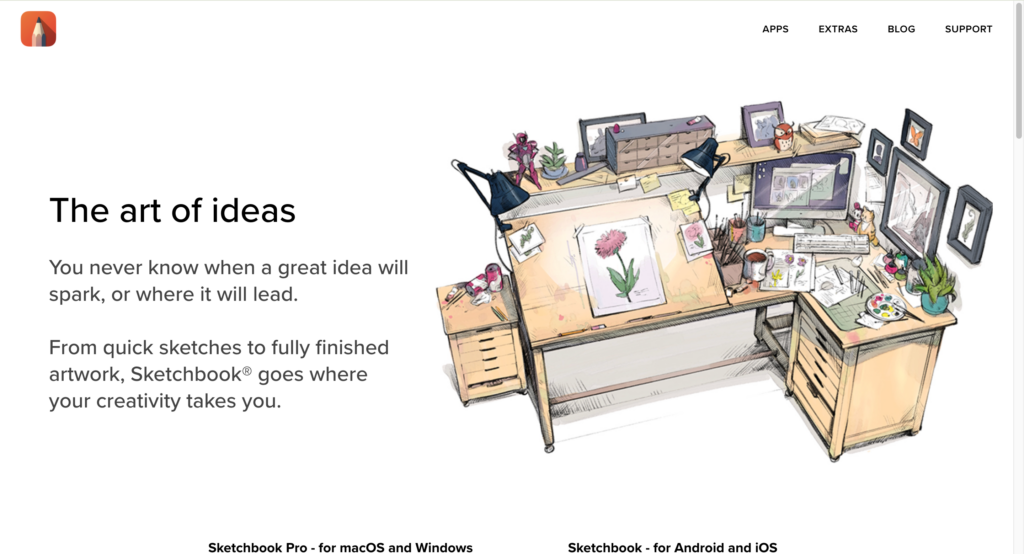
10. Sketchbook — Best Free Cross-Platform Clothing Design App
Autodesk Sketchbook is the most capable free sketching tool that works across iPad, Android, Windows, and macOS. For designers who sketch on multiple devices, or who want professional drawing tools without committing to the Apple ecosystem Procreate requires, Sketchbook is the practical answer. Users who compare the two directly note that Sketchbook’s brush feel on iPad is slightly behind Procreate — more mechanical, less pressure-responsive at the subtle end. But for concept sketching, silhouette work, and quick ideation, the cross-platform freedom is Sketchbook’s genuine advantage.
Best for: Designers who need a free, cross-platform sketching tool that works across devices.
Key features
- Full brush engine with pressure and tilt sensitivity across all platforms
- Layer support for building complex fashion illustrations
- Predictive Stroke for clean geometric outlines and garment edges
- Symmetry tools for balanced garment and pattern visualization
- Available on iPad, Android, Windows, and macOS
Pricing: Legacy Autodesk version had free elements. Sketchbook Pro (post-Autodesk) is a one-time purchase (~$19.99–$24.99) for full features on desktop. Mobile may differ.
Pros
- Genuinely free with no feature-locked premium tier or usage caps
- Works on any device you already own — no ecosystem lock-in
- Usable immediately with no setup or account required
Cons
- Brush response on iPad is less nuanced than Procreate at fine pressure levels
- No vector output — not suitable for tech packs or factory documentation
- Smaller community than Procreate; fewer fashion-specific brush packs and tutorials
Building Your Clothing Design App Stack
No single app covers the entire clothing design workflow. Most professional designers and brands use a combination of two to four tools, each doing what it does best. Here are three practical stacks based on budget and scale.
Starter stack (free to under $15)
For beginners and designers just getting started:
- Sketchbook (free) or Procreate ($12.99 one-time) for concept sketching
- Canva (free) for mood boards and presentations
- Fashion Diffusion (free trial, $12/month starter plan) for visualizing designs on AI models and generating initial product imagery
This stack covers concept through visualization without a recurring monthly spend. It’s enough to take a collection from sketch to product images for a small launch.
Professional stack ($35/month)
For independent designers and small brands producing for market:
- Procreate ($12.99 one-time) for sketching and illustration
- Adobe Illustrator ($22.99/month) for tech packs and production drawings
- Fashion Diffusion (paid plan starting at $12/month) for AI model photography and product visualization
This covers the complete workflow from initial sketch through factory-ready documentation and product photography.
Growth stack (~$60+/month)
For brands scaling catalog volume and needing 3D capabilities:
- Adobe Illustrator for tech packs
- CLO3D (~$50/month) or Style3D (free trial + enterprise plans) for virtual sampling
- Fashion Diffusion for product photography and AI model shoots at scale
The key investment here is the 3D tool, which pays for itself by reducing physical sample rounds. Fashion Diffusion handles the photography end, eliminating per-image retouching costs at catalog scale.
Free Clothing Design Apps Worth Knowing
Several tools on this list offer genuinely useful free tiers — not just feature-locked previews. If you’re building a workflow on a minimal budget:
- Adobe Fresco (free tier): A strong brush set for fashion illustration; the free version includes Live Brushes and is not time-limited.
- Sketchbook: Fully functional cross-platform sketching app with no premium tier or hidden costs.
- Canva (free tier): Fashion presentation, mood boards, and social content with thousands of templates.
- Valentina: Completely free open-source pattern-making software; parametric grading included at no cost.
- Fashion Diffusion (free trial): A free trial covers Sketch to Render, Virtual Try-On, and Flat Lay Generator.
Choosing the Right Clothing Design App for Your Workflow
The clothing design app landscape in 2026 is more capable and more affordable than it has ever been. Free tools like Sketchbook, Valentina, and Canva remove the cost barrier for getting started. Professional tools like Illustrator and CLO3D remain the industry standard where precision matters. And AI platforms like Fashion Diffusion have closed the gap between having a design and having product-ready photography — without a studio, a model, or a Photoshop license.
The most effective approach isn’t to find one app that does everything. It’s to build a small stack where each tool does one thing well. Sketch in Procreate. Produce tech packs in Illustrator. Visualize and photograph in Fashion Diffusion. That combination covers the full workflow from concept to published listing, at a cost most independent designers and small brands can sustain.
FAQ
Fashion Diffusion is the best AI clothing design app for sketch-to-photo workflows; Procreate is the best for iPad sketching; Adobe Illustrator is the standard for tech packs. The right choice depends on your workflow stage — most designers use two or three tools together.
The most practical combination: Procreate for sketching, Fashion Diffusion for AI visualization and product photography, and Adobe Illustrator if you’re going to production. Fashion Diffusion’s Sketch to Render is particularly useful for designers who want to see hand-drawn concepts as photorealistic fashion visuals quickly.
Procreate (iPad) or Sketchbook (any device) for sketching; Fashion Diffusion for seeing your designs on AI models immediately; Canva for presentations. Avoid Adobe Illustrator and CLO3D until you have a basic workflow in place — both have steep learning curves.
No — Fashion Diffusion generates AI model shots, flat lays, and ghost mannequin images directly from garment photos, within the same platform you use for design. For high-end editorial campaigns, traditional photography still has a role; for e-commerce listings and social content, AI handles the majority of use cases.
CLO3D for solo or co-located teams; Style3D for remote or distributed teams. CLO3D has a larger community and longer track record, and is the stronger choice when manufacturing-grade export formats matter. Style3D has better real-time collaboration, a more modern interface, and a free tier for students and independent designers.
For product photography, largely yes. Fashion Diffusion handles this faster and at a fraction of traditional costs. For technical design and 3D simulation, AI augments rather than replaces — the precision of Illustrator and CLO3D isn’t yet replicated by generation alone. The most effective workflow combines both.


