

Your product photos are doing most of the work. Your competitors’ videos are doing the rest.
AI fashion video generators can turn any garment image into a publish-ready clip in minutes — no studio, no crew. But not every tool delivers what ecommerce actually needs: garment detail that holds under motion, formats that publish without reformatting, and licensing that covers paid ads.
We tested the 6 best AI fashion video generators against real ecommerce workflows — product pages, TikTok, catalog scale, and paid social — and scored each on garment fidelity, workflow fit, commercial licensing, and true cost per usable clip. Here is what actually works.
What to Look for in an AI Fashion Video Generator
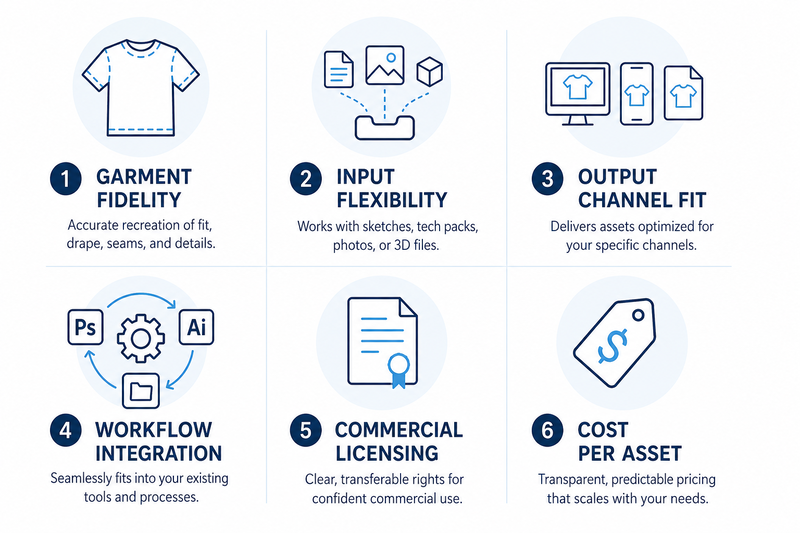
Not all AI video tools are built for fashion ecommerce. These are the six dimensions that actually determine whether a tool fits your workflow.
- Garment fidelity. Does garment detail — logos, prints, fabric texture — hold under motion? This is where fashion-specific tools consistently outperform general models.
- Input flexibility. Can it accept flat-lays, on-model photos, and AI-generated renders? The wider the input range, the less upstream prep work required.
- Output-to-channel fit. Does it natively support 1:1 for product pages and 9:16 for TikTok? Reformatting after generation adds friction and time.
- Workflow integration. Can it process existing assets without a separate import step? For high-SKU brands, per-asset manual preparation is the real bottleneck.
- Commercial licensing. Is the output cleared for paid ads and marketplace listings? Licensing terms vary significantly between tools and pricing tiers.
- Cost per usable asset. Headline price divided by credits tells you little. What matters is how many publish-ready videos you actually get per month, after iteration.
We used these six dimensions to evaluate every tool below. Here is what we found.
Best AI Fashion Video Generators: A Quick Overview
We reviewed the most widely used tools on the market and selected six that are purpose-built — or genuinely proven — for fashion ecommerce video production.
| Tool | Best For | Key Strength | Ecommerce Fit | Video Generation Pricing | Cost per clip(depends on plan) |
| Fashion Diffusion | Teams with existing AI image workflow | Prompt-Driven Motion ControlGarment-First Animation;Asset continuity | Excellent | Free trial; From $12/month | ≈ $1.20–$1.40 |
| WearView | Template-driven catalog video | Template-based fashion video with flexible model and pose control | Excellent | From $40/month | ≈ $1.5–$3.0 |
| Modelia | Shopify brands | Native Shopify app — photo, video, and publish in one flow | Very Good | From $12/month | 5s: $6 10s: $9–10 |
| Pic Copilot | Paid social and TikTok Shop | Commercial licensing; built-in music | Very Good | From $7.99/month | ≈ $0.056 |
| RAWSHOT | Agencies and large catalogs | Click-driven UI, C2PA compliant,team project management | Very Good | From $9/month | $1.12 – $2.25 |
| Kling AI 3.0 | Cinematic lookbook and hero video | High-quality fabric motion and realistic texture rendering for cinematic-style fashion content | Good | From $6.99/month | ≈ $0.21 / clip (720p) |
The 6 Best AI Fashion Video Generators for Ecommerce
1. Fashion Diffusion — Best for Teams With an Existing Model Image
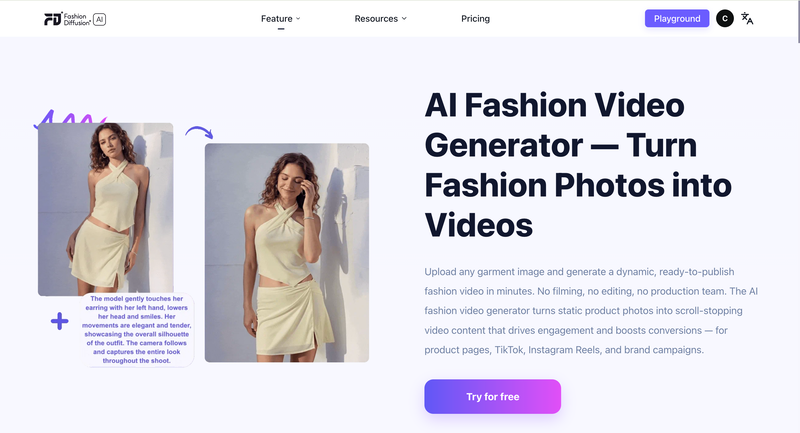
Fashion Diffusion is an AI fashion design and photography platform. Its AI fashion video feature animates any garment image into a publish-ready video using a short text prompt.
Upload a flat-lay, model shot, virtual try-on image. Describe the motion and camera style you want. The video is ready in minutes.
The key advantage: any image generated elsewhere in Fashion Diffusion feeds into the video step without re-uploading. Same session, no extra steps.
Key Features (Ecommerce Workflow)
- Image-to-video from any garment input: flat-lay, model shot, or any AI-generated image
- Prompt-driven motion control: describe camera style, motion type, and mood in plain text — runway stride, fabric reveal, lifestyle moment
- Direct publish formats: product page (1:1, 4:3) and social (9:16) aspect ratios, high resolution, no reformatting needed
- Session continuity: Integrated with Fashion Diffusion’s AI virtual try-on and Model generation
- Multiple variations per session: different motion prompts on the same image produce different video outputs in one sitting
Pricing: Free trial available. Tiered plans for solo designers to brand teams. From $12.00/ month
Who it’s for: Ecommerce teams generating product imagery with AI who want video from the same assets. DTC brands managing catalog video at volume. Not for: long-form brand film.
Ecommerce Workflow Assessment
| Dimension | Rating | What it means for your workflow |
| Garment fidelity | Strong | Fabric texture and silhouette preserved; optimised for fashion inputs |
| Input flexibility | Excellent | All major garment image types accepted natively |
| Output-to-channel fit | Strong | Product page and social formats supported; direct publish, no reformatting |
| Workflow integration | Excellent | Unique on this list: own-platform assets feed in without export |
| Commercial licensing | Included | Commercial use covered on paid tiers |
| Cost per usable asset | Efficient | Low iteration rate when input quality is good; free trial available |
2. WearView — Best for Template-Driven On-Model Video at Catalog Scale
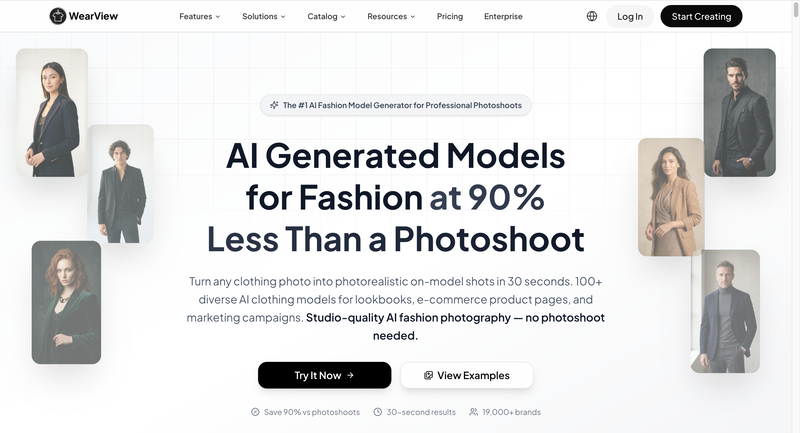
WearView is a fashion ecommerce platform for AI model creation, virtual try-on, and video. Its video feature uses pre-built animation templates designed for garment presentation.
Choose a walk cycle, pose transition, or turn template. Generate a structured, repeatable video from your model image. Output is consistent across every SKU.
If you already use WearView for AI model photos, the video feature uses the same model — no identity mismatch between your stills and your videos.
Key Features (Ecommerce Workflow)
- Fashion animation templates: walk cycles, pose transitions, and turns built for garment showcase — no random motion
- Consistent model identity: same AI model appears in stills and video; visual coherence across your full catalog
- Multiple aspect ratios: 1:1, 3:4, 4:3, 9:16, 16:9 — product page and social formats in one generation
- Resolution options: 720p standard; 1080p on Pro and Advanced plans
- Integrated workflow: connects to WearView’s model creation and virtual try-on — no asset export needed
Pricing: From $40/month for video generation (720p); $82/month for 1080p.
Who it’s for: Brands using WearView for AI model photography who want video from the same models. Teams that need visual consistency across stills and video at catalog scale.
Not for: free-form motion control or brands outside the WearView ecosystem.
Ecommerce Workflow Assessment
| Dimension | Rating | What it means for your workflow |
| Garment fidelity | Strong | Template-controlled motion keeps garment detail stable |
| Input flexibility | Strong | Works from WearView models or imported on-model photos |
| Output-to-channel fit | Strong | All major aspect ratios built in; 720p and 1080p options |
| Workflow integration | Strong | Fully integrated with WearView model creation and try-on |
| Commercial licensing | Included | Commercial use covered |
| Cost per usable asset | Plan-dependent | 10 credits (720p) or 20 credits (1080p) per video |
3. Modelia — Best for Shopify Brands Combining Photo and Video in One Flow
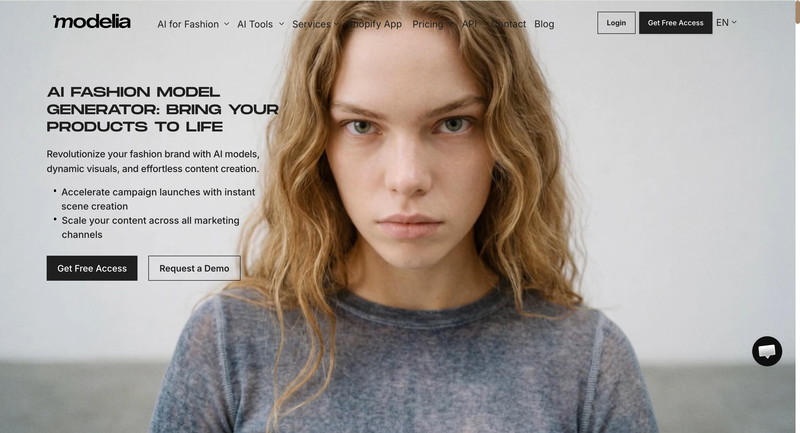
Modelia is a Shopify-native fashion AI tool. Upload a garment image, generate an on-model photo, and animate it into a 5 or 10-second video.
The native Shopify app connects directly to your product listings. Generated stills and videos publish to your store without leaving the platform.
The AI model stays consistent between the photo and the video, so your product page imagery is visually coherent without any manual coordination.
Key Features (Ecommerce Workflow)
- Flat-lay to on-model photo and video: full content generation from a single garment image
- 5-second and 10-second clip options: practical lengths for product pages and social snippets
- Native Shopify app: generated content publishes directly to product listings — no manual upload
- Consistent character identity: same AI model in stills and video across the catalog
- Pose variation and background options: additional content types from the same session
Pricing: Free plan available (non-commercial, watermarked). Paid plans from $35/month. One-time credit pack at $12 (50 credits)”. Video: 25 credits for 5 seconds, 40 credits for 10 seconds. Credits roll over on paid plans.
Who it’s for: Shopify brands that want AI model photography and video with direct store publishing in one workflow. Not for: non-Shopify stores, long-form video, or editorial-quality motion.
Ecommerce Workflow Assessment
| Dimension | Rating | What it means for your workflow |
| Garment fidelity | Good | Fashion-trained; test complex prints before committing at scale |
| Input flexibility | Good | Flat-lay, mannequin, and on-model inputs accepted |
| Output-to-channel fit | Good | 5s and 10s clips; Shopify-native publishing; social formats available |
| Workflow integration | Excellent | Best Shopify integration on this list — photo, video, publish in one flow |
| Commercial licensing | Included | Commercial use covered on paid plans |
| Cost per usable asset | Monitor usage | 25 credits (5s) or 40 credits (10s); plan credit limits apply |
4. Pic Copilot — Best for Paid Social and TikTok Shop Campaigns
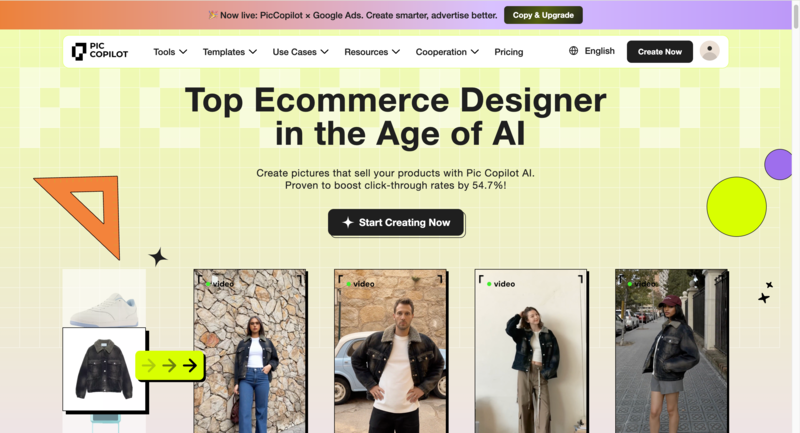
Pic Copilot‘s Fashion Reels feature turns garment photos into short-form video built for social commerce. AI avatars, licensed music, and commercial rights are included in the output.
It is optimised for TikTok Shop, Instagram Reels, and marketplace platforms. The output is ad-ready on download — no separate licensing or music rights step.
Key Features (Ecommerce Workflow)
- Fashion Reels: garment photos to social-ready video with AI avatar models in one step
- Built-in licensed music: music included in the output — no separate music rights management
- Commercial licensing at output: among the clearest ad-use documentation of any tool on this list
- Platform-optimised exports: TikTok, Instagram Reels, and YouTube Shorts formats natively
- Credit refund policy: Pcoins refunded for low-quality results — reduces wasted spend on testing
Pricing: Free plan with basic tools. Video generation starts from $7.99/month. 7-day free trial on paid plans.
Who it’s for: Brands running paid social and TikTok Shop campaigns who need commercially licensed video without a separate rights step. Not for: product page video or multi-platform workflows beyond social commerce.
Ecommerce Workflow Assessment
| Dimension | Rating | What it means for your workflow |
| Garment fidelity | Good | Sufficient for social commerce; less suited for product page close-ups |
| Input flexibility | Good | Standard garment photo inputs; AI avatar generation built in |
| Output-to-channel fit | Excellent | Social-optimised exports natively; TikTok and Reels formats built in |
| Workflow integration | Moderate | Strong for social and marketplace; no Shopify or product page workflow |
| Commercial licensing | Explicit | Strongest commercial licensing clarity on this list |
| Cost per usable asset | Efficient | Refund policy on poor outputs; free plan for initial testing |
5. RAWSHOT — Best for Agencies and High-Volume Catalog Production
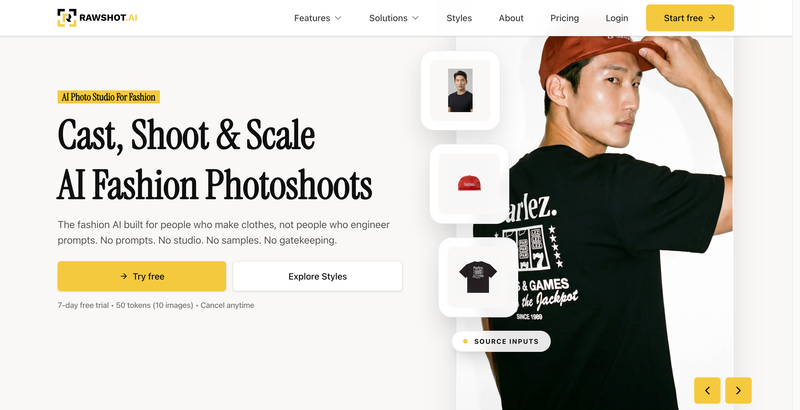
RAWSHOT is a B2B fashion photography and video platform built for scale. Every creative variable — model, camera style, background, lighting, motion — is a UI control, not a text prompt.
This click-driven approach means no prompt engineering skill is required. Outputs are consistent across large catalogs because the same settings reproduce the same results.
Every output carries C2PA metadata — machine-readable provenance that satisfies EU AI Act labelling requirements coming into effect August 2026.
Key Features (Ecommerce Workflow)
- Click-driven interface: model, camera, background, and motion selected from menus — no text prompts needed
- 600-plus synthetic models: 28 configurable body attributes; 150-plus camera styles; 1,500-plus background templates
- Video formats: 9:16, 1:1, 4:5, 16:9; 720p and 1080p; PDP and social formats in one session
- Collaborative approval workflow: collaborative project and approval workspace
- C2PA compliance: every output carries embedded provenance metadata for EU AI Act requirements (August 2026)
Pricing: From $9/month. 7-day free trial with 50 tokens.
Who it’s for: Agencies managing fashion clients and brands with 200-plus SKUs that need structured, team-based content production. Not for: solo operators who want free-form creative motion control.
Ecommerce Workflow Assessment
| Dimension | Rating | What it means for your workflow |
| Garment fidelity | Strong | Generate-from-scratch architecture preserves fabric drape and detail |
| Input flexibility | Strong | Standard garment photos; all major input formats supported |
| Output-to-channel fit | Strong | All major aspect ratios; PDP and social formats covered |
| Workflow integration | Excellent | Batch processing, team approvals, and API — built for scale |
| Commercial licensing | Full rights | Full commercial rights included; C2PA metadata for compliance |
| Cost per usable asset | Efficient | ~$0.22 per second of video; pay for actual usage, not a fixed seat |
6. Kling AI 3.0 — Best for Cinematic Lookbook and Hero Campaign Video
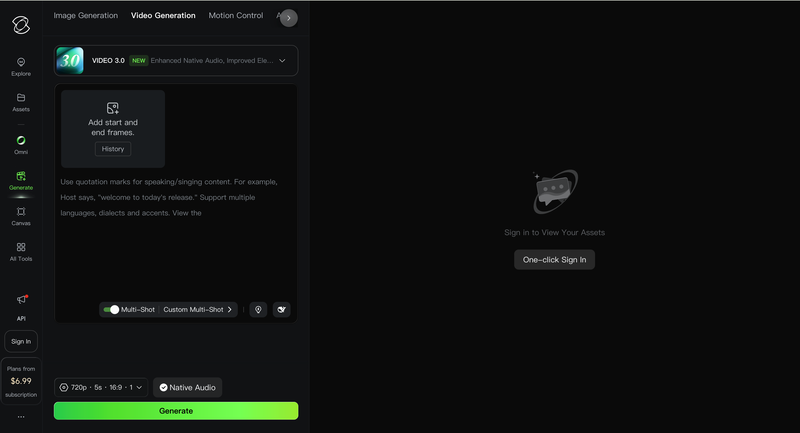
Kling AI 3.0 is a general-purpose video model that ranks among the top performers in AI video benchmarks. For fashion, its fabric physics are the strongest available — drape, fold, and flow under motion look physically real.
It supports both image-to-video and text-to-video. The Multi-Shot feature connects up to six shots with consistent lighting and character identity — useful for short fashion films.
It is not built for ecommerce workflows. There is no model management, no batch processing, and no format presets. Expect to iterate 2-3 times per clip to get a publish-ready result.
Key Features (Ecommerce Workflow)
- Best-in-class fabric physics: drape, weight, and movement that reads as physically real — the quality gap versus fashion-specific tools is visible
- Image-to-video and text-to-video: animate an existing product photo or generate a fashion scene from a description alone
- Multi-Shot: up to six connected shots with consistent lighting and character identity — for short fashion films
- Native audio generation: sound effects, ambient audio, and dialogue in one pass — useful for social campaign content
- Character reference: upload up to four reference images to lock visual identity across multiple generations
Pricing: Free tier available for non-commercial use only. Standard plan: $6.99/month (1080p).
Who it’s for: Creative teams producing lookbook video or campaign hero content where motion quality justifies iteration cost. Not for: catalog-scale product video, high-volume social content, or teams without prompt experience.
Ecommerce Workflow Assessment
| Dimension | Rating | What it means for your workflow |
| Garment fidelity | Best-in-class | Strongest fabric physics on this list; complex motion handled realistically |
| Input flexibility | Strong | Image-to-video and text-to-video; character reference for consistency |
| Output-to-channel fit | Manual | No ecommerce format presets; aspect ratio set manually per generation |
| Workflow integration | Limited | No batch, no fashion workflow; assets managed externally |
| Commercial licensing | Covered | Commercial use included on Standard plan and above |
| Cost per usable asset | High | 3 iterations of 10s at 1080p costs ~360 credits; Standard plan covers ~2 polished clips/month |
How to Choose the Right Tool
Every tool on this list works. The question is which one fits how your team actually operates. Match your situation below.
| Your situation | Best match | Why |
| Already generating AI product images | Fashion Diffusion | Your existing assets feed into video — no new workflow or re-upload |
| Need consistent on-model video across a catalog | WearView | Template animations lock model identity across every SKU |
| On Shopify — want photo, video, and publish in one flow | Modelia | Native Shopify app connects content creation to your store directly |
| Running paid social or TikTok Shop campaigns | Pic Copilot | Commercial licensing confirmed at output; music included |
| Agency or 200-plus SKU catalog production | RAWSHOT | Batch workflow, team approvals, and C2PA compliance built in |
| Cinematic lookbook or hero campaign video | Kling AI 3.0 | Strongest fabric physics on this list — worth the prompt investment |
| No prompt experience needed | WearView or RAWSHOT | Both use templates or click-driven controls — no text prompts required |
The Bottom Line
Use the comparison table and workflow assessments above to match your situation to the right tool.
If you are already generating product imagery with AI, using an ecommerce video content tool is the natural next step — same assets, no new workflow.
It helps e-commerce teams create and test visual content faster, while keeping product storytelling consistent across channels.
About Fashion Diffusion: Fashion Diffusion is an AI-powered fashion design and visual creation platform. It helps designers and brands create campaign-ready visuals 95% faster than traditional production.
Explore the AI fashion video feature →
FAQs
An AI fashion video generator turns static garment images into short, publish-ready videos — no studio, no crew, no editing software. Upload a product photo, describe the motion or style you want, and the AI produces a clip ready for your product page, TikTok, Instagram Reels, or paid ads. Fashion-specific tools preserve fabric texture and garment detail in motion, making them more reliable for ecommerce than general-purpose AI video models.
Yes, but it depends on motion complexity and tool type. Prompt-driven tools like Fashion Diffusion and Kling give more creative range per asset — useful when motion variety matters more than pattern precision. Template-driven tools like WearView and click-driven tools like RAWSHOT constrain movement by design, making them the safer choice for logo-heavy and pattern-heavy SKUs. For any tool, always QA your most complex SKUs before publishing at scale.
Clean, well-lit on-model photos with simple backgrounds work best across all tools. Flat-lays perform well in fashion-specific tools like Fashion Diffusion, RAWSHOT, and Modelia. Ghost mannequin inputs can introduce animation artefacts — convert to on-model first if possible.
Commercial licensing is included on paid tiers for all six tools on this list. Pic Copilot provides the clearest documentation at the point of output. For all other tools, verify that your specific plan tier covers paid advertising before running any commercial placement.
Divide your monthly plan cost by the number of publish-ready videos you actually get, not the number of generations. Tools with consistent first-pass quality like Fashion Diffusion, WearView, and RAWSHOT waste fewer credits per usable output. Prompt-driven tools like Kling typically need 2-3 iterations per polished clip, which multiplies the effective cost. For token-based tools like RAWSHOT, cost per second of video ($0.22) gives you a more accurate budget figure than the monthly subscription price alone.
From August 2026, EU AI Act requirements include machine-readable labelling for AI-generated content. Of the six tools on this list, RAWSHOT is the only one that publicly documents C2PA implementation. Worth factoring in now if you sell into EU markets.


