

A single product photoshoot can run anywhere from a few hundred to a few thousand dollars once you add up the model, the studio, and the retouching — a cost that scales with your catalog instead of your revenue. An AI clothes changer for e-commerce flips that math: one base photo, unlimited outfit changes, no reshoot.
Industry estimates across multiple AI photography platforms consistently land in the 80-95% cost reduction range compared to traditional studio shoots, with 80% as a commonly cited figure for apparel sellers specifically.
This article walks through the actual workflow — from the first model photo to a finished, marketplace-ready catalog. It covers where an AI outfit swap for product photos fits alongside the other tools most online stores already need.
Why Traditional Product Photography Doesn‘t Scale With Your Catalog
The math behind a traditional shoot is straightforward, and that’s the problem. Every new SKU means another round of the same fixed costs:
- Model fees, which apply per session regardless of how many items you shoot;
- Studio time, billed hourly whether you are photographing 5 items or 50;
- Retouching, which scales linearly with image count;
- Reshoots, whenever a color variant, size run, or new print needs its own session
None of these costs come down as your catalog grows — they just repeat. According to a 2026 breakdown of product photography costs, a mid-size brand with 500 SKUs can spend $125,000 to $250,000 a year on traditional photography once retouching, studio rental, and coordination are factored in.
The pattern shows up across real case studies too: one Shopify brand documented in a 2026 AI product photography case study cut its photography costs by 85%. Turnaround time dropped from 14 days to 30 seconds after moving to an AI-based workflow.
How an AI Clothes Changer Fits an E-Commerce Workflow
The basic mechanism is the same one used for personal outfit try-ons, just applied at catalog scale. Upload a photo of a person and a photo of a garment, and the AI generates a new image of that person wearing it. The face, pose, and proportions stay consistent throughout.
What makes this useful for e-commerce specifically isn’t the single swap — it’s that the same model photo can be reused across an entire product line. Shoot one model once, in one pose, under one lighting setup, and then run every SKU in the collection through that same base image. The result is a catalog where every product photo looks like it came from the same shoot.
This matters more than it sounds. Buyers compare listings side by side, and a catalog with mismatched lighting, inconsistent poses, or visibly different models across SKUs reads as unpolished — even if each individual photo looks fine on its own.
The Workflow: From One Photo to a Full Product Line
Here’s how the process actually breaks down for a multi-SKU catalog, step by step.
Step 1: Shoot or Source One Base Model Photo
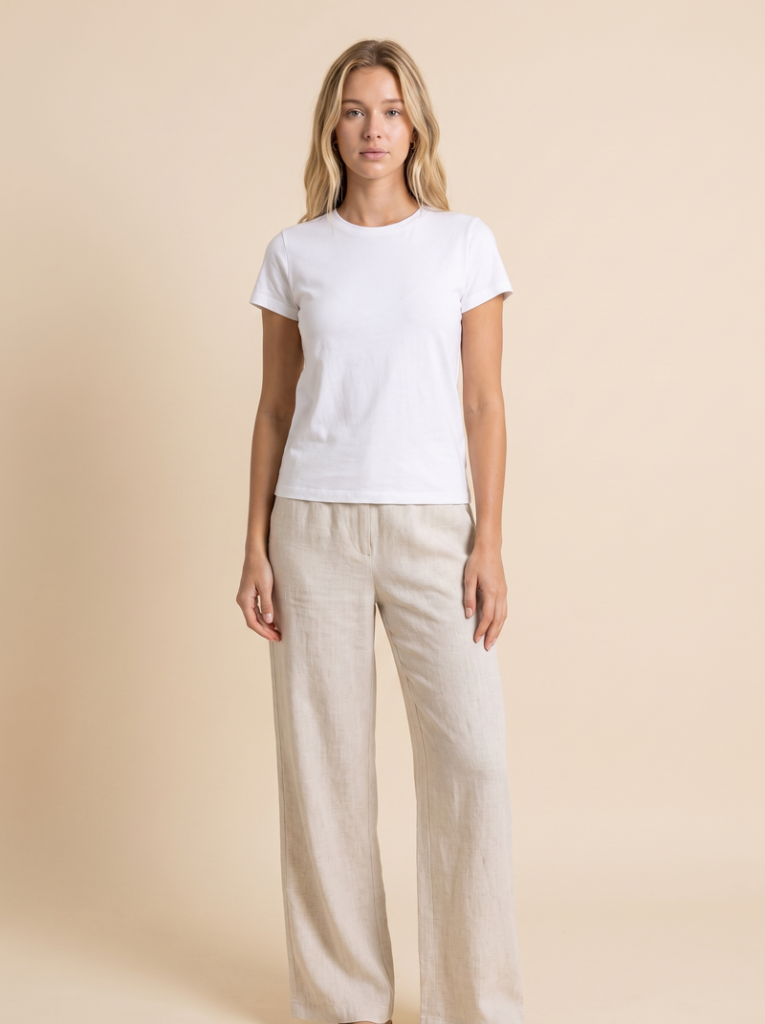
You need exactly one clean, front-facing photo of a model — full body for dresses and outerwear, half body if you are only photographing tops. Even lighting and a plain background give the AI the cleanest possible base to work from. This is the only photography expense in the entire workflow; everything after this step is digital.
Step 2: Prepare Your Garment Photos
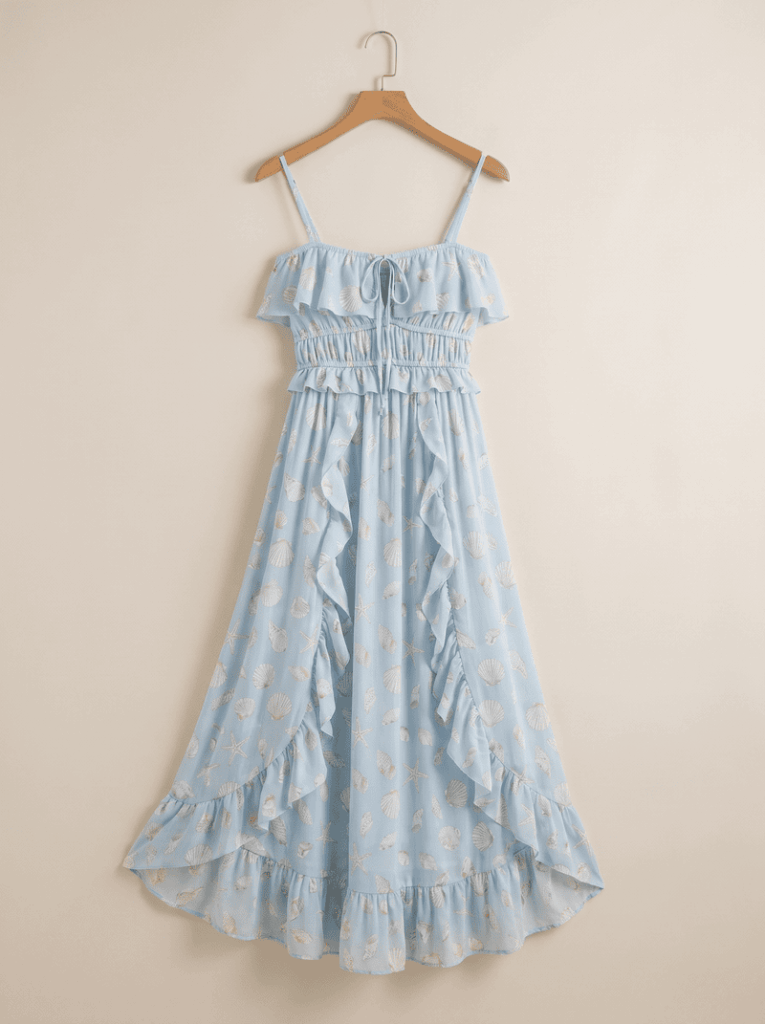
For each item in the line, you need a clear photo of the garment itself — a flat lay, a hanger shot, or an existing product photo. If your team already shoots flat lays for internal records or supplier catalogs, those photos work directly as input here. No restyling or remodeling required.
Step 3: Generate the Outfit Swap for Each SKU
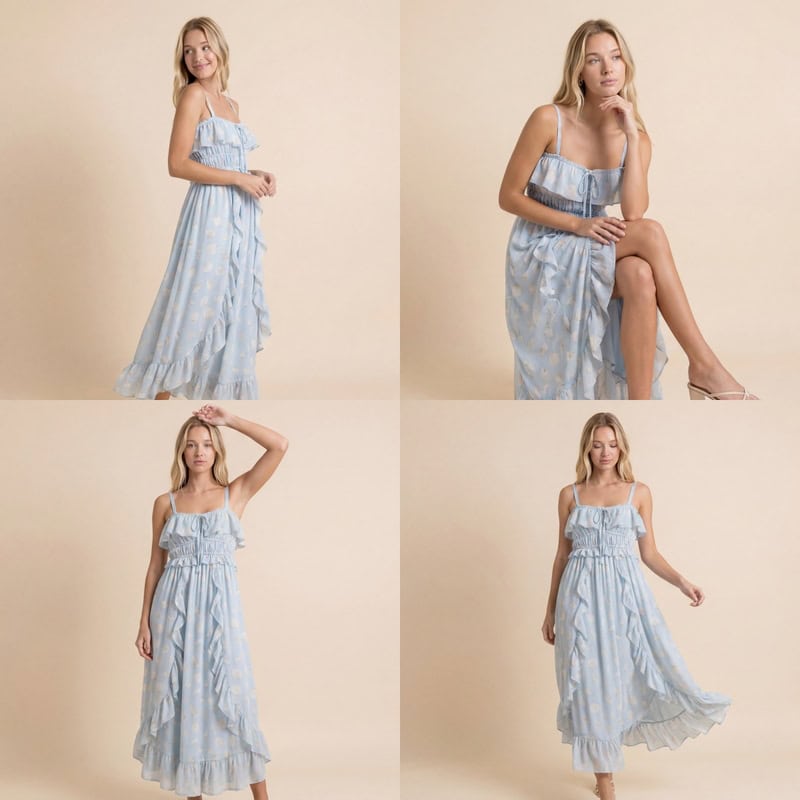
Upload the base model photo and the first garment photo to Fashion Diffusion’s AI clothes changer, and the AI generates the model wearing that item. Repeat with the next garment photo, and the next, working through the line. Because the model photo stays constant, every output lines up visually with the last.
Most product pages need more than one angle. Run each swapped-outfit image through Fashion Diffusion’s AI Lookbook tool to generate a set of poses and angles from the same image. One outfit swap becomes a full multi-image set without a second photoshoot.
Step 4: Standardize the Output Into a Clean Catalog Format
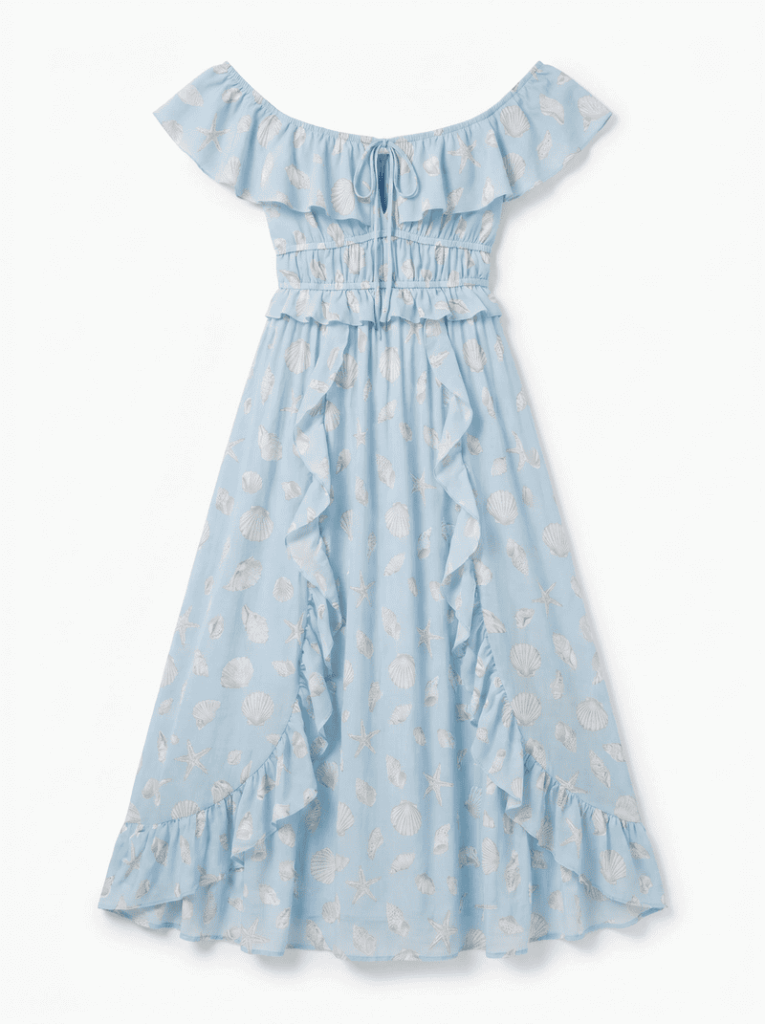
A model-wearing shot and a flat-lay shot serve different purposes on a product page. The model shot sells the fit and feel; the flat lay sells the exact garment shape and detail without ambiguity.
If your listings need both, Fashion Diffusion’s flat-lay generator converts the same garment photo into a clean, white-background flat lay that meets the image specs most marketplaces require. It also runs in bulk, so a full SKU range can be standardized into the same format in one pass instead of one image at a time.
Step 5: Match the Background to the Use Case
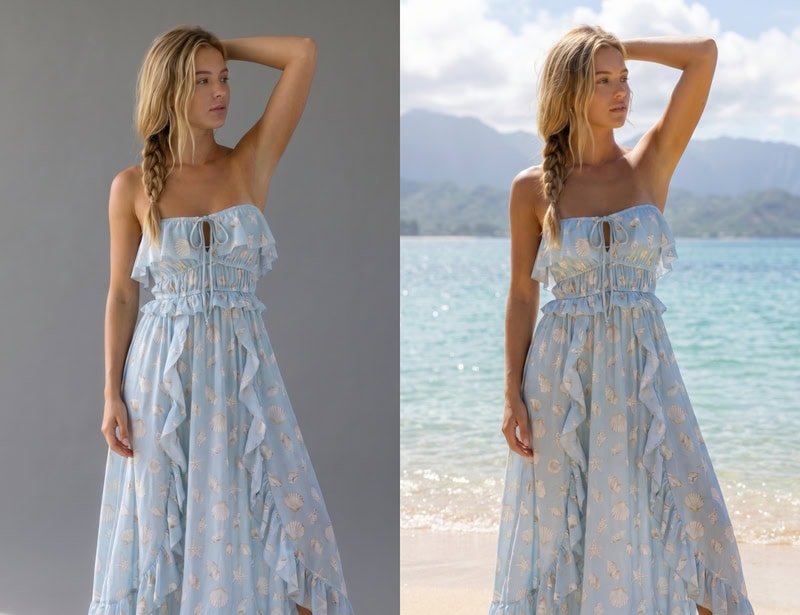
The same swapped-outfit image rarely works identically for every channel. A plain studio background suits a core product listing; a styled scene works better for a seasonal campaign or social post. You can swap the backdrop on the same image, without regenerating the outfit swap itself or booking a second shoot for either.
Keeping the Catalog Visually Consistent at Scale
Consistency is what separates a catalog that looks professionally produced from one that looks like a patchwork of different sessions. It’s also a conversion issue, not just an aesthetic one — research on e-commerce return rates shows that clothing already sees 20-30% returns on average, with mismatched or inconsistent product imagery as a contributing factor shoppers cite. A few habits make the biggest difference:
- Reuse the same base model photo across a full collection. Buyers notice inconsistency faster than they notice quality.
- Use the same pose set across a category. If dresses get three angles, every dress in the line gets the same three — generated through the lookbook tool.
- Batch by category, not randomly. Run all tops before moving to bottoms; it’s easier to catch inconsistencies early.
- Standardize background choice by channel, not by product. Decide once and apply the rule across the whole catalog.
Common Mistakes That Undercut the Cost Savings
A few avoidable habits eat into the time and cost benefits this workflow is supposed to deliver:
| Mistake | Why It Costs You | Fix |
| Reshooting the base model for every new collection | Defeats the entire point of reusing one photo across SKUs | Keep a small library of approved base model photos and reuse them across seasons |
| Using low-resolution supplier images as garment input | Produces soft edges and flat-looking fabric in the output | Request or re-photograph garment images at higher resolution before running them through the tool |
| Mixing inconsistent poses across a single collection | Makes the catalog look disjointed even when each image is individually clean | Lock one pose per category and stick to it across the full run |
| Skipping the flat-lay step for marketplaces that require it | Risks listing rejection or inconsistent formatting on platforms with strict image specs | Run garment photos through the flat-lay generator before upload if the marketplace requires a clean product-only shot |
Build Your Next Catalog With Fashion Diffusion
One model photo, swapped into every item in your line, standardized into the formats each channel needs — that’s the entire workflow, and it runs without booking a single additional shoot. Upload your base model photo and your first garment image to Fashion Diffusion and see how the rest of your catalog could look. New accounts start with free credits, so you can test the workflow on a handful of SKUs before committing a full collection to it.
FAQ
It’s a tool that takes a photo of a model and a photo of a garment, then generates a new image of that model wearing the garment — without a new photoshoot. This type of tool is sometimes also called a virtual try-on for online stores. For online stores, this means one base model photo can be reused across an entire product line, with each item swapped in digitally instead of reshot.
No, but the base photo is the one place worth investing a bit of care, since every SKU in the collection will inherit its quality. A clear, well-lit, front-facing photo — even shot with a good camera in natural light — works as a base. It doesn’t need a full studio setup, just clean lighting and a simple background.
For most catalogs, it replaces the repeat photography that used to happen every time a new color, print, or style launched. Many stores still book a traditional shoot occasionally for hero campaign imagery, while using the AI workflow for the bulk of catalog and listing photos. It is a hybrid approach that keeps costs down without losing flagship-quality visuals where they matter most.
It handles most standard apparel categories well — tops, dresses, jackets, trousers, and outerwear. Heavily embellished items, sequins, or very complex layering can show minor texture loss compared to simpler garments. It is worth testing on a small batch before committing an entire collection to the workflow.
Yes. The underlying model-wearing image stays the same. You can run it through the flat-lay generator for marketplaces that require a clean product-only shot, or through the background changer for channels that call for a styled scene — without regenerating the core outfit swap each time.


