

The way T-shirt designs are created is changing fast. What once required advanced design skills, expensive software, and hours of revisions can now be done in minutes using an AI T-shirt design generator.
Whether you are running a print-on-demand store, launching a fashion brand, or simply experimenting with apparel graphics, AI fashion design tools are rapidly becoming part of the workflow.
But what exactly is an AI T-shirt design generator? Is it truly better than traditional design methods? This guide breaks it down clearly on how it works, why it’s gaining traction, how we evaluate these tools, and what you should look for before choosing one.
What Is an AI T-shirt Design Generator?
An AI T-shirt design generator is a tool that uses artificial intelligence to create shirt graphics, mockups, or even full apparel visuals based on text prompts, uploaded images, or design inputs.
Depending on the platform, it can:
- Generate graphic artwork from text prompts;
- Create typography-based layouts;
- Produce realistic T-shirt mockups;
- Instantly recolor or edit designs;
- Export print-ready files.
Unlike traditional design software that requires manual creation, AI-based design tools rely on machine learning models trained on massive visual datasets. You just describe what you want, and the tool generates visual outputs within seconds.
Some platforms focus on graphics, while others specialize in apparel-specific rendering, including fabric texture, folds, lighting, and product mockups. The key difference is that AI T-shirt design shifts the workflow from manual execution to creative direction.
Why Designers Are Switching from Traditional T-shirt Design to AI
Fashion brands are increasingly utilizing generative AI tools in design studios to boost creativity, speed up workflows, and improve efficiency.
This shift isn’t just about speed. It’s about efficiency, scalability, and accessibility.
The Traditional Workflow Challenges
Traditional T-shirt design often involves:
- Learning complex tools like Illustrator or Photoshop;
- Manually creating every variation;
- Outsourcing to freelancers;
- Iterating multiple times for color and layout changes;
- Rebuilding mockups separately.
Even a relatively simple design can take hours. Creating multiple colorways for testing can double or triple the workload. For brands running frequent drops, the process quickly becomes time-consuming and expensive.
How AI Changes the Process
AI tools compress the entire workflow.
Instead of: Sketch → Vector → Adjust → Recolor → Mockup → Export; You now get: Prompt → Generate → Refine → Export.
Key advantages include:
- Speed: Designs generated in minutes;
- Instant variations: Multiple styles and colorways at once;
- Lower cost: No need for constant outsourcing;
- Mockup integration: Realistic previews without manual setup;
- Experimentation freedom: Test bold ideas without heavy investment.
Here’s a simple comparison:
| Aspect | Traditional Design | AI T-shirt Design |
| Time per Design | 2 to 5 hours per design | 2 to 5 minutes |
| Skill Requirement | Requires advanced design software skills | Prompt-based workflow |
| Color Variations | Manual recoloring and adjustments | Instant variations generated automatically |
| Mockup Creation | Requires separate mockup tools | Often includes integrated mockup generation |
| Cost Structure | Higher outsourcing or software costs | Lower ongoing design cost |
12 AI T-shirt Design Generators Worth Trying
Below are 12 AI T-shirt design generators that can help you create graphics faster, experiment with new styles, and streamline your apparel workflow. Whether you need printable artwork, realistic mockups, or full outfit visualization, these tools offer different strengths to support your design process.
1. Fashion Diffusion
Unlike general AI image generators that focus only on artwork, Fashion Diffusion supports a complete T-shirt design workflow, from generating graphic concepts to applying them onto garments with realistic visualization.
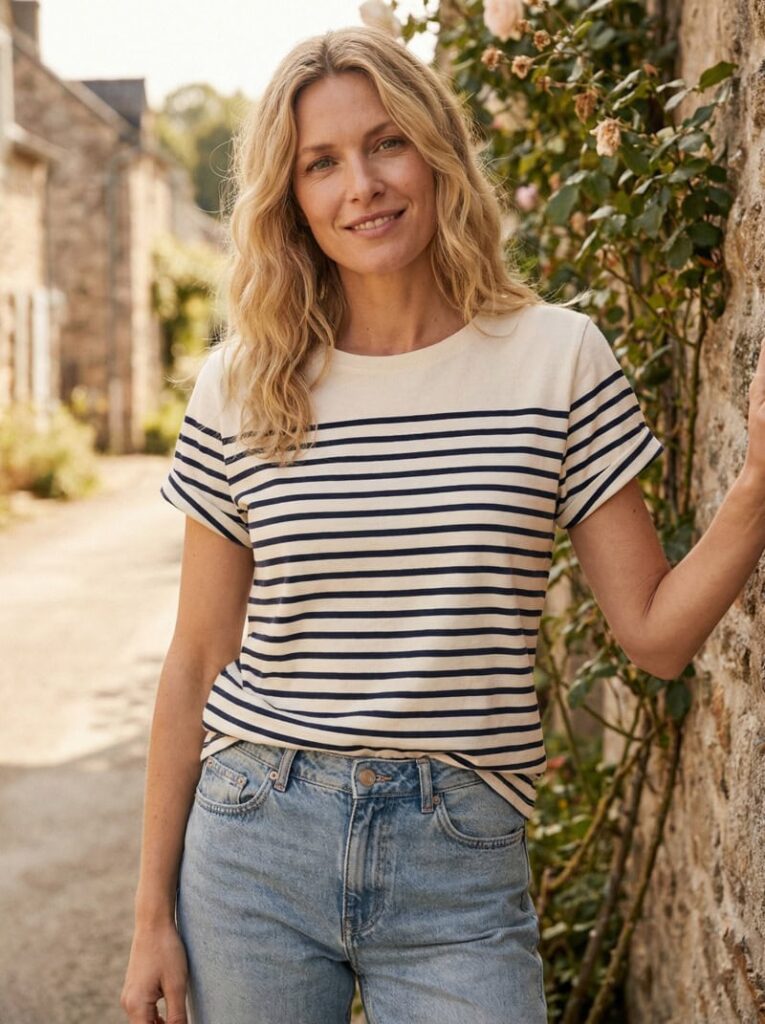
Key Features
- AI Outfit Generator: Turn inspiration into production-ready fashion visuals in four steps: Enter your prompt → Optional image-to-prompt → Choose output ratio → Generate outfit. For example, you can create a custom team logo or an event-based design concept. The generated output can then serve as the base artwork for your T-shirt.
- AI Inpainting: Edit fabrics, colors, silhouettes, and details without reshooting in 3 steps: Upload image → Describe change → Regenerate. This makes it possible to adjust logo size, placement, color, and integration with fabric.
Best Use Case
Entrepreneurs, teams, and fashion brands who want to:
- Generate custom T-shirt logos or graphics;
- Apply designs directly onto garments;
- Create realistic mockups for e-commerce;
- Test multiple colorways and placements quickly.
2. Canva
Canva approaches T-shirt design from a template-first perspective. Instead of relying heavily on advanced AI generation, it provides an accessible T-shirt maker that allows users to create custom shirt designs for brands, organizations, events, or personal projects.
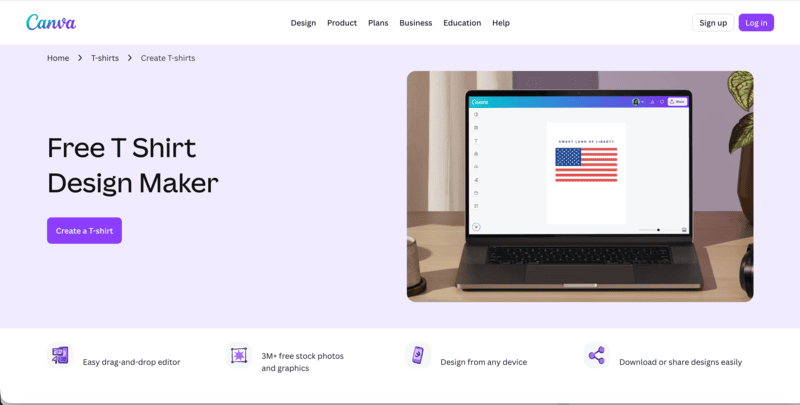
Users can start from scratch or choose from hundreds of ready-to-print, fully customizable T-shirt templates. The platform combines drag-and-drop editing with built-in graphics, fonts, and layout tools, making the design process simple and beginner-friendly.
How It Works
- Launch Canva: Search for T-shirts to access design templates. You can begin immediately or log in to save and manage your designs.
- Choose a Template: Browse through pre-designed T-shirt layouts that can be customized to match your brand, event, or theme.
- Add and Customize Elements: Insert text, icons, illustrations, and graphics. Adjust fonts, colors, and positioning to personalize your design.
- Refine and Personalize: Further edit layout details, spacing, and style to match your intended aesthetic.
- Order or Export: Download your design for printing or order directly through Canva’s integrated printing services.
3. createimg
Createimg is built around fast AI-powered T-shirt design creation. It allows users to generate unique shirt graphics simply by describing what they want. Instead of working with templates, the platform focuses on text-to-design generation, making it easy to turn ideas into visual concepts within seconds.
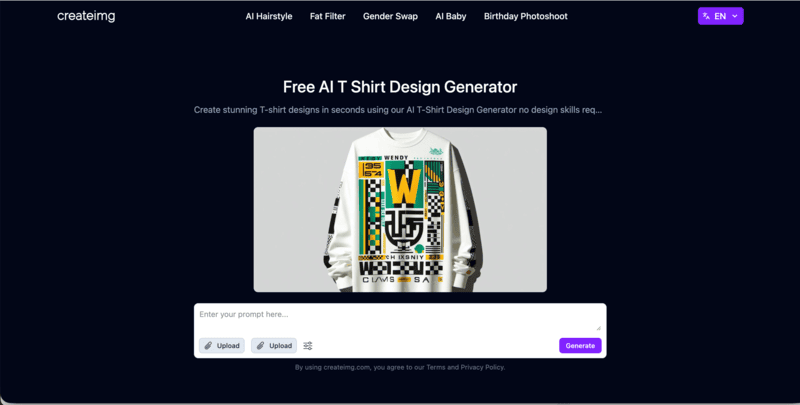
This makes createimg particularly suitable for users who want to explore creative directions quickly without using complex design software.
Key Capabilities
- Text-to-T-shirt Generation: Create unique T-shirt designs instantly by entering a short description of your idea.
- Style Flexibility: Experiment with different visual directions, from graphic-heavy designs to clean and minimal layouts.
- Quick Customization: Adjust colors, fonts, and graphic elements to better match your concept.
- Fast Export and Sharing: Download designs for printing or share them online for feedback and promotion.
Createimg works best as a rapid concept generator for print-on-demand sellers, entrepreneurs testing niches, or individuals who want a quick and accessible AI T-shirt design solution.
4. ImagineArt
ImagineArt positions itself clearly as an AI T-shirt design generator built for creating custom merch visuals quickly. It allows users to upload a blank T-shirt image or template, add inspiration images or text ideas, and generate polished shirt designs within seconds.
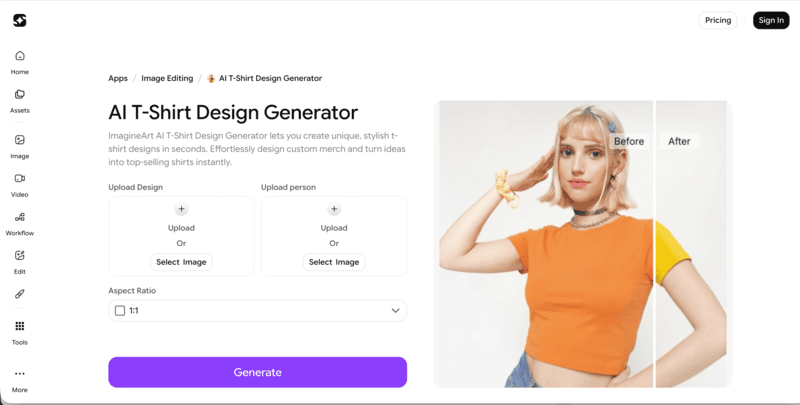
The platform also supports uploading sketches, reference graphics, or concept images, which the AI blends into a refined T-shirt design. The output can then be downloaded in high resolution for printing, e-commerce listings, or promotional use.
Key Capabilities
- Upload-Based Workflow: Start by uploading a blank T-shirt or template to ensure accurate placement and crisp design output.
- Inspiration Blending: Combine sketches, text ideas, or reference images into a unified, ready-to-preview shirt design.
- Fast, Repeatable Output: Create multiple designs quickly for campaigns, events, or product drops.
- Beginner-Friendly Access: Suitable for hobbyists, students, and small business owners experimenting with custom shirts.
5. Kittl
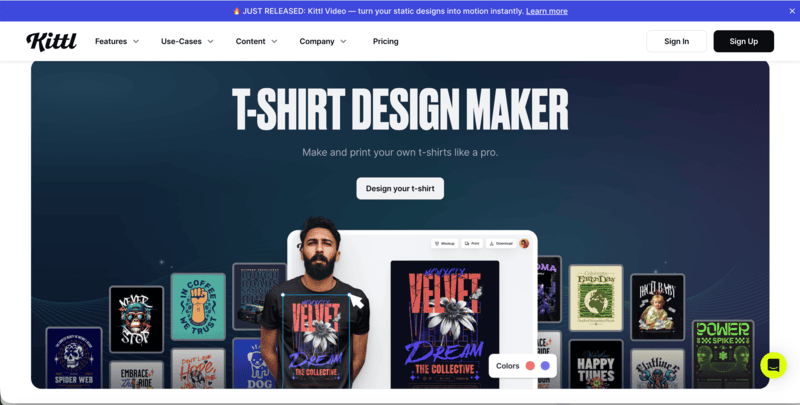
Kittl focuses on typography-driven and style-rich T-shirt design. It combines professionally designed templates, exclusive font collections, and AI-generated artwork, making it especially suitable for creators who want bold quote tees, vintage aesthetics, or brand-focused merchandise.
Key Features
- Exclusive Font Library: Access a wide range of distinctive fonts, ideal for impactful quote-based and retro-inspired T-shirt designs.
- Template-Based Workflow: Choose from thousands of professionally designed T-shirt templates or start from scratch.
- AI Artwork Generation: Create custom AI graphics in various styles to enhance and modernize your designs.
- Brand-Ready Design: Upload logos to quickly produce company shirts or cohesive merchandise collections.
6. Krea
Krea is an AI T-shirt design generator designed to create clean, print-ready graphics perfect for T-shirts and merchandise.
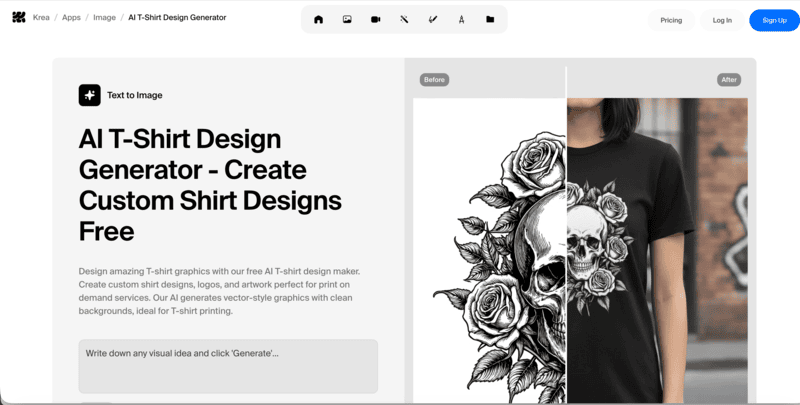
It excels at producing vector-style designs with transparent backgrounds, making it ideal for print-on-demand services or local printing. Users can generate a wide range of styles, from minimalist line art and bold geometric graphics to retro logos and colorful illustrations.
How It Works
- Describe Your Design: Write a clear prompt specifying your concept, style, colors, and theme, from vintage logos and motivational quotes to artistic illustrations.
- Generate Your T-shirt Graphic: Click generate to see your idea transformed into a high-quality vector-style design with a clean background, ready for printing.
- Download & Print: Save the AI-generated design and take it to any print shop or upload it to a print-on-demand platform.
7. Pacdora
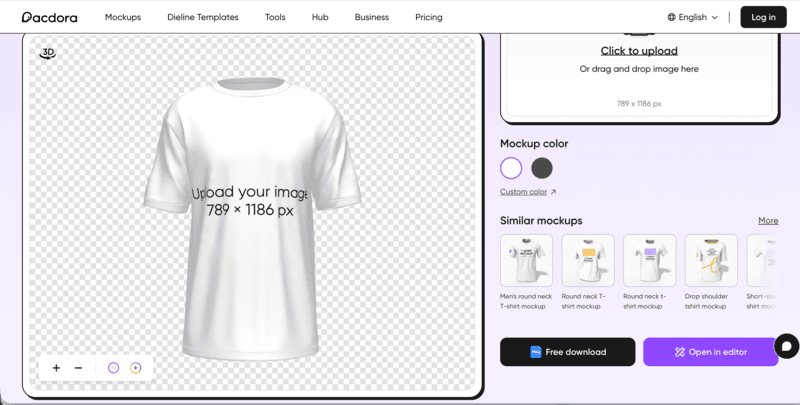
Pacdora is a T-shirt maker designed for creating stylish, ready-to-print apparel quickly. The platform offers a wide range of shirt styles, from classic crewnecks to oversized drop-shoulder tees, allowing users to combine comfort, personality, and modern aesthetics in their designs.
How It Works
- Choose a T-shirt Type: Select your preferred style from Pacdora’s collection, including round-neck, v-neck, pocket tees, and sweatshirts.
- Upload and Customize: Add images, logos, or graphics, adjust colors, and modify material textures to match your vision.
- Download Your Design: Export your finished T-shirt as a high-quality PNG, JPG, or even MP4 video for sharing, printing, or online promotion.
Pacdora emphasizes ease of use while providing flexibility in style, color, and fabric, making it a practical solution for anyone looking to design eye-catching, personalized T-shirts.
8. PicLumen
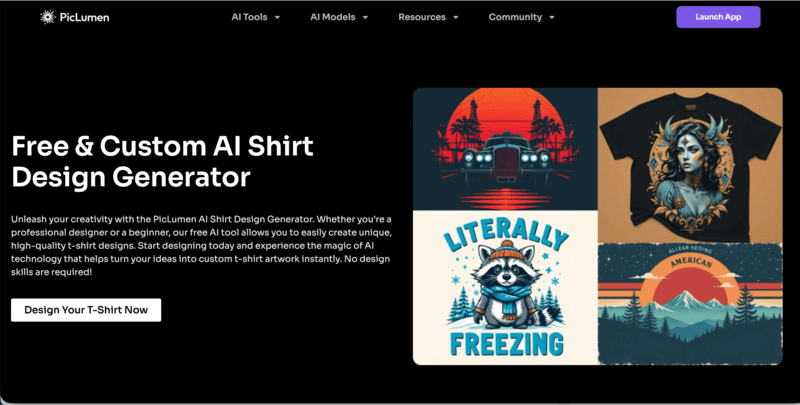
PicLumen is an AI T-shirt design generator that focuses on creative flexibility and style exploration. Users can generate designs in a wide range of aesthetics. The more specific the prompt, the more tailored and unique the design output becomes, making it ideal for custom shirts that reflect individual style or brand identity.
How It Works
- Explore Styles: Enter a detailed description of your T-shirt concept, specifying style, theme, and colors to generate multiple AI design options.
- Enhance Designs: Use PicLumen’s Image Upscaler tool to improve resolution and maintain crisp, professional-quality graphics for printing.
- Download and Apply: Save the final design for printing, online promotion, or sharing, ensuring high-quality visuals for any T-shirt project.
9. Pixa
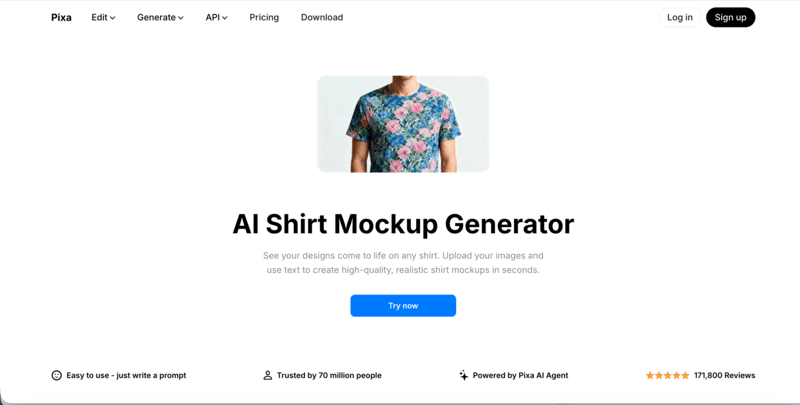
Pixa focuses on realistic AI-powered shirt mockups, letting designers and brands see their graphics on actual apparel. Its AI handles fabric folds, shadows, and perspective to produce professional-quality mockups in seconds.
Core Features
- Instant, Realistic Mockups: Upload your T-shirt image and design, then enter a prompt for placement. Generate high-resolution mockups ready for e-commerce, social media, or presentations.
- All-Over Prints and Complex Designs: Apply intricate patterns or full-coverage prints across the shirt. Preview bold colors and designs on different shirt styles before printing.
- Professional E-commerce Use: Create product galleries without photoshoots, perfect for print-on-demand stores or online boutiques.
Pixa stands out for turning designs into polished, realistic T-shirt mockups quickly and effortlessly.
10. Recraft
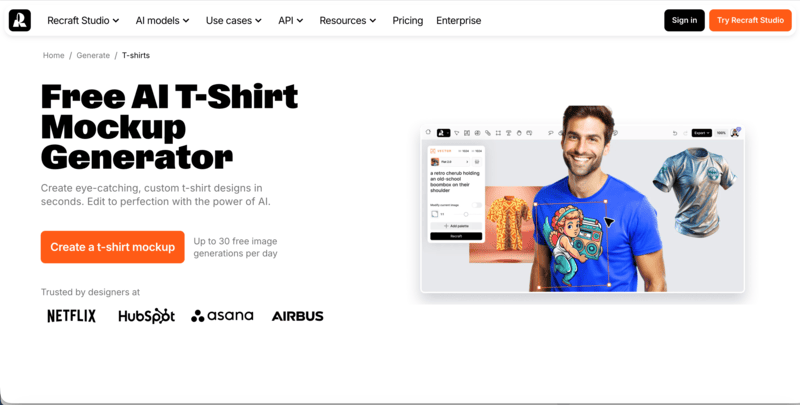
Recraft is a free AI T-shirt mockup generator that allows users to create eye-catching, hyper-realistic designs in seconds. It focuses on applying custom graphics to T-shirts with precise placement, accurate proportions, and natural shadows and curves, making every mockup look professional and polished.
Core Features
- Quick Mockup Generation: Produce personalized T-shirt mockups in under a minute.
- Hyper-realistic Details: Designs maintain correct proportions, shadows, and curves for a lifelike appearance.
- Community Inspiration: Explore a gallery of high-quality designs from other users for ideas and reference.
- Enhanced Resolution: Use AI upscaling to add extra detail and clarity to your mockups.
Recraft is ideal for designers, print-on-demand sellers, and creators who need fast, professional, and visually striking T-shirt previews.
11. VEED
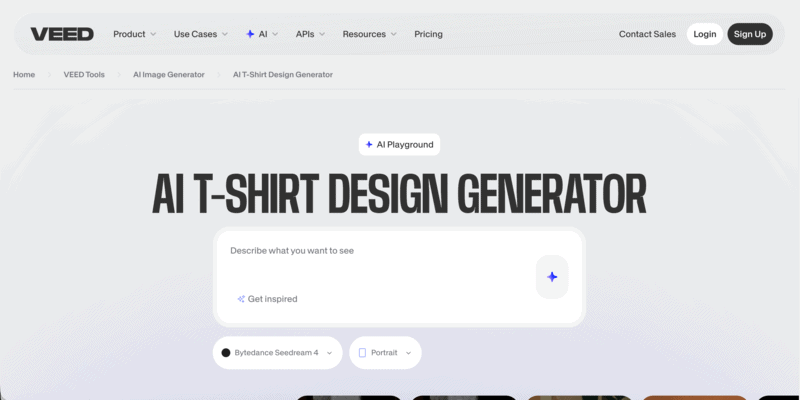
VEED offers an AI T-shirt design generator that transforms simple text prompts into instant T-shirt graphics. Whether you are creating merch for an online store, graphics for a YouTube channel, or company and event shirts, VEED makes the process straightforward.
Core Features
- Prompt-Based Image Generation: Type your idea into the prompt box and generate shirt graphics instantly.
- Style Experimentation: Test different visual directions such as vibrant colors, bold symbols, or delicate line art.
- Video Editor Integration: Seamlessly turn your shirt designs into promotional videos or engaging social content within the same platform.
VEED stands out for combining AI image generation with built-in video editing, making it especially useful for creators who want to design merch and promote it in one streamlined workflow.
12. Xinva
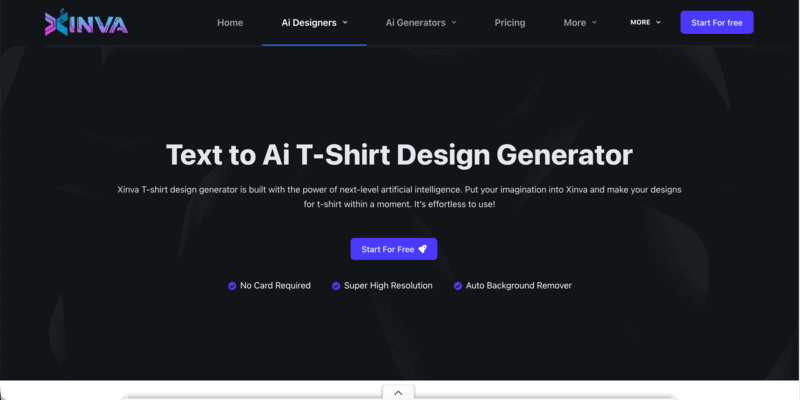
Xinva is a text-to-AI T-shirt design generator built to help store owners and entrepreneurs create unique shirt graphics instantly. By simply entering a creative prompt, users can generate stylish, sales-ready designs without hiring a professional designer.
Key Capabilities
- Text-to-Design Generation: Enter a prompt and let the AI create original T-shirt graphics within seconds.
- Background Removal: One-click Remove BG function for easy application to T-shirt mockups.
- Commercial-Ready Downloads: Export designs for direct use in your online store or printing workflow.
Xinva is ideal for entrepreneurs who need consistent, AI-generated T-shirt designs at scale without ongoing designer costs.
Practical Comparison of 12 AI T-Shirt Design Generators
Choosing the right AI T-shirt design tool depends on what you need most. Below is a practical side-by-side comparison of 12 AI T-shirt design generators, highlighting their core strengths and ideal use cases to help you decide faster.
| Tool | Primary Focus | Best For | Key Strength |
| Fashion Diffusion | Full fashion workflow | Brands & designers | Outfit generation + inpainting + realistic visuals |
| Canva | Template-based T-shirt maker | Beginners & small projects | Easy drag-and-drop editing |
| createimg | Text-to-design graphics | Fast concept testing | Instant AI shirt graphics |
| ImagineArt | AI merch generator | POD sellers & creators | Upload-based design blending |
| Kittl | Typography & vintage design | Entrepreneurs & merch brands | Exclusive fonts + AI artwork |
| Krea | Vector-style AI graphics | Print-ready artwork | Clean background outputs |
| Pacdora | T-shirt mockups | Branding & presentation | Multiple shirt styles + export formats |
| PicLumen | Multi-style AI generator | Creative exploration | Style flexibility + image upscaler |
| Pixa | Realistic AI mockups | E-commerce sellers | Hyperrealistic fabric rendering |
| Recraft | Free AI mockups | Fast previews | Pixel-perfect proportional designs |
| VEED | AI graphics + video | Content creators | Image generation + video integration |
| Xinva | Text-to-shirt generator | POD store owners | Affordable bulk design creation |
Tips for Getting the Best Results
Even with the most powerful AI T-shirt design tools, your results will improve significantly if you follow a few practical strategies:
Use Clear and Specific Prompts
The more detailed your text or image input, the better the AI can understand your vision. Include style, color palette, garment type, and any key elements you want featured.
Experiment with Styles and Layouts
Don’t settle for the first output. Test different prompts, layouts, and visual styles. AI tools can generate multiple variations in seconds, allowing you to explore bold ideas without additional cost.
Optimize for Printing and Mockups
Even high-quality AI fashion designs may need minor adjustments for printing. Check resolution, color contrast, and placement. Tools with built-in mockup previews let you see exactly how your graphics will appear on T-shirts before production.
Iterate and Refine
Treat AI fashion design tools as creative partners, not just one-shot solutions. Refine your prompts or use inpainting/editing features to tweak details, adjust colors, or reposition logos until the design matches your vision.
Leverage Tool-Specific Strengths
Each platform has its niche. For example, some excel at full outfit visualization (Fashion Diffusion), others at realistic mockups (Pixa, Recraft), or fast text-to-design generation (createimg, Xinva). Use the tool that aligns with your specific goal for the best results.
Start Designing Your Next T-Shirt with Fashion Diffusion
AI is transforming T-shirt design, making it faster, more creative, and accessible to everyone. Designers, brands, and enthusiasts can now bring ideas to life without advanced software or long production cycles, exploring endless styles and concepts in minutes.
With Fashion Diffusion, you can take this creative freedom even further. Its AI Outfit Generator and Inpainting tools let you generate full designs, refine fabrics, colors, and details, and visualize your graphics directly on garments. Whether it’s custom team shirts, event apparel, or your next fashion project, Fashion Diffusion empowers you to experiment, iterate, and create production-ready T-shirt designs effortlessly.
FAQ
Yes. Most AI T-shirt design generators allow you to use your designs for commercial projects, including selling online or printing for clients. Always check the platform’s licensing terms to be sure.
No. These tools are built for beginners and professionals alike. You just need to provide a text prompt or image inspiration, and the AI will generate your design automatically.
Be specific with your prompts, experiment with different styles, colors, and layouts, and use editing features to refine details. Iterating multiple times can produce truly original results.
AI tools are great for speed, experimentation, and initial concepts. While they can produce high-quality designs, human designers are still valuable for complex branding, creativity, and nuanced visual decisions.
Platforms like Fashion Diffusion, Pixa, and Recraft excel at creating photorealistic T-shirt mockups, allowing you to visualize your designs on garments before printing.


